Hi folks,
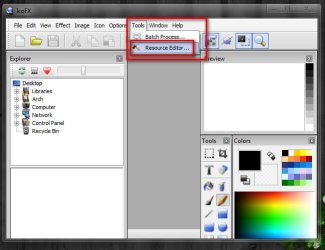
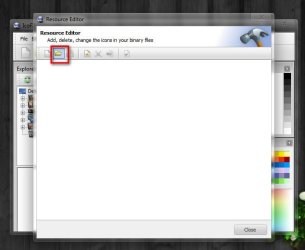
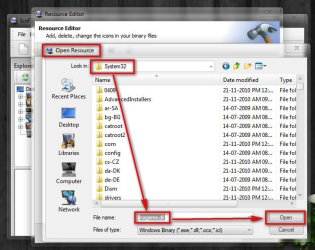
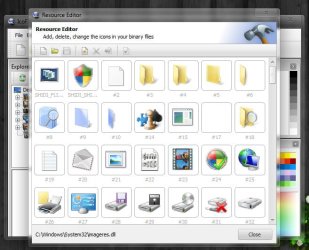
I know this sounds odd. At the moment I'm customizing my imageres and shell32 dll files. OK using Restorator 2007 I extract the icons of each .dll into separate folders on the desktop in .ico format. I have done this before and made a perfect printout of the icons of each folder but I'll be damned if I can remember how I did it. I have searched the internet only to come up short handed and have done everything and used every program I have to make this happen to no avail. The reason for the printout is for easy reference to the icons for recognition and naming correctly. If anyone knows of any solution to my problem I would really appreciate the help. Thank you and have a good one..
I know this sounds odd. At the moment I'm customizing my imageres and shell32 dll files. OK using Restorator 2007 I extract the icons of each .dll into separate folders on the desktop in .ico format. I have done this before and made a perfect printout of the icons of each folder but I'll be damned if I can remember how I did it. I have searched the internet only to come up short handed and have done everything and used every program I have to make this happen to no avail. The reason for the printout is for easy reference to the icons for recognition and naming correctly. If anyone knows of any solution to my problem I would really appreciate the help. Thank you and have a good one..
My Computer
- Computer Manufacturer/Model Number
- Alienware
- OS
- Windows 7 Ultimate x64
- CPU
- I7
- Motherboard
- GA-X58-USB3
- Memory
- 6 x 1.5V DDR3 DIMM sockets supporting up to 24 GB of system
- Graphics Card(s)
- GeForce GTX 580
- Sound Card
- Realtek ALC892 codec 2/4/5.1/7.1-channel
- Monitor(s) Displays
- NEC Display Solutions E321 Black 32"
- Screen Resolution
- 1366 x 768
- Hard Drives
- OCZ Colossus LT Series OCZSSD2-1CLSLT1T 3.5" 1TB SATA II MLC Internal Solid State Drive
- PSU
- XFX Black Edition XPS-850W-BES 850W ATX12V
- Case
- Antec
- Cooling
- Zalman
- Keyboard
- Microsoft
- Mouse
- Microsoft