BradMorris
New member
- Local time
- 10:21 AM
- Messages
- 3
I am running a network of 6 Win XP machines. I just added a Win 7 Pro 64bit machine to network. Everything is working ok.
I have 3 shared printers, all on the XP machines. No printers attached to the Win7 Machine.
One of the printers is a Dot Matrix printer. Our program requires us to use this machine for one report.
From all machines we use the "NET USE LPT2:\\BRAD\SERVICE /PERSISTENT:YES" command. No Problems
My problem now is that I can not get the Win 7 machine to print to this machine. (All XP machines are fine)
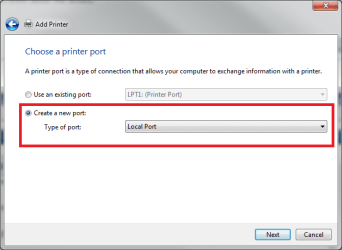
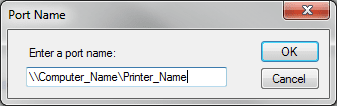
I "Install network printer" and run test page to this printer with no problems but when I try and print to this dot matrix printer (basic text printing, no graphics) redirecting with the NET USE command, the program acts like it sent the print job but the job shows up in NO Print QUE.
I'm running as administrator.
This new machine does not have a phyiscal parallel port on it so I put one in but that has not made a difference either. (I installed the 64bit win7 drivers for the card and the printer, which is an OKIDATA Microline 520)
Any suggestions?
I have 3 shared printers, all on the XP machines. No printers attached to the Win7 Machine.
One of the printers is a Dot Matrix printer. Our program requires us to use this machine for one report.
From all machines we use the "NET USE LPT2:\\BRAD\SERVICE /PERSISTENT:YES" command. No Problems
My problem now is that I can not get the Win 7 machine to print to this machine. (All XP machines are fine)
I "Install network printer" and run test page to this printer with no problems but when I try and print to this dot matrix printer (basic text printing, no graphics) redirecting with the NET USE command, the program acts like it sent the print job but the job shows up in NO Print QUE.
I'm running as administrator.
This new machine does not have a phyiscal parallel port on it so I put one in but that has not made a difference either. (I installed the 64bit win7 drivers for the card and the printer, which is an OKIDATA Microline 520)
Any suggestions?
My Computer
- OS
- XP PRO and Win7 Pro