Problem installing older games

NomenUsoris

New member
Local time
7:27 PM
Messages
8
I just got a new laptop with Windows 7 Home Premium 64bit, and I want to play my old games (Midtown Madness, Sims 2, Tycoon Games). But I'm having trouble installing them.

I insert the disk, and this pops up like usual:
AutoRunMM.png

Then I can hear the disk being read, but there it stops, and does nothing more.

I tried opening (installing) it from the folder, and then this appeared:
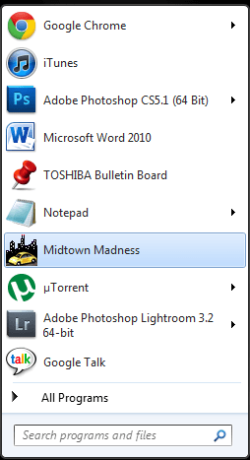
TaskBarMM.png

But when I click it, this message appears:
ErrorMM.png

Until now I've only used Windows 95, 98 and XP. I managed to install the Sims 2 and Midtown Madness in my mom's laptop (A Toshiba Satellite with 32bit windows 7) but not in mine (Toshiba Satellite with 64bit windows).

The games are all bought legally.
I don't have any new games to try if they work, since I suppose this is a compatibility problem.

Midtown Madness is designed for Windows 98. (1999)
Mall Tycoon for 98/ME/2000/XP. (2002)
Sims 2 for 98/ME/2000/XP. (2004)

Thanks!
 

My Computer

OS
Windows 7 Home Premium 64bit
Welcome to Windows Seven Forums.

You could try installing the games in Compatibility Mode for earlier operating systems.

Make older programs run in this version of Windows

If you are able to install any of them you can try running them in Compatibility Mode.

Compatibility.JPG
 

My Computer

Computer Manufacturer/Model Number
HP Pavilion Elite 495UK
OS
Windows 7 Ultimate SP1 64-Bit
CPU
Intel Core i7 870 @ 2.93GHz
Motherboard
MSI 2A9C (CPU1)
Memory
8Gb Dual-Channel DDR3 @ 664MHz
Graphics Card(s)
nVidia GeForce GTX 460 1024MB dedicated RAM
Sound Card
Realtek HD Audio
Monitor(s) Displays
HP2310i
Screen Resolution
1920 x 1080
Hard Drives
1x1954GB Hitachi HDS22020ALA 330 (RAID), 1x1954GB Hitachi External for backup and storage
PSU
460W
Case
HP Elite
Cooling
Air cooled
Keyboard
Logitech K750 solar-powered keyboard
Mouse
Logitech Wireless M180 mouse
Internet Speed
2Mb
Other Info
Pure Avanti Flow Internet Radio with iPod Dock, 64Gb iPod, HP USB Speakers, Sony MDR-V500 Headphones, Sony Vaio F-Series Laptop
Thanks for the response!
I have successfully installed the Sims 2 (It seems all I had to to was to post here...) And I am able to run it in the Compatibility mode (Do you know which mode is the best?)

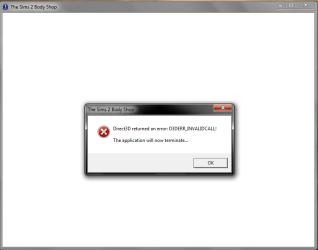
I tried to open the "Body Shop" and this happened:
bodyshoperror.png

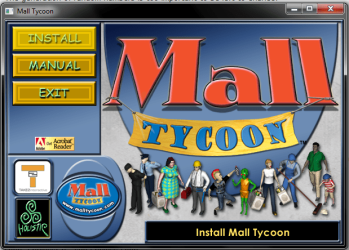
I also tried to open the "setup.exe" in every compatibility mode I thought would work, but it is the same, the mouse shows the "loading" icon, and then nothing. If I open the autorun this appears, I click "install" and the window disappears, then nothing.
InstallMT.png

Thanks again!
 

My Computer

OS
Windows 7 Home Premium 64bit
Are those 16bit games. Win7 does not support 16bit.
 

My Computer

Computer Manufacturer/Model Number
HP, Dell, Gateway, Toshiba - 4 laptops and 2 desktops
OS
Vista, Windows7, Mint Mate, Zorin, Windows 8
CPU
from 1.6GHz Duo to i7
Monitor(s) Displays
2x HP w2207
Hard Drives
5x HDD, 7x SSD, 12x Externals
Keyboard
with trackball - no mices
Mouse
Trackball mice
Internet Speed
DSL 6000
The best way to determine which compatibility mode to use for the older games is to try and determine how old the games are.

Obviously, the older the game, the older the operating system. If in doubt, start with Windows 98 compatibility mode and take it from there.

As for 16-bit software, it will not run in 64-bit versions of Windows. If you not sure which architecture your games are designed for, Google is your friend. :)
 

My Computer

Computer Manufacturer/Model Number
HP Pavilion Elite 495UK
OS
Windows 7 Ultimate SP1 64-Bit
CPU
Intel Core i7 870 @ 2.93GHz
Motherboard
MSI 2A9C (CPU1)
Memory
8Gb Dual-Channel DDR3 @ 664MHz
Graphics Card(s)
nVidia GeForce GTX 460 1024MB dedicated RAM
Sound Card
Realtek HD Audio
Monitor(s) Displays
HP2310i
Screen Resolution
1920 x 1080
Hard Drives
1x1954GB Hitachi HDS22020ALA 330 (RAID), 1x1954GB Hitachi External for backup and storage
PSU
460W
Case
HP Elite
Cooling
Air cooled
Keyboard
Logitech K750 solar-powered keyboard
Mouse
Logitech Wireless M180 mouse
Internet Speed
2Mb
Other Info
Pure Avanti Flow Internet Radio with iPod Dock, 64Gb iPod, HP USB Speakers, Sony MDR-V500 Headphones, Sony Vaio F-Series Laptop
Pretty sure all 3 of these games are 32-bit. I remember playing Midtown Madness on Win98SE. :)
 

My Computer

Computer type
PC/Desktop
Computer Manufacturer/Model Number
Custom-built
OS
Windows 7 Professional SP1 32-bit
CPU
Intel Core 2 Duo E6600 2.4GHz
Motherboard
Asus PL5D2
Memory
4GB DDR2-667 (4x1GB in dual-channel config)
Graphics Card(s)
nVidia GeForce 9800 GT
Sound Card
Creative X-Fi XtremeMusic
Monitor(s) Displays
Acer P236H
Screen Resolution
1920x1200 (DVI)
Hard Drives
OCZ SSD Vertex Plus 60GB SATA (Firmware 3.55), 64MB cache
Hitachi HD321KJ SATA, 320GB, 7200rpm, 16MB cache
PSU
Antec TruePower 2.0
Case
Cooler Master Centurion
Cooling
Too many fans
Keyboard
Standard
Mouse
Microsoft wireless optical mouse
Internet Speed
AT&T U-verse (18mbit/sec)
Antivirus
Microsoft Security Essentials
Browser
Firefox
Other Info
Other devices:
Compaq CQ-60 laptop
Google Nexus 7 (2012) tablet
Nvidia SHIELD tablet (US/LTE)
Hardkernel ODROID-XU single-board computer (Samsung Exynos 5420)
Back
Top