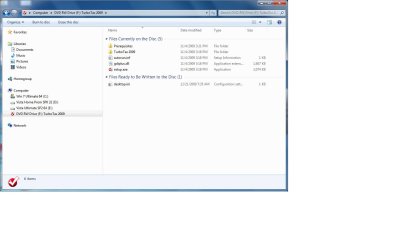
I purchased Turbo Tax 2009, received an original disk. The problem is the disk will not load on my windows 7 machine. There is no setup file or autorun file visable when the disk viewed with Windows 7 explorer. However: When I put the original Turbo Tax disk in a XP or Vista machine the program loads and I am able to see a setup and autorun file when I view the disk with windows explorer. See below for what files and folders I see on the different os.
Please understand I have three separate computers with three different operating systems. My question is about the Windows 7 machine.
No there is no Autorun file visable on the disk with Windows 7.
Here is what is visable on the Turbo Tax disk when I open Windows explorer
Files currently on the disk (5)
.background folder
Turbo Tax Home and Business 2009.app folder
.DS_Store file
.VolumeIcon.icns file
Applications file
Files ready to be written to the disk (1)
desktop.ini file configuration setting
_______________________
However when I put the disk in the XP or Vista machine:
Files currently on the disk (5)
There is an Autorun file visable
a Setup file visable
a gdiplus.dll file
a Prerequisites folder
a Turbo Tax 2009 file folder
Any suggestions will be greatly appreciated
Please understand I have three separate computers with three different operating systems. My question is about the Windows 7 machine.
No there is no Autorun file visable on the disk with Windows 7.
Here is what is visable on the Turbo Tax disk when I open Windows explorer
Files currently on the disk (5)
.background folder
Turbo Tax Home and Business 2009.app folder
.DS_Store file
.VolumeIcon.icns file
Applications file
Files ready to be written to the disk (1)
desktop.ini file configuration setting
_______________________
However when I put the disk in the XP or Vista machine:
Files currently on the disk (5)
There is an Autorun file visable
a Setup file visable
a gdiplus.dll file
a Prerequisites folder
a Turbo Tax 2009 file folder
Any suggestions will be greatly appreciated
My Computer
- Computer Manufacturer/Model Number
- dell inspiron 518
- OS
- Windows 7
- CPU
- 2.40ghz
- Memory
- 4.0gb