Problem with Win 7

koper

New member
Local time
4:08 AM
Messages
5
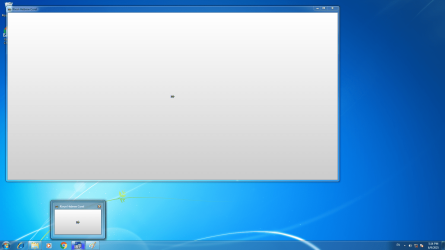
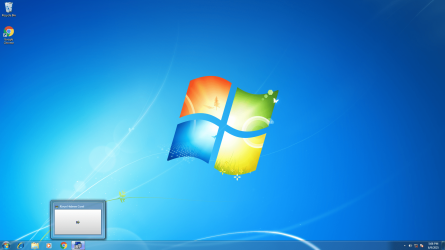
I would like to ask for your help. I've an old P5GZ-MX 32 bit mo bo based pc because I'm trying to run a very old software on it. I've installed the software, it's called Hebcorel and in order to operate it, the icon with the left right arrow as can be seen on the "scrn1" (it's very little), when I move the cursor to operate it on the actual screen - as seen in "scrn2" as the cursor goes beyond the border of the lower screen, the screen is wiped out and instead of operating the program I have to go again to it on the programs list and it causes the same cycle again. what am I doing wrong?
 

Attachments
  • scrn1.png
    scrn1.png
    1.8 MB · Views: 2
  • scrn2.png
    scrn2.png
    819.6 KB · Views: 1

My Computer

Computer type
PC/Desktop
OS
Win 7 x64
It looks like you're trying to run 32-bit Corel software in Windows 7 32-bit. Presumably with a Hebrew font fix - Kivun was a 1990s Hebrew font maker who also shipped Kivun Computers versions of Corel. For instance, on Archive org I see a "Accent + CorelDraw 4 CD (Hebrew)" CD from them.

It looks like it can install and launch, but cannot render its UI (buttons, windows etc). This may perhaps indicate that some required underlying Windows package is lacking, perhaps relating to graphics types? Just a guess. The other possibility is that it requires its own font and graphics package installed as an extra, in order to render the UI in Hebrew.

You might also ask CorelDRAW ישראל: עיצוב גרפי מקצועי וחדשני (Corel Israel), as they appear to sell Corel versions with (presumably robust) Hebrew support - it's just possible they may still sell 32-bit versions. I see from a quick search that Corel was producing a 32-bit version of CorelDraw as late as 2019.
 
Last edited:

My Computers

System One System Two

  • Computer type
    PC/Desktop
    OS
    Windows 7 Ultimate x64 SP3
    CPU
    Xeon
  • Computer type
    PC/Desktop
Thanks for your reply.
The CorelDraw ver4 and the Kivun Hebrew fonts were used by my after purchasing them on 1995. they were installed on a 486 pc and worked fine. I ceased to use them for a very long time and now I wanted to use them again so I've installed them on an old 32 bit pc because as you well know, they can't run on a 64 bit. I've managed (as I've mentioned) to install the Kivun from the original 1.44 diskettes and was noticed that the installation was completed. I'm not that familiar with computer software, so, I'll appreciate it very much if you can try to explain in plain English (which is not my mother tongue, as you can guess) what is the UI and what maybe the [FONT=&quot]underlying Windows package that might be missing (the Win 7 runs smoothly, as far as I can tell) and if there is a way to find it and install it. I'm curios of your proficiency with the Hebrew supplement Kivun (which is no longer exists) but that's just a remark.[/FONT]
 

My Computer

Computer type
PC/Desktop
OS
Win 7 x64
I have no idea what underlying software may be missing. But it would be something that existed at that time.

The UI = the "user interface". The windows, boxes, text and buttons which make the control surface of a piece of software. The main window is obviously launching, but the elements inside it are not.

It may actually be able to run under 64-bit. I was amazed to find that Windows 10 and 11 now have very good third-party emulators for DOS and 32-bit software.

"Kivun". No, I knew nothing at all about it until your post here. I just know how to search the Web quickly and efficiently.
 

My Computers

System One System Two

  • Computer type
    PC/Desktop
    OS
    Windows 7 Ultimate x64 SP3
    CPU
    Xeon
  • Computer type
    PC/Desktop
Back
Top