JohnLovesJeepin
New member
- Local time
- 4:50 AM
- Messages
- 3
"Problem with wireless adapter or access point" I cant connect to wifi
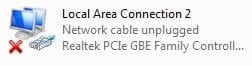
Ok, first off I would just like to say that this is my first thread post on this forum so sorry if I have done something wrong or am missing vital information. My problem is that I am trying to connect to my college campus's wireless internet. I will give more specific details in a bit. Basically, I was watching YouTube before going to class and shut down my PC before I left. I was connected to the internet then and it was working fine. When I got back is when I started getting problems. I booted up my computer as I usually do but instead of automatically connecting to my school's network, it didn't connect at all. When I go down to the wifi signal on the bottom right and choose the network and hit connect, it fails. This is what it reads: "Windows was unable to connect to (network name.)" I have tried going to Control Panel -> Network and Internet -> Network Connections and disabling and enabling everything and that did not work. I should also tell you that all the devices in this window have a red "X" next to them. I also tried all of Windows "troubleshooting problems." What I don't get is that my phone connects just fine, as well as everyone else on campus. I'm getting a bit frustrated because I am quite knowledgeable when it comes to computers and this sort of thing. I even custom built my own desktop at home. Here are the specs of the laptop I am having trouble with:
Operating System: Windows 7 Ultimate x64
CPU: Intel Core i7-4810MQ @ 2.8 ghz
RAM: 16.0 gb
Not sure if you need this info but these are all of my "Network Adapters:"
Bluetooth Device (Personal Area Network)
Bluetooth Device (RFCOMM Protocol TDI)
Intel(R) Dual Band Wireless-AC 7260
Killer e2200 PCI-E Gigabit Ethernet Controller (NDIS 6.20)
Please let me know if you need any extra information and I will try and add it as soon as possible. Thanks for any and all help!
- John
Ok, first off I would just like to say that this is my first thread post on this forum so sorry if I have done something wrong or am missing vital information. My problem is that I am trying to connect to my college campus's wireless internet. I will give more specific details in a bit. Basically, I was watching YouTube before going to class and shut down my PC before I left. I was connected to the internet then and it was working fine. When I got back is when I started getting problems. I booted up my computer as I usually do but instead of automatically connecting to my school's network, it didn't connect at all. When I go down to the wifi signal on the bottom right and choose the network and hit connect, it fails. This is what it reads: "Windows was unable to connect to (network name.)" I have tried going to Control Panel -> Network and Internet -> Network Connections and disabling and enabling everything and that did not work. I should also tell you that all the devices in this window have a red "X" next to them. I also tried all of Windows "troubleshooting problems." What I don't get is that my phone connects just fine, as well as everyone else on campus. I'm getting a bit frustrated because I am quite knowledgeable when it comes to computers and this sort of thing. I even custom built my own desktop at home. Here are the specs of the laptop I am having trouble with:
Operating System: Windows 7 Ultimate x64
CPU: Intel Core i7-4810MQ @ 2.8 ghz
RAM: 16.0 gb
Not sure if you need this info but these are all of my "Network Adapters:"
Bluetooth Device (Personal Area Network)
Bluetooth Device (RFCOMM Protocol TDI)
Intel(R) Dual Band Wireless-AC 7260
Killer e2200 PCI-E Gigabit Ethernet Controller (NDIS 6.20)
Please let me know if you need any extra information and I will try and add it as soon as possible. Thanks for any and all help!
- John
My Computer
At a glance
Windows 7 Ultimate x64Intel Core i7-4810MQ16 gb
- Computer type
- Laptop
- Computer Manufacturer/Model Number
- Custom Build
- OS
- Windows 7 Ultimate x64
- CPU
- Intel Core i7-4810MQ
- Memory
- 16 gb
- Antivirus
- McAfee AntiVirus Plus
- Browser
- Google Chrome