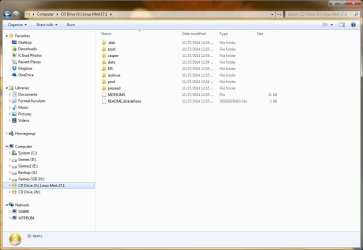
I tried burning another DVD based on the link given for a tutorial. All I can see is that it's another way to do what I already did. It assumes you are either doing an ISO or IMG files to begin with. It did not offer me an option to burn either, it assumes that is what you are burning. I don't understand what makes the file bootable or not.
While the F2 does not seem to work on this machine, it does on the XP machine, but I wasn't sure how to get it to go to the DVD while I was in that mode - it did not do it automatically.
I'm beginning to think this stuff is beyond my capabilities and it's getting very frustrating.
P.S. I right clicked on the file and, in properties, it says it's a Disc Image File (.iso).
While the F2 does not seem to work on this machine, it does on the XP machine, but I wasn't sure how to get it to go to the DVD while I was in that mode - it did not do it automatically.
I'm beginning to think this stuff is beyond my capabilities and it's getting very frustrating.
P.S. I right clicked on the file and, in properties, it says it's a Disc Image File (.iso).
Last edited:
My Computer
- Computer type
- PC/Desktop
- Computer Manufacturer/Model Number
- Dell
- OS
- Windows 7 64 bit
- CPU
- Intel(R) Celeron(R) CPU G465 @ 1.90GHz
- Motherboard
- Dell Inc. 0478VN
- Memory
- 8 gig
- Graphics Card(s)
- Intel(R) HD Graphics
- Sound Card
- (1) Intel(R) Display Audio (2) Realtek High Definition Aud
- Monitor(s) Displays
- Dell 19"
- Hard Drives
- (1) ST500DM002-1BD142 (2) Generic- Multi-Card USB Device
- Mouse
- Logitech marble mouse
- Internet Speed
- 100
- Antivirus
- Spybot Search and Destroy, Malwarebytes,Security Essentials
- Browser
- Chrome with Duck Duck Go