1. Open regedit
2. GoTo
HKEY_LOCAL_MACHINE\SOFTWARE\Microsoft\Windows NT\CurrentVersion\ProfileList
3. Right-click on “
ProfileList” and click export to save the entire subtree as your backup.
4. If you find an account named
.Default you can delete it. If your problem isn't resolved, then continue on:
5. GoTo
HKEY_LOCAL_MACHINE\SOFTWARE\Microsoft\Windows NT\CurrentVersion\ProfileList again.
6. You will find several subfolders under Profile list with names similar to “S-1-x-xx…”, open them one at a time.
7. Each should contain at least the three value-sets, “
Flags”, “
ProfileImagePath” and “
State”, some will contain more.
1. Look at the end of
ProfileImagePath for the name of the user represented by the key.
2. You will usually have one for each user on the system, and one for each of the three system entries ‘systemprofile’, ‘LocalService’ and ’NetworkService’
8. Delete any key (i.e. the whole “S-1-x-xx” folder) that does not contain at least those three values.
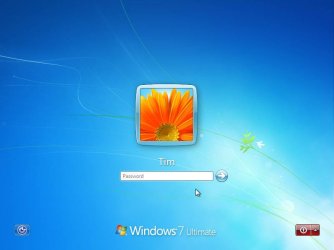
9. The welcome screen should now work as expected, showing the avatars for all registered users.
10. You did make a back up as per step 3 didn't you

??