- Local time
- 10:43 PM
- Messages
- 705
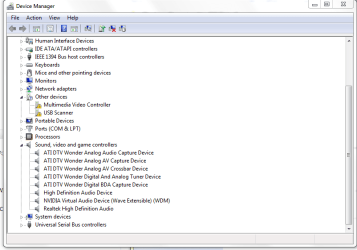
I have a 64 bit win7 with a working ATI wonder HDTV PCI card.
Works.
Windows on that PC when I put in the card, I either right clicked in device manager and it installed, or it installed on boot up from the web.
This other windows 7 pc, does not install the card, right click windows was unable to install ATI DTV WONDER DIGITAL BDA CAPTURE.
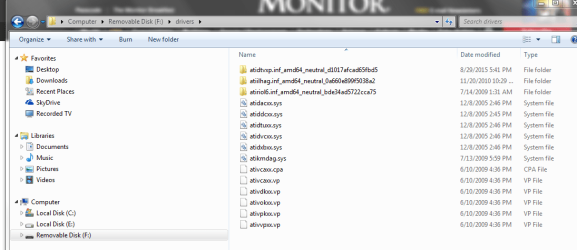
Can I put the card back in the pc that works, go to device manager, show the files it is using, then copy them into windows directory, then point the install to those files?
Or something? Is windows update ever going to cooperate?
i went ahead and am installing a slew of updates about 200, so will it find the card after that is done?
Works.
Windows on that PC when I put in the card, I either right clicked in device manager and it installed, or it installed on boot up from the web.
This other windows 7 pc, does not install the card, right click windows was unable to install ATI DTV WONDER DIGITAL BDA CAPTURE.
Can I put the card back in the pc that works, go to device manager, show the files it is using, then copy them into windows directory, then point the install to those files?
Or something? Is windows update ever going to cooperate?
i went ahead and am installing a slew of updates about 200, so will it find the card after that is done?
My Computer
- OS
- Windows 7 Ultimate x64