My Computer
At a glance
Windows 64bitI74 GB1GB
- Computer type
- PC/Desktop
- Computer Manufacturer/Model Number
- Dell
- OS
- Windows 64bit
- CPU
- I7
- Memory
- 4 GB
- Graphics Card(s)
- 1GB
- Sound Card
- SRS
- Hard Drives
- 500 GB
- Browser
- IE 11


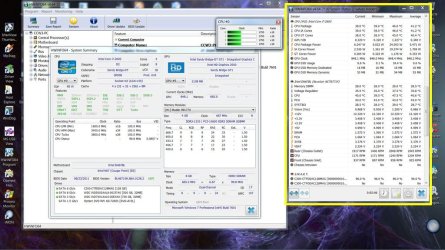
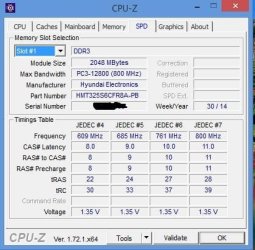
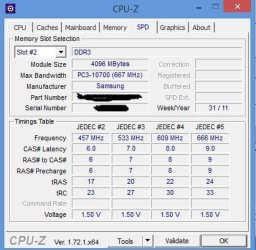
Are these the actual screen shots as the memory is currently running? I didn't think you could run different voltages on the memory slots a the same time.

I bought an additional ram the old one is 1333 MHz and the new one (Hyundai) is 1600 MHz, they are running together in one laptop ,is that fine ?
I bought an additional ram the old one is 1333 MHz and the new one (Hyundai) is 1600 MHz, they are running together in one laptop ,is that fine ?
Did you attempt to find RAM of the same speed or voltage?
Or not?


Is it fine?
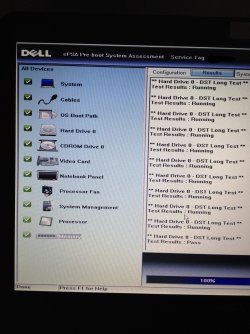
Please run Memtest on the RAM to see.
Memtest86+ - Advanced Memory Diagnostic Tool
Boot from the Memtest media before bedtime and let it run through the night. A minimum of 5 passes to get a basic test result, 8 or 9 passes to get a thorough result.
Then you will know.
I noticed you posted at EightForums too.
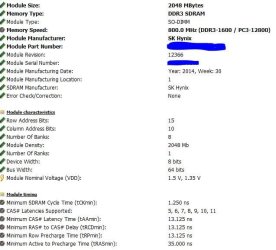
Over there CountMike said the SPD tab you are showing does not display the actual voltage your memory is running at, only what it is capable of.
It is my understanding that you can only run one voltage at a time for all memory/slots, if this is correct, you are probably running the lowest voltage (1.35V) on both slots and the slowest timing on both chips. Meaning that your faster memory is running at the slower speed.
If you run the MemTest86+ for eight passes without failure, then I 'd say you'll be fine. But you still won't be getting the best performance out of your memory.
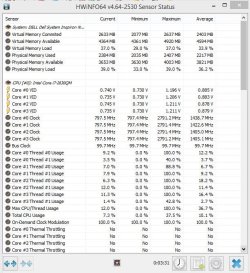
Apparently so. First one I've seen like that. What does the Sensor screen show for memory voltage?Does it mean it can run at 1.50v or 1.35v ?
Apparently so. First one I've seen like that. What does the Sensor screen show for memory voltage?Does it mean it can run at 1.50v or 1.35v ?