
Hi everyone. Brand new to these forums because of a very nagging issue that has been occurring only recently.
In a nutshell, my entire computer randomly decides to lock up. Meaning, everything freezes - I can't use my mouse, I can't alt+ctrl+del, nothing. I might be surfing the net on Firefox (which is most of my computer usage) or it could happen as I'm sitting looking at the desktop. Usually these freezes will last for a maximum of about five seconds or so, and then everything is fine again, but sometimes the freeze doesn't disappear. I am then forced to do a hard shutdown of my computer. Now, I could have the computer on for several hours, spend about three hours actually in front of it, and have two "soft" lockups (meaning it bounces back to normal after a few seconds) in that time. Or it could go for 4 hours without an issue. It's extremely random, is what I'm trying to say.
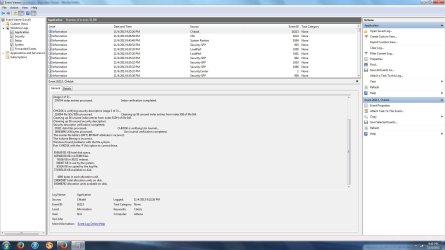
I already tried a memory test (everything was A-OK) and yesterday I ran a CHKDSK - everything's OK. I made absolutely sure that my graphics card driver was 100% up to date - it is. UPDATE: I just checked my Event Viewer, and it just updated with the chkdsk log - even though I ran it last night. I have attached a screen cap, maybe you can see something I missed?
I really don't know what this could possibly be otherwise. Overheating potentially? Never had an issue with it before. I really hope you guys can help me out with this, the absolute randomness of the issue is killing me!
Thanks sooooo much.
-Mike
In a nutshell, my entire computer randomly decides to lock up. Meaning, everything freezes - I can't use my mouse, I can't alt+ctrl+del, nothing. I might be surfing the net on Firefox (which is most of my computer usage) or it could happen as I'm sitting looking at the desktop. Usually these freezes will last for a maximum of about five seconds or so, and then everything is fine again, but sometimes the freeze doesn't disappear. I am then forced to do a hard shutdown of my computer. Now, I could have the computer on for several hours, spend about three hours actually in front of it, and have two "soft" lockups (meaning it bounces back to normal after a few seconds) in that time. Or it could go for 4 hours without an issue. It's extremely random, is what I'm trying to say.
I already tried a memory test (everything was A-OK) and yesterday I ran a CHKDSK - everything's OK. I made absolutely sure that my graphics card driver was 100% up to date - it is. UPDATE: I just checked my Event Viewer, and it just updated with the chkdsk log - even though I ran it last night. I have attached a screen cap, maybe you can see something I missed?
I really don't know what this could possibly be otherwise. Overheating potentially? Never had an issue with it before. I really hope you guys can help me out with this, the absolute randomness of the issue is killing me!
Thanks sooooo much.
-Mike
Attachments
My Computer
- Computer type
- PC/Desktop
- Computer Manufacturer/Model Number
- Gateway
- OS
- Windows 7 Home Premium 64-bit
- CPU
- AMD Phenom(tm) II X6 1035T Processor, 2600 Mhz 6 cores
- Memory
- 6 GB Ram
- Graphics Card(s)
- Nvidia GeForce GTX 460
- Antivirus
- Microsoft Essentials
- Browser
- Firefox

 Remember to unplug your PC from the Mains and to take antistatic precautions, BEFORE opening your PC.


