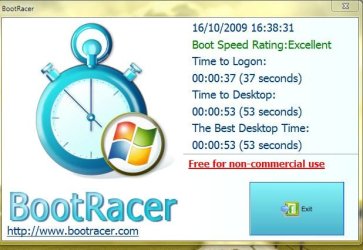
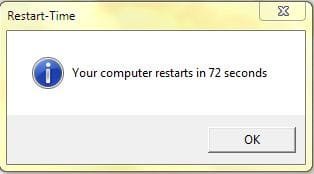
My Computer
- Computer Manufacturer/Model Number
- Acer Aspire 5750
- OS
- Windows 7 Home Premium 64bit
- CPU
- Intel Core i3-2310M
- Motherboard
- Acer OEM
- Memory
- 8GB
- Graphics Card(s)
- Intel HD3000
- Screen Resolution
- 1366x768
- Hard Drives
- 320GB Toshiba



Man, I'm not even going to post mine.
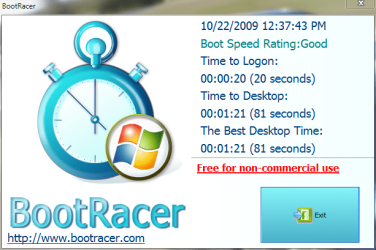
Windows itself starts up extremely fast. Unfortunately my Bios hangs on the HP screen for at least 20 seconds sometimes. I wonder if I can change that.
If it weren't for the bios taking forever mine would probably be in the 80 second range.

Man, I'm not even going to post mine.
Windows itself starts up extremely fast. Unfortunately my Bios hangs on the HP screen for at least 20 seconds sometimes. I wonder if I can change that.
If it weren't for the bios taking forever mine would probably be in the 80 second range.
Was the time in BIOS quicker at some point in the past? If if was, sometimes clearing the NVRAM will bring it back to normal
Tom.


Man, I'm not even going to post mine.
Windows itself starts up extremely fast. Unfortunately my Bios hangs on the HP screen for at least 20 seconds sometimes. I wonder if I can change that.
If it weren't for the bios taking forever mine would probably be in the 80 second range.
Was the time in BIOS quicker at some point in the past? If if was, sometimes clearing the NVRAM will bring it back to normal
Tom.
Actually I got my computer from my school and they had some weird setup that took you to this black screen looking for a network. Before I reset the BIOS by taking out the battery it used to take 1-2 MINUTES just to get past the BIOS.
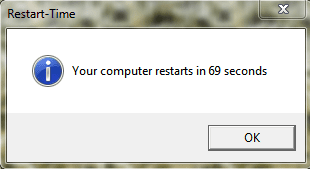
Was the time in BIOS quicker at some point in the past? If if was, sometimes clearing the NVRAM will bring it back to normal
Tom.
Actually I got my computer from my school and they had some weird setup that took you to this black screen looking for a network. Before I reset the BIOS by taking out the battery it used to take 1-2 MINUTES just to get past the BIOS.
If you have USB devices, try disconnecting them one by one and try rebooting each time. i have found on a few computers, when they have certain USB devices plugged in they sit at the post screen for ages, and that is what yours is doing. the HP logo just covers the post screen.
Also you will probably find the bios was set to boot via the network hub b4 you reset it.
anywho im gonna give this test a try.