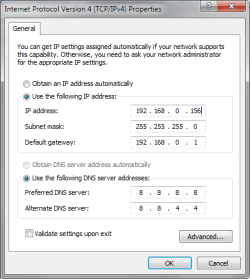
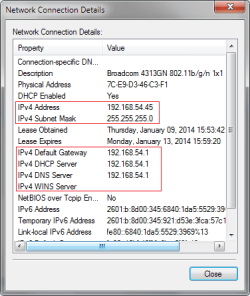
I'm not sure if I confused you, but my modem has a built-in router. I can try powering down both pc's and modem/router and then plugging in directly after turning everything back on to see if I get a connection, but I'm not sure there's a way for me to distinguish if the built-in router is defective. The modem obviously works though because the win8 machine is still connected.
Yes, router is provided by ISP. Okay, I'll try and give them a call then.
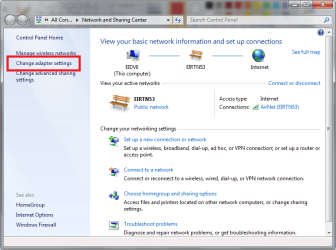
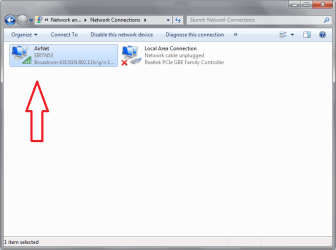
Change adapter settings: I only have two - wireless network and local area network.
No, all I have plugged into the pc are my mouse and keyboard.
Okay. Thanks a lot, Greg. I appreciate all your help. I'll try and call my ISP in the meantime.
Yes, router is provided by ISP. Okay, I'll try and give them a call then.
Change adapter settings: I only have two - wireless network and local area network.
No, all I have plugged into the pc are my mouse and keyboard.
Okay. Thanks a lot, Greg. I appreciate all your help. I'll try and call my ISP in the meantime.
Did you plug wire directly into modem? Try that now after power cycling the modem.
This will narrow it to router or modem so you know who to call.
If it connects from modem then the problem is your router. Is your router provided by your ISP? They have tech support on weekends normally.
Also look at Network and SHaring>Change Adpater Settings. How many adapters are listed there. Do you have anything else plugged into the PC. I get "Unidentified network" when I plug a crossover cable between PC's to transfer data.
I am getting ready to take my dog to the beach but will text my friend and fellow MVP Rayda to look in as she is one of the best in the world at networking and resolves these for me regularly.
My Computer
- Computer type
- PC/Desktop
- Computer Manufacturer/Model Number
- Acer Aspire m3202
- OS
- Windows 7 Home Premium 64 bit
- Antivirus
- not at the moment - just reinstalled



 If Device Manager tells you a driver is the latest then you are online!