Hi
Sevenfox,
Welcome to
SevenForums!
[Q1] Thanks to a seemingly unfixable software issue with my USB drivers I am about to be forced to reinstall my copy of Win 7, but after reading through this thread I'm feeling a bit overwhelmed, to much information and too many options... I have no idea what to proceed with.
[Q2] I was originally considering using an ISO from 2015 with pre-telemetry updates included instead of my original disc, but I am also concerned about not being able to fix another problem I have, which is a complete inability to update my video driver past Catalyst 14.8... Every post 14.8 driver will periodically cause my system to hard lock to a black screen. I wonder if more recent windows updates might help in fixing some incompatibility there?
[Q3] What I truly want is to update windows as far as I can but avoiding all verified telemetry and windows 10 bloat updates as well as any patches for spectre/meltdown. I'm not very confident about tinkering with this stuff, can anyone please advise the most painless route?
[Q1] What exactly is the problem?
[1] Have you installed any
new hardware,
software or
updates prior to this happening?
[2] Have you checked if it is something getting loaded at
startup [
Start =>
msconfig =>
Startup tab] that is causing the problem?
[3] Have you tried running
chkdsk - Check Disk?
[4] Have you tried running
SFC - System File Checker?
[5] Are there any yellow triangles in
Device Manager [
Start =>
Control Panel =>
Device Manager =>
Expand ALL nodes]?
[Q2] You could use your
oringinal disk [does it include SP1?] and then update your system using
DISM++.
[Q3] You can achieve this by running DISM++.
DISM++ - Basic Overview
DISM++ is a FREE implementation tool that has the ability to perform
Windows Updates [WU]. Some of the advantages [but not all] are:
[1] The GUI is
very easy to understand and use.
[2] It is
much faster than M$’s WU because it uses a different engine.
[3] It downloads the latest WU DB from the M$ servers, scans your OS, and then lists the updates available.
[4] It
doesn’t install
superseded updates like M$ does.
[5] It gives
you the option of what you want to install.
[6] The
pre-ticked updates are what is
recommended and are similar to the WU
critical and
recommended updates. The
un-ticked updates are similar to the WU
optional updates.
[7] It
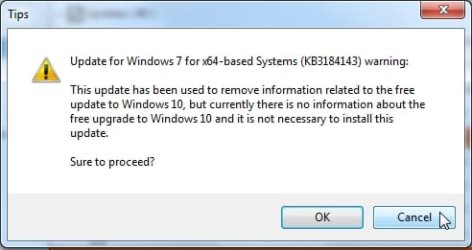
warns you if an update:
- Includes telemetry.
- Has known issues with certain hardware.
- Needs exclusive access.
- Is suspect.
- Your OS doesn't need it.
- Has any other known issues.
[8] It
doesn’t require
re-booting between updates.[9] It can be used to
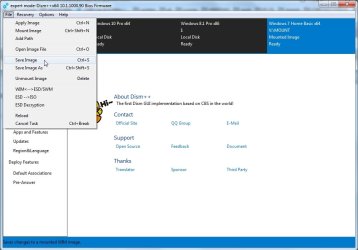
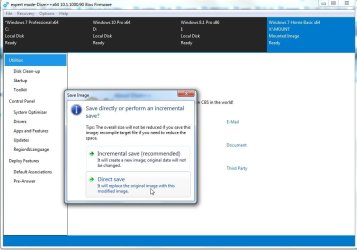
either update an
install.wim image
OFFLINE, or to update the
LIVE OS.
If you decide to use DISM++, then it is best to run the DISM++ Windows updates a
couple of times to make sure you get
ALL the updates that are needed.
DON’T install
ANY of the
ORANGE updates though [see numbers [6] and [7] above]. It can also install the required
.NET Framework updates. Then just run
WU to see what other updates are available, if any.
DISM++ - Run Windows Updates On The LIVE OS
NOTE: The
light blue text below are links to the relevant websites and programs, just
click them!
DISM++ Direct download [zip] =>
DISM++.
Here is the quick procedure guide:
[1]
Download the latest version of
DISM++ [see the DISM++ Direct download [zip] link above].
[2]
Extract the files using something like
7-Zip here =>
7-Zip.
[3] Turn
Sleep mode
OFF in
Power Options [you can turn it back on after you have finished].
[4] Double-click
Dism++x86 or
Dism++x64 and then click
Run.
[5] Click
Updates in the left-hand pane and then click
Scan [bottom right].
[6] Once the scan has completed, click
Install Updates [blue button to the right of
Scan].
[7] If any warning
pop-ups appear [see item [7] in the Basic Overview above], click
Cancel and it will skip that one. There could be several of these appear so click
Cancel to all of them.
[8] It is advisable to run the DISM++ WU a
couple of times. To do this, just
re-boot and
Scan again [from number [4] above].
[9] Run
M$ WU [Windows Update] to see if there are any other updates available.
I hope this helps!