ChronicX,
Let's roll once again...
We are going to take a chance, since the entries found by MBAM are a Layered Service Provider .dll that uses Winsock APIs to attempt to insert itself into the TCP/IP protocol stack. However, we need to get rid of the .dll.
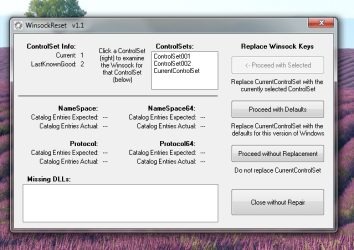
If, after running MBAM you have no Internet connection, the program that follows processes the
netsh winsock reset catalog command. It resets the winsock catalog to the standard Windows configuration, which means that all Layered Service Providers (LSPs) that were added, are skipped. So if you were using third-party LSPs, the associated programs may have to be re-installed or repaired.
So, here we go...
Run
Malwarebytes Anti-Malware
Make sure you update the program.
Run the
Threat Scan.
When the scan completes, you are presented with a screen showing what Malwarebytes Anti-Malware has detected.
Click on the
Quarantine All button, and then click on the
Apply Actions button.
Malwarebytes Anti-Malware quarantines all the files or entries that it found.
When removing the files from Quarantine, Malwarebytes Anti-Malware requires a reboot.
When it displays a message stating that it needs to reboot the computer, please allow it to do so.
A prompt appears after the first reboot stating MalwareBytes Anti-Malware needs to reboot the computer a second time. Please do so.
:ar: Please post the
MBAM report in your reply.
[The log is automatically saved by MBAM and is also viewed by clicking:
History tab > Application Logs.]
:ar: Test the Internet.
In case of Internet failure, please use the tool:
Zoek
First, temporarily disable your AV program.
Info on how to disable your security applications >
How To Temporarily Disable Your Anti-virus, Firewall And Anti-malware Programs - Security Mini-Guides
Zoek Download >
http://download.bleepingcomputer.com/smeenk/zoek.exe
When the download appears, save to the Desktop.
On the Desktop, right-click the Zoek.exe file and select: Run as Administrator (Give it a few seconds to appear.)
Next, copy/paste the entire script inside the code box below to the input field of
Zoek:
Code:
createsrpoint;
netsh winsock reset catalog;b
ipconfig /flushdns;b
emptyfolderscheck;delete
emptyclsid;
emptyalltemp;
autoclean;
Now...
Close any open Browsers.
Click the
Run script button, and wait. It takes a few minutes to run all the script.
When the tool finishes, the zoek-results.log is opened in Notepad.
The log is also found on the systemdrive, normally C:\
If a reboot is needed log is opened after the reboot.
:ar: Please attach the
zoek-results.log in your reply.





 Thank you again. I cannot tell you how thankful I am. I am hopeful we can smoke out those other Pure Leads instances. Thanks again!