Hi Sergeivlad, and welcome to SevenForums.
Firstly, it do make sure you have a lot of disk space availabe, as a nightly restore point will take up a lot of room...
But you should find what you need in the Task Scheduler.
Start>All Programs>Accessories>System Tools>Task Scheduler
(In the system tools menu, there is a system restore application. But thats only to roll back to a previous point.)
In the TS left pane, expand the trees and find System Restore
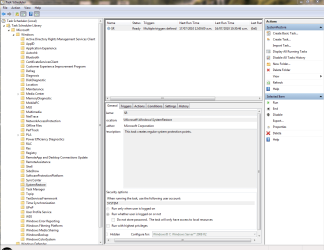
As you can see from my screen dump, I only have one.
Right click on it>properties>triggers tab
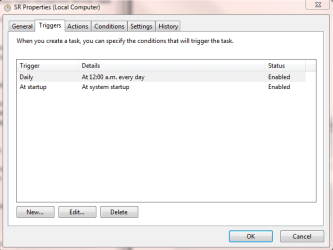
You can then edit an existing trigger, or create a new one from there.
Both are fairly simple to setup.
Ok on the dialog boxes once you've finished and thats it.
Edit: Opp. Rich bet me to it.


