Solved Running DOS program in Windows 7

KGMRW

New member
Local time
2:52 AM
Messages
3
HI,
I am trying to run a DOS .bat file in windows 7. It runs the program if I use XP compatability mode but it will not use the whole screen. I get a small window on the screen even when I choose the maximise option. How can I change this please?
 

My Computer

OS
Windows 7 Professional 32-bit
It's impossible to do this in windows 7.

This is a solution for getting it maximized:

* Click Start and type CMD, but don't hit enter or click on cmd.exe.
* Right-click cmd.exe above and choose Run as administrator.
* Respond to the UAC prompt.
* In the command prompt enter WMIC--you'll get a different prompt for Windows Management Instrumentation Control (but you're not going to actually DO anything with WMI).
* Click the normal maximize button at top right. The Command Prompt window will fill the screen.
* Enter EXIT to exit WMIC.
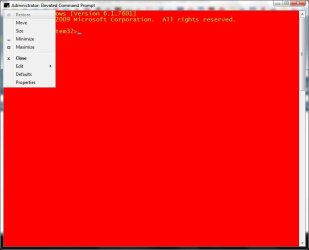
* Right-click the Command Prompt's title bar, choose Properties, click OK.
* Enter EXIT to exit the Command Prompt.

If you want to change back;

* Right-click its and choose Properties.
* Click the Layout tab
* Set Screen Buffer Size's Width to 80
* Set Window Size Width to 80
* Set Window Size Height to 25
* Click OK

At the library where I work, we got new computer's with 7. It took a week to install XP on them to use or database software (also a DOS-program that works better in full screen).
Sorry mate!

Martin


EDIT:
Go to desktop
Right click on my computer
Click on manage
Click on device manager
See Display adaptors
Click it to show you your card info
Right click on you card info and Disable it (NOTE: this will disable your Aero Windows)
Prompt yes/no: click on yes
Go to start and cmd
Press alt+enter.

Full Screen CMD!
 
Last edited:

My Computer

Computer type
Laptop
Computer Manufacturer/Model Number
HP Probook 4710s
OS
Windows 7 Home Premium 32 bit
Hard Drives
Fujitsu
Mouse
Touchpad
If you don't want to use the above approach you can modify the window size by clicking on the icon in the top left corner and selecting properties. Th dialoge will allow you to change the font size. You wont get full screen but by playing around you can get a large window. You can also do this by selecting properties on a shortcut. You may also need to play around with the layout tab.

Capture.JPG

Capture1.JPG
 

My Computer

Computer type
Laptop
Computer Manufacturer/Model Number
Hewlett-Packard/G62-107SA Notebook
OS
Microsoft Windows 7 Home Premium 64-bit Service Pack 1
CPU
Intel(R) Core(TM) i3 CPU M 330 @ 2.13GHz
Motherboard
Hewlett-Packard 1425
Memory
8 GB DDR3
Graphics Card(s)
Intel(R) HD Graphics
Sound Card
Realtek High Definition Audio
Monitor(s) Displays
Builtin
Screen Resolution
1366 x 768 x 32 bits (4294967296 colors) @ 60 Hz
Hard Drives
250 GB SATA Hard Disk Drive 7200 rpm
2TB Seagate GoFlex USB 2 Drive
1TB Iomega Prestige USB 2 Drive
1.5TB Iomega Prestige USB 2 Drive (Samsung)
2TB WD MyBook Live NAS.
Mouse
Logitech Anywhere MX
Internet Speed
152 Mbs download 10 Mbs upload
Antivirus
Norton 360
Browser
Chrome
You can simulate full screen by creating a link to the batch file on the desktop then right clicking on it and opening properties.

On the General tab, set Run to Maximized.
On the Layout tab, increase the Window size Width and Height setting so the windows fills the screen.

Now when you double click on the bath file link, it will open and occupy the entire screen.

I just tried this and it works for my.

Edit: The drawback is the actual used space is still what it would be if the window did not occupy the full screen, so I guess this is not a real answer.
 

My Computer

Computer type
PC/Desktop
Computer Manufacturer/Model Number
Lenovo IdeaCenter 450
OS
Windows 10 Pro X64
CPU
Intel Quad Core i7-4770 @ 3.4Ghz
Memory
16.0GB PC3-12800 DDR3 SDRAM 1600 MHz
Graphics Card(s)
Intel Integrated HD Graphics
Sound Card
Realtek HD Audio
Monitor(s) Displays
HP 22" LCD
Screen Resolution
1680 x 1050
Hard Drives
250GB Samsung EVO SATA-3 SSD
2TB Seagate ST2000DM001 SATA-2
1.5TB Seagate ST3150041AS SATA
Keyboard
Dell USB
Mouse
Lenovo USB
Internet Speed
Cable via Road Runner 3MB Upload, 30MB Download
Antivirus
Windows Defender, MBAM Pro, MBAE
Browser
Seamonkey
Other Info
UEFI/GPT
PLDS DVD-RW DH16AERSH
You can simulate full screen by creating a link to the batch file on the desktop then right clicking on it and opening properties.

On the General tab, set Run to Maximized.
On the Layout tab, increase the Window size Width and Height setting so the windows fills the screen.

Now when you double click on the bath file link, it will open and occupy the entire screen.

I just tried this and it works for my.

Edit: The drawback is the actual used space is still what it would be if the window did not occupy the full screen, so I guess this is not a real answer.


Yeah, but how do you open things with that shortcut then?
 

My Computer

Computer type
Laptop
Computer Manufacturer/Model Number
HP Probook 4710s
OS
Windows 7 Home Premium 32 bit
Hard Drives
Fujitsu
Mouse
Touchpad
??? Don't understand your question.

The link points to the .bat file so when you click it, the bat files launches in a Command Prompt window.

Maybe a combination of what kado897 and what I suggested would work for you.

There may even be an program you can download that will allow this. Perhaps Classic Shell will allow full screen for Command Prompt windows.
 

My Computer

Computer type
PC/Desktop
Computer Manufacturer/Model Number
Lenovo IdeaCenter 450
OS
Windows 10 Pro X64
CPU
Intel Quad Core i7-4770 @ 3.4Ghz
Memory
16.0GB PC3-12800 DDR3 SDRAM 1600 MHz
Graphics Card(s)
Intel Integrated HD Graphics
Sound Card
Realtek HD Audio
Monitor(s) Displays
HP 22" LCD
Screen Resolution
1680 x 1050
Hard Drives
250GB Samsung EVO SATA-3 SSD
2TB Seagate ST2000DM001 SATA-2
1.5TB Seagate ST3150041AS SATA
Keyboard
Dell USB
Mouse
Lenovo USB
Internet Speed
Cable via Road Runner 3MB Upload, 30MB Download
Antivirus
Windows Defender, MBAM Pro, MBAE
Browser
Seamonkey
Other Info
UEFI/GPT
PLDS DVD-RW DH16AERSH
??? Don't understand your question.

The link points to the .bat file so when you click it, the bat files launches in a Command Prompt window.

Maybe a combination of what kado897 and what I suggested would work for you.

There may even be an program you can download that will allow this. Perhaps Classic Shell will allow full screen for Command Prompt windows.

Ah sorry, I get it now :) You can also drag the .bat file from your explorer to the link on your desktop, it will open that way.
 

My Computer

Computer type
Laptop
Computer Manufacturer/Model Number
HP Probook 4710s
OS
Windows 7 Home Premium 32 bit
Hard Drives
Fujitsu
Mouse
Touchpad
HI,
I am trying to run a DOS .bat file in windows 7. It runs the program if I use XP compatability mode but it will not use the whole screen. I get a small window on the screen even when I choose the maximise option. How can I change this please?
Hi KGMRW and welcome to W7 Forums :party:

Can you post the code of this batch file?
 

My Computer

Computer type
PC/Desktop
Computer Manufacturer/Model Number
Dwarf Dwf/11/2012 r09/2013
OS
Windows 8.1 Pro RTM x64
CPU
Intel Core-i5-3570K 4-core @ 3.4GHz (Ivy Bridge) (OC 4.4GHz)
Motherboard
ASRock Z77 Extreme4-M
Memory
4 x 4GB DDR3-1600 Corsair Vengeance CMZ8GX3M2A1600C9B (16GB)
Graphics Card(s)
MSI GeForce GTX770 Gaming OC 2GB
Sound Card
Realtek High Definition on board solution (ALC 898)
Monitor(s) Displays
ViewSonic VA1912w Widescreen (VGA)
Screen Resolution
1440x900
Hard Drives
OCZ Agility 3 SSD 120GB SATA III x2 (RAID 0)
Samsung HD501LJ 500GB SATA II x2
Hitachi HDS721010CLA332 1TB SATA II
Iomega 1.5TB Ext USB 2.0
WD 2.0TB Ext USB 3.0
PSU
XFX Pro Series 850W Semi-Modular
Case
Gigabyte IF233
Cooling
1 x 120mm Front Inlet 1 x 120mm Rear Exhaust
Keyboard
Microsoft Comfort Curve Keyboard 3000 (USB)
Mouse
Microsoft Comfort Mouse 3000 for Business (USB)
Internet Speed
NetGear DG834Gv3 ADSL Modem/Router (Ethernet) ~4.0 Mb/s (O2)
Antivirus
Avast! 8.0.1497
Browser
IE 11
Other Info
Optical Drive: HL-DT-ST BD-RE BH10LS30 SATA Bluray
Lexmark S305 Printer/Scanner/Copier (USB)
WEI Score: 8.1/8.1/8.5/8.5/8.25
Asus Eee PC 1011PX Netbook (Windows 7 x86 Starter)
Back
Top