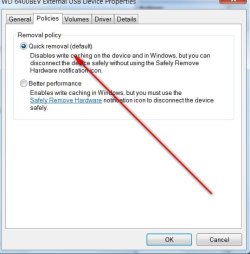
What is the correct method of safely-removing a multi-partitioned external HDD ?
My new external USB HDD has 3 partitions for data only. (1 Primary and 2 logical partitions)
J is Primary (partition)
K and L are logical (partitions)
I am used to safely-removing devices with single drive letter (partition), but I am concerned about losing data on a partition/drive I have not safely removed ... OR does Windows recognise the selected partion/drive is part of a device with other partitions ... and evaluate all drives/partitions on the device to determine ready for release ?
- yesterday I discovered new scanned image files can take some time (10+ seconds) to finish saving to an external device.
Thank you
My new external USB HDD has 3 partitions for data only. (1 Primary and 2 logical partitions)
J is Primary (partition)
K and L are logical (partitions)
I am used to safely-removing devices with single drive letter (partition), but I am concerned about losing data on a partition/drive I have not safely removed ... OR does Windows recognise the selected partion/drive is part of a device with other partitions ... and evaluate all drives/partitions on the device to determine ready for release ?
- yesterday I discovered new scanned image files can take some time (10+ seconds) to finish saving to an external device.
Thank you
My Computer
- Computer type
- PC/Desktop
- Computer Manufacturer/Model Number
- Toshiba, Lenovo (laptops) + 4 rigs
- OS
- XP Pro (x86) | 7 HP (x86) & (x64) | 7 Pro (x64)