- Local time
- 10:51 PM
- Messages
- 268
Hi
I have recently bought a Seagate External Hardrive, 1 TB, USB 3 - for the purpose of creating system images.
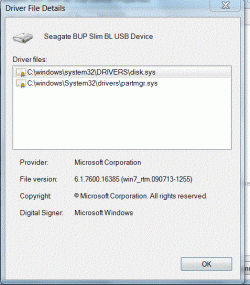
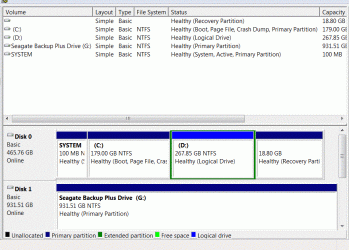
The Seagate driver loaded normally when connecting to the laptop for the first time and I have been successfully saving pictures/music/docs etc to it and transferring successfully back to the laptop, so that part is working.
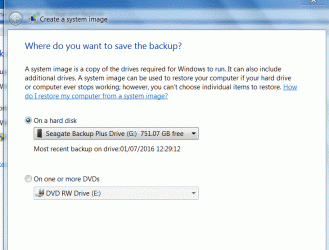
I had created a system image on the Seagate and can see this listed however, a few weeks back I encountered a problem and decided to run the image. I went into the Recovery environment but the computer would not recognise the Seagate external hard drive.
I didn't actually run the image in the end as I resolved the problem but I need to know how to overcome this should I need to run an image in the future.
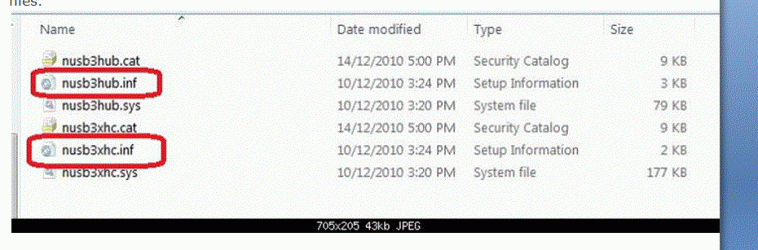
I saw on another forum that I need to load the USB 3 Host Controller andHub drivers at the beginning of the restore process (screenshot below) and the computer should then pick up the image. Is this correct? Is it normal to do this for any external hard drive? I've always used DVDs for system images and the computer recognises those straight away.
LevelBest
I have recently bought a Seagate External Hardrive, 1 TB, USB 3 - for the purpose of creating system images.
The Seagate driver loaded normally when connecting to the laptop for the first time and I have been successfully saving pictures/music/docs etc to it and transferring successfully back to the laptop, so that part is working.
I had created a system image on the Seagate and can see this listed however, a few weeks back I encountered a problem and decided to run the image. I went into the Recovery environment but the computer would not recognise the Seagate external hard drive.
I didn't actually run the image in the end as I resolved the problem but I need to know how to overcome this should I need to run an image in the future.
I saw on another forum that I need to load the USB 3 Host Controller andHub drivers at the beginning of the restore process (screenshot below) and the computer should then pick up the image. Is this correct? Is it normal to do this for any external hard drive? I've always used DVDs for system images and the computer recognises those straight away.
LevelBest
Attachments
My Computer
At a glance
Windows 7 Home Premium 64 Bit (Service Pack 1)Premium Dual Core P62004 GBIntel (R) HD Graphic
- Computer type
- Laptop
- Computer Manufacturer/Model Number
- Samsung S3511
- OS
- Windows 7 Home Premium 64 Bit (Service Pack 1)
- CPU
- Premium Dual Core P6200
- Motherboard
- Samsung S3511
- Memory
- 4 GB
- Graphics Card(s)
- Intel (R) HD Graphic
- Sound Card
- Realtek High Definition Audio
- Screen Resolution
- 1366 x 768
- Hard Drives
- C: D: E: (NTFS)
- Cooling
- Drive temperature: 38 / 100
- Mouse
- Wired Logitech B100
- Antivirus
- McAfee Total Protection
- Browser
- Supermium Portable and r3dfox