Something so simple and immediate fixed this frustratingly monotonous.
Please bear with me, I am by no stretch a techie or IT wiz. I managed to corrupt/destroy /delete my OS (Windows 7) from my laptop attempting.... Well long ago now, I hardly remember what I was trying to do. Anyway, I could no longer boot my laptop so decided to create a bootable usb to do a clean install of windows 7. I knew it wasn't an issue with my USB as I successfully updated the OS on my other laptop the day I created the flash drive at the beginning of this saga. Hours and hours of researching my way to creating my USB, formatting and reformatting usb, laptop hard drive, changing bios settings and scratching my head (read:beating my head against a brick wall) I stumbled across this little beaut.
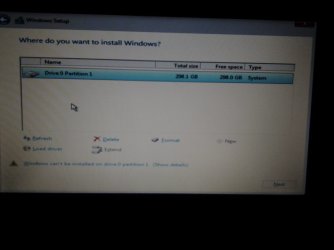
Tricky methods to solve "Setup was unable to create a new system partition..."
Above solutions require manipulations with your disk (eg. formating, changing partition structure, etc.), following are tricky methods.
Method 1
When you see the error information - remove the flash drive from the computer first.Press exit (red cross in the top right corner).
Start installation from the beginning (without reboot).
After selecting Windows 7 edition you will get new error.
Neglect it.Press OK in error window, you will be redirected to installation main menu.
Insert your USB flash drive into the computer.
Install Windows.
Finished
Found here:
Methods to Solve "Setup Was Unable to Create a New System Pa
Hallelujah, a tiny post with the easiest, instant fix. (trust me this was a blessing after the days and hours spent waiting for formatting, downloading blah blah blah) I removed the flash drive and waited for the error that there was no media attached, reinserted it and it started installing!!
I just want to say a huge thanks to everyone posting responses to aid others in fixing the issues they are having. And wanted to say that I tried each and every single step I could find regarding this error and nothing worked before finding this implementation trick.