
ShellFolderFix - Manage folder window positions/size

Error: There are no open windows, that are saved in a workplace.

This seems to be a great app. However, after installing it on my laptop running Windows 7 Enterprise 64 bit, when I right click on the icon and select "Save Workspace", I get a little popup window saying "There are no open windows, that are saved in a workplace." ShellFolderFixUI error.PNG
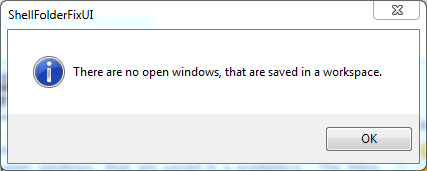
The thing is, I have plenty of windows open on my two external monitors. And this is why I need the app in the first place...

Am I doing something wrong? :huh:

/Bengt
 

My Computer

Computer type
PC/Desktop
Computer Manufacturer/Model Number
Custom build
OS
Windows 7 Ultimate 64 bit SP1
CPU
Core i5 750
Motherboard
ASUSTeK P7P55D-E (LGA1156)
Memory
8GB Dual-Channel DDR3 @ 668MHz
Graphics Card(s)
ATI AMD Radeon HD 5850
Monitor(s) Displays
HP LP2465 + LG L2300B
Screen Resolution
1920x1200 + 1920x1200
Hard Drives
74GB INTEL SSDSA2M080G2GC ATA Device (SSD)
1397GB WD15EARS-32MVWB0 (SATA)
1863GB WD20EARS-00S8B1 (SATA)
931GB Seagate ST1000DM003-9YN162 (SATA)
2794GB Western Digital WD My Book (USB)
1863GB DW USB
1863GB WD USB
2784GB WD USB
1863GB WD USB
Internet Speed
100Mbps/100Mbps
Antivirus
Avira
I believe that I read it somewhere earlier in the post that ShellFolderFix does not save application windows. I received the same message when trying to save a Workspace when all I have open are applications.

Try opening a window that contains folders and save that Workspace.
 

My Computer

OS
Windows 7 Enterprise
ShellFolderFix - where is the Download link ?
 

My Computer

Computer Manufacturer/Model Number
iMac with Parallels
OS
Windows 7 Ultimate 32
CPU
Intel i3
Memory
6 GB
Monitor(s) Displays
iMac 21.5"
Hard Drives
500GB
ShellFolderFix - where is the Download link ?

Welcome to the Seven Forums

At the bottom of the first post there are some download buttons.

Jerry
 

My Computer

Computer type
Laptop
Computer Manufacturer/Model Number
Sager NP9170
OS
Win 7 Pro x64 / Win 10 Pro
CPU
Intel(R) Core(TM) i7-3630QM CPU @ 2.40GHz
Motherboard
CLEVO P170EM
Memory
12 GB
Graphics Card(s)
(1) Intel(R) HD Graphics 4000 (2) NVIDIA GeForce GTX 675M
Sound Card
(1) Realtek High Definition Audio (2) Intel(R) Display Aud
Monitor(s) Displays
17.3
Screen Resolution
1920x1080
Hard Drives
(1) Samsung 860 EVO 500GB(OS) (1) Samsung 860 EVO 500GB(Data)
Keyboard
Backlite
Antivirus
MSE, Malwarebytes Pro
Browser
Firefox
Other Info
DESKTOP: Custom-built.
OS: Win 10 Pro x64.
CASE: Rosewill R5.
CPU: Intel I5 4670K CPU @ 3.40GHz.
CPU COOLER: Cool Master Hyper 212 EVO.
MOTHERBOARD: Asus Z87-A.
MEMORY: Kingston HyperX 2x4 GB.
GPU: Nvidia Geforce 650 TI.
PSU: Corsair TX750.
DRIVES: (1) Samsung 840 120 GB SSD (2) Western Digital blue 500 GB 7200 RPM.
Thanks for your fast reply - I had searched all over for a Download button.
Wouldn't it be nice to have one at the top of the website or under Quick links ?

Regards
Okami
 

My Computer

Computer Manufacturer/Model Number
iMac with Parallels
OS
Windows 7 Ultimate 32
CPU
Intel i3
Memory
6 GB
Monitor(s) Displays
iMac 21.5"
Hard Drives
500GB
I believe that I read it somewhere earlier in the post that ShellFolderFix does not save application windows. I received the same message when trying to save a Workspace when all I have open are applications.

Try opening a window that contains folders and save that Workspace.

Does this mean that ShellFolderFix doesn't save window locations for e.g. Firefox, Spotify, xplorer2, MS Excel, MS Outlook etc?
 

My Computer

Computer type
PC/Desktop
Computer Manufacturer/Model Number
Custom build
OS
Windows 7 Ultimate 64 bit SP1
CPU
Core i5 750
Motherboard
ASUSTeK P7P55D-E (LGA1156)
Memory
8GB Dual-Channel DDR3 @ 668MHz
Graphics Card(s)
ATI AMD Radeon HD 5850
Monitor(s) Displays
HP LP2465 + LG L2300B
Screen Resolution
1920x1200 + 1920x1200
Hard Drives
74GB INTEL SSDSA2M080G2GC ATA Device (SSD)
1397GB WD15EARS-32MVWB0 (SATA)
1863GB WD20EARS-00S8B1 (SATA)
931GB Seagate ST1000DM003-9YN162 (SATA)
2794GB Western Digital WD My Book (USB)
1863GB DW USB
1863GB WD USB
2784GB WD USB
1863GB WD USB
Internet Speed
100Mbps/100Mbps
Antivirus
Avira
Great app. Saved me from Windows7 hell. Thank you.
On my wishlist I would like to see the state of the [Organize>Layout] options saved for each folder.
(If it already does this and I've missed the tick box, my bad)
 

My Computer

OS
Win 7 Pro
dove cazzo si scarica shellfolderfix?????

Look up a few posts and you will see that there is a download link in the very first post in the thread.


Cercare alcuni post e vedrete che c'è un link per il download nel primo post del thread.
 

My Computer

OS
Windows 7 Enterprise
Does this mean that ShellFolderFix doesn't save window locations for e.g. Firefox, Spotify, xplorer2, MS Excel, MS Outlook etc?

My experience has been that ShellFolderFix does not save the window locations for applications. Some applications must have their own method for re-opening in the last window position as that functionality was working before I installed ShellFolderFix.
 

My Computer

OS
Windows 7 Enterprise
I'm looking into transferring my folder layout from one computer to the other...anyone have any tips on where the layout files are saved/how to do that?
 

My Computer

OS
Windows 7 x64
A thousand thank you's! This program is exactly what we needed!
 

My Computer

OS
Windows 7 64 bit
Thanks. I'm just getting used to my new computer with Win 7 Pro x64. The very first thing I missed was the ability to resize folders on my desktop. I use them to keep related applications. I detest the start menu!

This installed easily, and does almost every thing I would want. The only thing it does not do is allow me to turn off the navigation pane on desktop folders, but keep it on the main "my computer" folder.
 

My Computer

Computer type
PC/Desktop
Computer Manufacturer/Model Number
DELL xps8500
OS
Microsoft Windows 7 Professional 64-bit 7601 Multiprocessor Free Service Pack 1
CPU
Intel(R) Core(TM) i7-3770 CPU @ 3.40GHz
Motherboard
Dell Inc. 0NW73C
Memory
16.00 GB
Graphics Card(s)
NVIDIA GeForce GT 620
Sound Card
(1) NVIDIA High Definition Audio (2) Realtek High Definiti
Screen Resolution
1280 x 1024 x 32 bits (4294967296 colors) @ 60 Hz
Hard Drives
(1) WDC WD10EZEX-75ZF5A0 (2) Generic- Compact Flash USB Device (3) Generic- MS/MS-Pro USB Device (4) Generic- SD/MMC USB Device (5) Generic- SM/xD-Picture USB Device (6) WD My Passport 0820 USB Device
Any plans for a Windows 8 compatible folder fix?

I had ShellFolderFix all along for Windows 7... when I upgraded, Windows 8 wouldn't initially upgrade, and kept auto reverting to 7 because of errors during installation. I had a Microsoft tech go through all the errors and they determined that it was the ShellFolderFix, and once it was uninstalled Windows 8 installed flawlessly.

Once 8 was up and running I was hoping that since it made it past the install, I would be able to reinstall the Folder Fix. I tried, but when I restarted my computer Windows would no longer load(Had to reboot in safe mode with the Windows 8 disc to uninstall it so it would run again!)! So I am assuming I need to wait for a Windows 8 compatible version?
 

My Computer

OS
Windows 7 64bit
Just curious, did you try to install using Windows 7 compatibility mode?
 

My Computer

OS
Windows 7 64bit
CPU
Intel Core i7 980X
Motherboard
Gigabyte X58A-UD5
Memory
12.0 GB Triple-Channel DDR3
Graphics Card(s)
Two(2) ASUS NVIDIA GeForce GTX 460
Sound Card
Integrated Realtek ALC889
Monitor(s) Displays
Viewsonic VP950b, VP950b, & Samsung 226CW
Screen Resolution
1680x1050 and 1280x1024
Hard Drives
WD3000GLFS/WD3000GLFS (RAID 0)
Western Digital WD1001FALS-00J7B0
Western Digital WD1002FBYS-01A6B0
Western Digital WD1002FAEX-00Y9A0
Keyboard
Logitech
Mouse
Logitech
Now Windows can be Windows again! Thank you Sir
tim823: So I am assuming I need to wait for a Windows 8 compatible version?
Start over; I would do a clean install of Win-7, upgrade it to Win-8 *than* add fixit just to be sure. ShellFolderFixit took the shell to get the job done! It may be 3-5 years before Windows-9, so might as well start from scratch for five more years of heaven :) and thanks for the heads up. Now I know what not to try or at lease it will be all new before I change the SHELL.
 

My Computer

Computer Manufacturer/Model Number
NA
OS
Windows 7 Ultimate32bit
CPU
NA
Motherboard
NA
Memory
NA
Graphics Card(s)
NA
Sound Card
NA
Monitor(s) Displays
NA
Hard Drives
NA
PSU
NA
Case
NA
Cooling
NA
I just began using this program. If I resize an explorer folder, the next folder I open will be the same size. If I then resize that second folder, and return to the first folder, the first folder will change back to the size I had originally defined it as.

I get this behavior whether I have "When navigating to a new location" checked to either "Use window as is" or "Update window".

I thought this program was supposed to prevent new windows from replicating the size of previous ones. Am I doing something incorrect here?
 

My Computer

OS
7 64
My experience with upgrading from Win 7 to Win 8 is that ShellFolderFix now works erratically. Does anyone have it working under under Win 8 x64?
 

My Computer

OS
Windows 7 64 bit Ultimate
jabloomf1230,
How does Win 8 compare to Win 7 for remembering folders? Any difference?
How do you like Win 8?
I'm still unsure about upgrading my Win 7 x64 to Win 8.
 

My Computer

OS
Windows 7 Home Premium 64-bit
It's basically Windows 7 with a crazy tablet/smartphone user interface slapped on top of it. I would hold off on installing it. Windows 8 is no better in remembering folder information than Windows 7 was. It's too bad that ShellFolderFix doesn't work. I am tempted to reinstall SFF, just to see if that will make it work properly.
 

My Computer

OS
Windows 7 64 bit Ultimate
Back
Top