Show Us Your Rig [2]

Status
Not open for further replies.
I've got a 24fret Washburn Guitar. Its not the best, but the intonation is perfect up there.

Anywho.
Show us your rig.
Russians FTW.
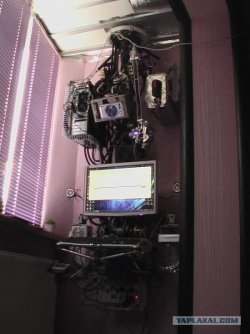
86.jpg

More here
 

My Computer

OS
Windows 7 Enterprise
CPU
Intel Pentium Dual E2200 @2.2GHz
Motherboard
Gigabyte II-G31
Memory
4GB
Graphics Card(s)
Palit GForce 9500GT 1GB
Sound Card
onBoard
Hard Drives
WesternDigital: 250GB + 1TB + 1TB + 2TB
PSU
450W
Case
CoolerMaster CM690
Cooling
Corsair H50
Mouse
Logitech MX518
wow really cool case
 

My Computer

Computer Manufacturer/Model Number
Dell Inspiron
OS
Windows 7 Home Premium 64x
CPU
Amd Athlon
Memory
3.00 GB
Graphics Card(s)
ATI Mobility Radeon HD 4250
Hard Drives
TSST Corp DVD+ -RW TS-L633C ATA Device
Keyboard
Standard PS/2 Keyboard
I'm fretting much more than 24 for this rig. I like the straps suspending who knows what. Don't try this rig in California !
Reminds me of the great movie "Brazil".A techie must see movie ! Also "Seven Monkeys".....how appropriate.
 

My Computer

Computer type
PC/Desktop
Computer Manufacturer/Model Number
A blend of brains, brawn and dumb luck.
OS
Windows 7 Ultimate 64
CPU
i7 3770k OC'd 4.6 @ 1.17v, also FX 8120 & i5 miniITX
Motherboard
MSI P67A-GD80 b3
Memory
32 gb G.Skill Sniper DDR3 10-12-12-31 @ 2133
Graphics Card(s)
XFX Radeon 7870 2GB DDR5
Sound Card
Sound Blaster Z Series Card
Monitor(s) Displays
(2) LG LED 23" 1920 x 1080 2ms Monitors via mini d-port
Screen Resolution
1680 X 1050 p
Hard Drives
Samsung 256 gb 830 SSD sata III
(1) 1 tb WD Black
(2) 1 tb Hitachi deskmates/sata II
(2) 1 tb WD green/sata II
(2) 3 tb Seagate Barracuda
(1) 120 gb OCZ Vertex SS
(1) Drobo 5N w/5 Seagate 3tb
PSU
EVGA modular 1000G2 80% gold rating & APC 1200 RS
Case
CoolerMaster Storm Styker
Cooling
7 case fans 140mm & 120mm, NZXT Kraken X60
Keyboard
(2) Logitech Illuminated Keyboards (1) usb (1) wireless
Mouse
Logitech G700 & T-BC21 - nano nx for the laptop
Internet Speed
Basic 120mbps down
Antivirus
Trend Micro Titanium Max Security & Malwarebytes Premium
Browser
Chrome and IE 10
Other Info
5 Noctua case fans + 3 Noctua in p/p on NZXT cooler
Integrated hot swap drive bays for 2.5" Drives
(2) Lite-on dvd/cd/Blu Ray optical 22X
Integrated fan controller and led on/off
HP Officejet Pro 8630 all-n-one
Hot-swappable 3.5" hard drive bay
Netgear Nighthawk router
Asus USB 3 & sata 6 PCIe card
Vantec IDE to sata adptr./Ultra sata adptr
Lenovo L420 i5 lappy with m sata
Drobo 5N advanced NAS
Updated with new PSU (Corsair TX950W) and GPU (ASUS GeForce GTX 470):


Up next: 3rd party CPU Cooler and SSD lol.
 

My Computer

Computer type
PC/Desktop
Computer Manufacturer/Model Number
Self Built
OS
Windows 8.1 Pro
CPU
Intel Core i5-2500K
Motherboard
ASRock Z77 Extreme4
Memory
8GB Corsair Vengeance DDR3
Graphics Card(s)
Sapphire Radeon HD 7970 GHz Vapor-X Edition
Sound Card
Realtek ALC898
Monitor(s) Displays
BenQ XL2411T
Screen Resolution
1920 x 1080 @ 144Hz
Hard Drives
Plextor M3 Pro 128GB
WD Caviar Blue
PSU
Seasonic G Series 650W
Case
Corsair Obsidian 650D
Cooling
Corsair H60 2013 Edition
Keyboard
Cooler Master Quick Fire Rapid
Mouse
Corsair Raptor M45
Other Info
Headphones: Sennheiser HD-515
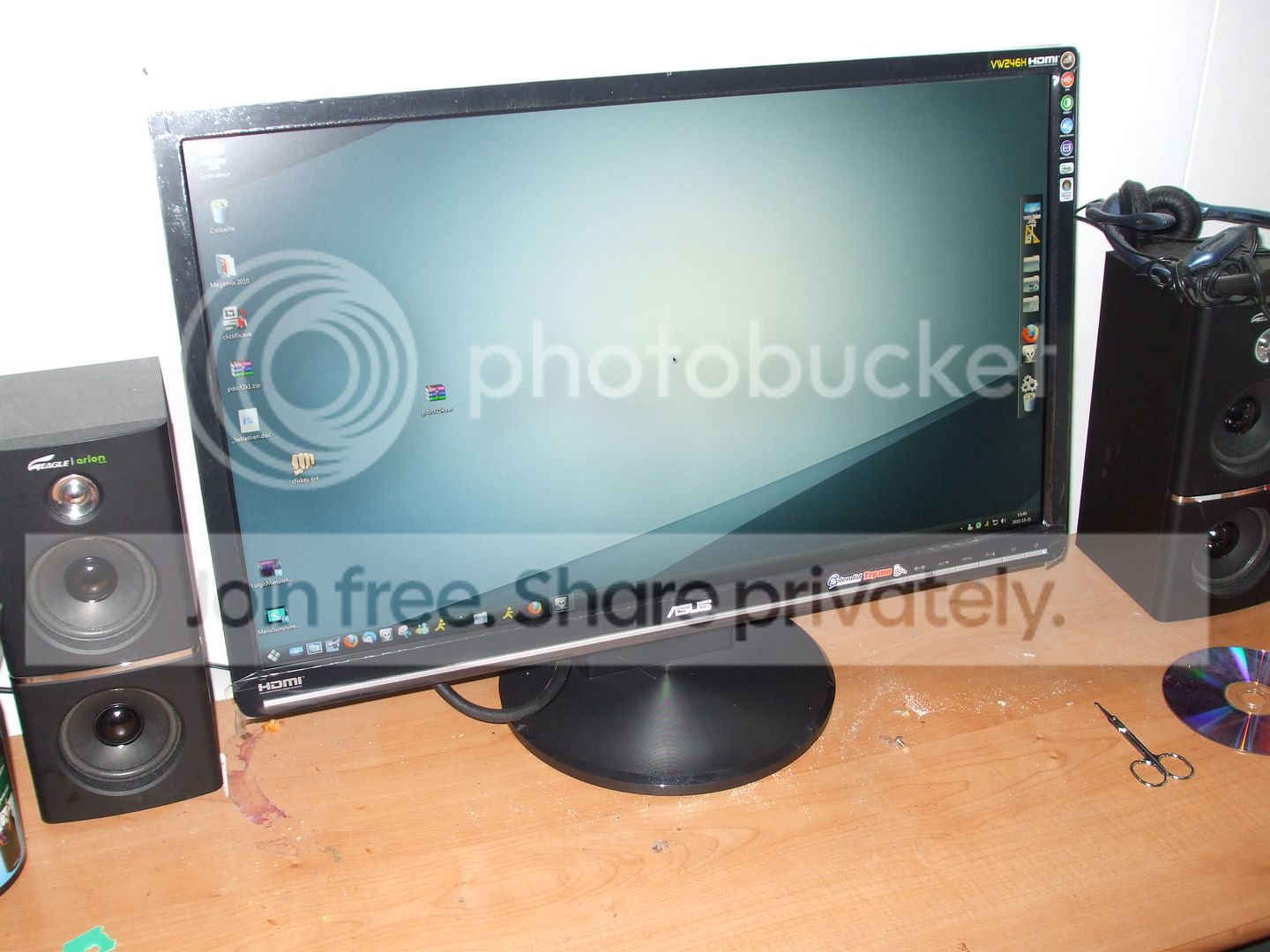
So, today, I craved in and install my newest 24" 1080P monitor.
DSCF1130.jpg

This Asus VW246H 24" monitor looks much more tidier than my Viewsonic one! The colors are also sharper and overall, it's just better.
Yes, I know... my desk is not as tidy as my monitor

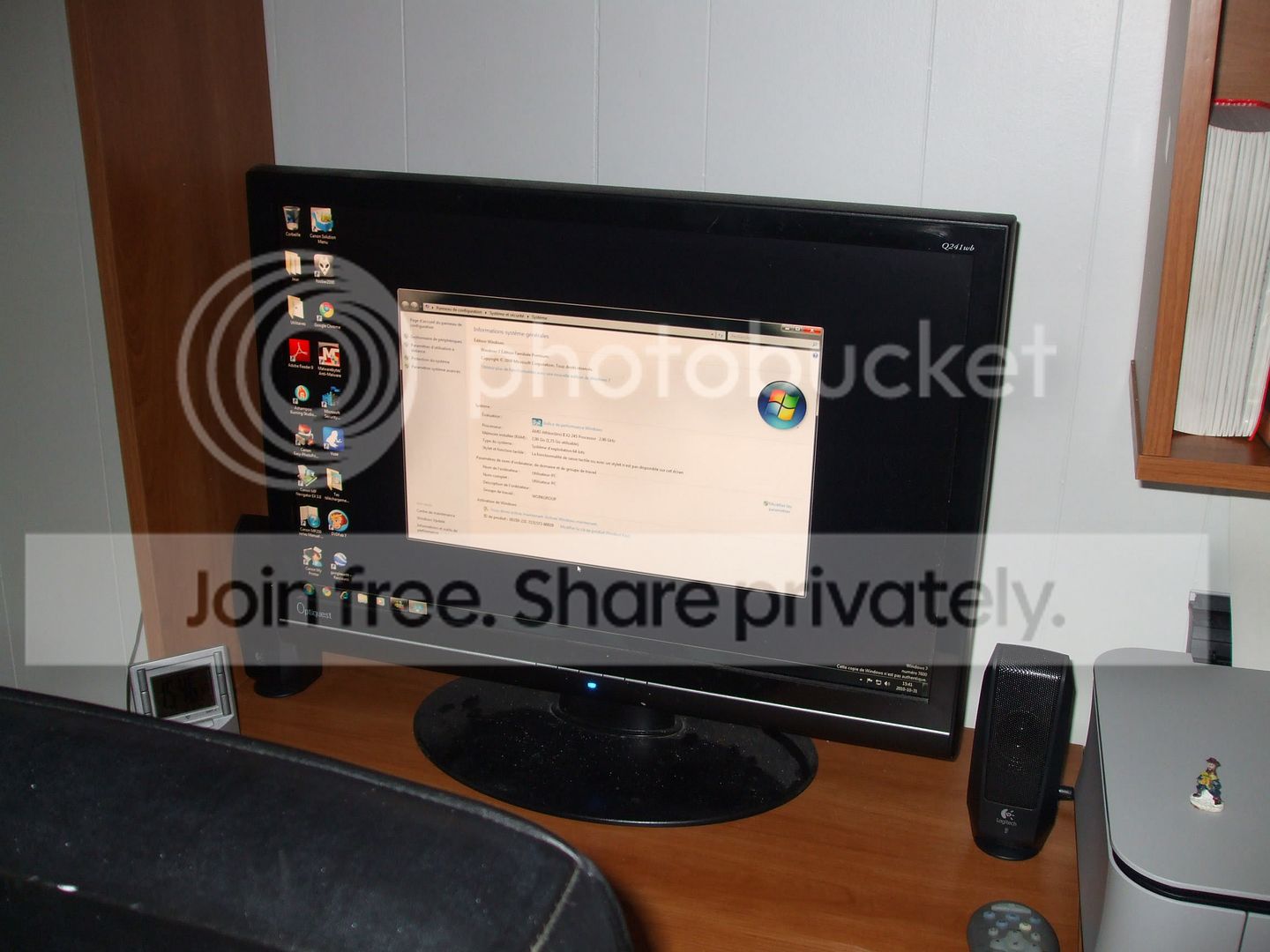
My old monitor was this one :
DSCF1131.jpg

I installed it for my mom. Since I won't be using it from now on (not even as a second monitor), I borrowed it to her. I know guys, I know... She's using a non-Genuine Windows 7. The shop she bought it from decided to sell a MSDN key and that account expired making the key blacklisted... she gonna take action soon.

She had this old 17" LCD monitor before :
DSCF1132.jpg

Well, before it was her's, it was actually mine. I sold it to her for... 70$ I think? Now, it'll be eating the dust until I need it. And no, I won't be using a second monitor.

I'll probably receive my PSU, RAM and SSD tomorrow. But, I don't know if I'll actually start building tomorrow... I'm waiting for a VERY important call that will happen between 6PM and 8PM.

Later.
 

My Computer

Computer type
PC/Desktop
Computer Manufacturer/Model Number
Custom build
OS
Windows 10 Professional 64-bit
CPU
Ryzen 9 5900X
Motherboard
Gigabyte X570 Aorus Master
Memory
G.Skill 3600Mhz CL16 16GB × 4
Graphics Card(s)
EVGA GeForce RTX 3070 Ti FTW3 Ultra Gaming
Sound Card
On-board
Monitor(s) Displays
Dell Alienware AW3418DW
Screen Resolution
3440x1440
Hard Drives
1×Sabrent Rocket 4 Plus 2TB nvme SSD (System, internal)
2x4TB Western Digital Blue (Internal)
1x4TB HDST 7200RPM (Internal)
PSU
Seasonic Focus Plus 850W Platinum
Case
Corsair 680X
Cooling
Stock fans + 3× Corsair QL120, Corsair H100i Platinum
Keyboard
Logitech K350
Mouse
Logitech M510
Internet Speed
120Mbits dl - 20Mbits up
Antivirus
ESET NOD32 Antivirus
Browser
Firefox (latest version)
Other Info
Headphones : Audio-Technica ATH-M50x
Scanner : Canon Canoscan LiDE 220 + Plustek OptiBook 4800
About a month ago I was able to build a new gaming rig, but my first choice for case was a poor one. Not that it was a bad case, but not for some one who uses sata to usb adapters to transfer files quicker than the network allows. Any way, I went will a Xclio Blackhawk All Black 360 Color, and it is one bad ass case. Built in fan controls, Leds colors change or can be stopped on any one color. Turn one or all fans off, and set the speeds of each group of fans independently.

Heres a quick run down:

01. Intel i7 950
02. MB- Gigabyte X58 UDR3 (sata III, & usb 3.0)
03. Corsair TX850
04. Knighthawk CPU Cooler
05. 1333 DDr3 4gigs in triple channel
06. 2 EVGA 470's -AR's (lifetime warrenty) in SLI
07. 2 VelociRaptors 10,000 RPM 150gig in raid 0
08. WD Sata III i terabyte
09. Hauppauge HD-PVR
10. Blueray 3D lite-on iHBS112
11. DVD burner, lite-on
12. I-StarUSA single sata backplane/hotswapable

A few pics:

View attachment 109651

View attachment 109652

View attachment 109653

View attachment 109654

View attachment 109655

View attachment 109656
 
Last edited:

My Computer

Computer Manufacturer/Model Number
POS
OS
OS3.5
CPU
celery
Motherboard
Good Question ...Unknown
Memory
memory never forgets
Graphics Card(s)
OB
Sound Card
OB
Monitor(s) Displays
HUGE
Screen Resolution
168000000x105000000
Hard Drives
full
PSU
OEM 65watt
Case
N/A
Cooling
OB
Keyboard
OB
Mouse
mouse
Internet Speed
1 Trillion MBps
Other Info
Still An Awesome Forum!
Wow, very nice, you must be very happy :D (How did you get 4 gigs of Ram in triple channel??). A Guy
 

My Computer

Computer type
PC/Desktop
OS
Windows 10 Home x64
CPU
INTEL Core i5-750 Quad-Core 3.37GHz
Motherboard
ASUS P7P55D
Memory
HyperX Fury Black Series 8GB (2 x 4GB) 1866Mhz
Graphics Card(s)
EVGA GeForce GTX 750 Superclocked 1GB 128-Bit GDDR5
Monitor(s) Displays
LG 32MA68HY 32" IPS
Screen Resolution
1920 x 1080
Hard Drives
Samsung 840 Evo 120GB, SEAGATE 500GB Barracuda® 7200.12, SATA 3 Gb/s, 7200 RPM, 16MB cache
PSU
ANTEC TruePower New TP-550, 80 PLUS, 550W
Case
ANTEC Three Hundred Illusion
Cooling
COOLER MASTER Hyper 212 Plus, 4 x 120mm 1 x 140mm Noctua's
Internet Speed
85 + Mbps
Antivirus
Avast
Browser
Vivaldi
Wow, very nice, you must be very happy :D (How did you get 4 gigs of Ram in triple channel??). A Guy

According to the gigabyte manual, page 16, it tells you how to enable triple channel with 3, 4 or 6 sticks of ram. Triple channel doesn't mean its locked down to just 3 sticks from what I've read. Heres a link to the MB, choose downloads and in the left drop down, choose manual, but here's a clip of what it says.


View attachment 109701

Pay note to No.2 under triple channel.


GIGABYTE - Motherboard - Socket 1366 - GA-X58A-UD3R (rev. 2.0)

Added: The MB has 6 ram slots
 
Last edited:

My Computer

Computer Manufacturer/Model Number
POS
OS
OS3.5
CPU
celery
Motherboard
Good Question ...Unknown
Memory
memory never forgets
Graphics Card(s)
OB
Sound Card
OB
Monitor(s) Displays
HUGE
Screen Resolution
168000000x105000000
Hard Drives
full
PSU
OEM 65watt
Case
N/A
Cooling
OB
Keyboard
OB
Mouse
mouse
Internet Speed
1 Trillion MBps
Other Info
Still An Awesome Forum!
Interesting, I didn't know you could do it with 4, thanks. A Guy
 

My Computer

Computer type
PC/Desktop
OS
Windows 10 Home x64
CPU
INTEL Core i5-750 Quad-Core 3.37GHz
Motherboard
ASUS P7P55D
Memory
HyperX Fury Black Series 8GB (2 x 4GB) 1866Mhz
Graphics Card(s)
EVGA GeForce GTX 750 Superclocked 1GB 128-Bit GDDR5
Monitor(s) Displays
LG 32MA68HY 32" IPS
Screen Resolution
1920 x 1080
Hard Drives
Samsung 840 Evo 120GB, SEAGATE 500GB Barracuda® 7200.12, SATA 3 Gb/s, 7200 RPM, 16MB cache
PSU
ANTEC TruePower New TP-550, 80 PLUS, 550W
Case
ANTEC Three Hundred Illusion
Cooling
COOLER MASTER Hyper 212 Plus, 4 x 120mm 1 x 140mm Noctua's
Internet Speed
85 + Mbps
Antivirus
Avast
Browser
Vivaldi
Interesting, I didn't know you could do it with 4, thanks. A Guy

Your Welcome Guy,

It can be done with 3,4, and 6 sticks. It does recommend using as few slots as possible so its best if your 64bit to go with 3 or 4 2gig sticks. Not sure if its the X58 series that only allows this, but I'm sure most newer 6 slot boards are like this as well.

Thanks for the Complements.
 

My Computer

Computer Manufacturer/Model Number
POS
OS
OS3.5
CPU
celery
Motherboard
Good Question ...Unknown
Memory
memory never forgets
Graphics Card(s)
OB
Sound Card
OB
Monitor(s) Displays
HUGE
Screen Resolution
168000000x105000000
Hard Drives
full
PSU
OEM 65watt
Case
N/A
Cooling
OB
Keyboard
OB
Mouse
mouse
Internet Speed
1 Trillion MBps
Other Info
Still An Awesome Forum!
Last edited:

My Computer

Computer Manufacturer/Model Number
Custom Built/ Built by me, CR-48
OS
Windows 7 Ultimate x64
CPU
INTEL CORE I5 750 180x20 all powersaving 1.168v
Motherboard
MSI P55-GD55
Memory
OCZ 4GB DDR3 PC3-10666 (7-7-7-20-2t) @1.651v
Graphics Card(s)
ASUS 9800GT GLACIATOR FANSINK
Sound Card
ONBOARD REALTEK ALC889
Monitor(s) Displays
VIEWSONIC VX924, VIZIO VS420LF1A
Screen Resolution
VX924: 1280x1024 75hz, VS420LF1A: 1920x1080 60hz(1080p)
Hard Drives
HITACHI Deskstar HD31000 IDK/7K 1TB 7200RPM 32MB CACHE SATA II
PSU
OCZ MODXSTREAM PRO 700 WATT SEMI-MODULAR
Case
ANTEC 900
Cooling
CoolerMaster Hyper 212+
Keyboard
Logitech K520
Mouse
LOGITECH M310
Internet Speed
CHARTER PIPELINE 15MB DOWN/ 3MB UP
Other Info
ROUTER: DLINK DIR-655, Netgear WNR3500L (SamKnows)
MODEM: MOTOROLA SB6120
HTPC: AMD Athlon II x2 255 C3, Pegatron M2N78-LA (Violet 3.02) , Galaxy NVidia Geforce 210, HP OEM 300WATT PSU, Zalman Z7 Plus, SAMSUNG 3GB PC2-5300, SEAGATE 80GB SATA, Hauppauge WinTV-HVR-1800
Hey guys.

So, tonight, I finally build my new computer. So... they are few things that needs to be ajusted. I can't do it now... too tired.

1. RAM is showed as 1066MHz instead of 1333MHz. I bet it's only a voltage setting that needs to be bumped up so it's up the frequency.
2. Blu-ray/DVD/CD drive didn't show up in Bios. I may have already solved that... there was a loose SATA cable but I didn't powered it up again to check if the bios would pick it up.
3. CPU temp is around 40-42oC. I didn't apply extra thermal paste and only used the pre-applied one. My friend and I had a little difficulty plugging the CPU fan correctly. I will probably show up a picture later so you guys can tell if it's really well plugged in the holes.
4. Cable Management is a *****. Most of the wires from the PSU aren't long enough meaning that I need to let it loose up the front. Those I was able to put behind, I need to tidy it up so I can be able to close the back panel.

Another than, as you probably figured out : I has BIOS. :D And it shows all of my 6GB of RAM.

Pictures will come later so you guys can help me out. But only later.
I need to prepare my old build (this one, the C2D E6600). I need to format Win 7 and only install Vista. Need to transfer the data hdds too.

Later.
 

My Computer

Computer type
PC/Desktop
Computer Manufacturer/Model Number
Custom build
OS
Windows 10 Professional 64-bit
CPU
Ryzen 9 5900X
Motherboard
Gigabyte X570 Aorus Master
Memory
G.Skill 3600Mhz CL16 16GB × 4
Graphics Card(s)
EVGA GeForce RTX 3070 Ti FTW3 Ultra Gaming
Sound Card
On-board
Monitor(s) Displays
Dell Alienware AW3418DW
Screen Resolution
3440x1440
Hard Drives
1×Sabrent Rocket 4 Plus 2TB nvme SSD (System, internal)
2x4TB Western Digital Blue (Internal)
1x4TB HDST 7200RPM (Internal)
PSU
Seasonic Focus Plus 850W Platinum
Case
Corsair 680X
Cooling
Stock fans + 3× Corsair QL120, Corsair H100i Platinum
Keyboard
Logitech K350
Mouse
Logitech M510
Internet Speed
120Mbits dl - 20Mbits up
Antivirus
ESET NOD32 Antivirus
Browser
Firefox (latest version)
Other Info
Headphones : Audio-Technica ATH-M50x
Scanner : Canon Canoscan LiDE 220 + Plustek OptiBook 4800
Looking forward to the pics, and later the WEI :D You're building a pretty mean system.
 

My Computer

Computer Manufacturer/Model Number
Pugh Technologies
OS
W7 Professional x64
CPU
AMD Athlon II X3 445 Rana 3.10 GHz
Motherboard
MSI 870A-G54
Memory
PNY XLR DDR3 1600 4x2GB
Graphics Card(s)
NVIDIA GeForce GTS 450 (fermi) 1GB GDDR5
Sound Card
Realtek ALC892 onboard
Monitor(s) Displays
ASUS VE205t, Viewsonic VX2035WM
Screen Resolution
1600x900, 1600x1050
Hard Drives
977GB Hitachi Hitachi HDS721010CLA332
244GB Western Digital WDC WD2500AAJS-65B4A0
488GB Western Digital WDC WD5000AAJS-00A8B0
488GB Western Digital WDC WD5000AAKS-00UU3A0
PSU
Antec EarthWatts EA650 650W
Case
ThermalTake Armor A90 Mid Tower
Cooling
3x 120mm in, 1x 120mm & 200mm out, self built hydro-cooler
Keyboard
Logitec 55
Mouse
Razer Deathadder
Internet Speed
20 Mbps D/L, 9 Mbps U/L
Hey guys.

So, tonight, I finally build my new computer. So... they are few things that needs to be ajusted. I can't do it now... too tired.

That's great, congrats.

Is it all the same components you listed here: New build planned. Need general advice ?

1. RAM is showed as 1066MHz instead of 1333MHz. I bet it's only a voltage setting that needs to be bumped up so it's up the frequency.
You will have to set it to X.M.P. enabled or manually set the RAM frquency.
In your BIOS (MOBO manual page 39), M.I.T. page, set X.M.P. to Profile 1.
This should bring it to the Corsair RAM to it's advertised 1333MHz 9-9-9-24 1.5v settings.
Check it in the BIOS or with CPUZ, after the OS is installed.
2. Blu-ray/DVD/CD drive didn't show up in Bios. I may have already solved that... there was a loose SATA cable but I didn't powered it up again to check if the bios would pick it up.
Hopefully it will be OK.
3. CPU temp is around 40-42oC. I didn't apply extra thermal paste and only used the pre-applied one. My friend and I had a little difficulty plugging the CPU fan correctly. I will probably show up a picture later so you guys can tell if it's really well plugged in the holes.
Do you have E.I.S.T. enabled? It is enabled by default.
If it is enabled those temps should be not far from room temp, should be 30-32 degC.
Down load Real Temp, after the OS is installed, and check what it says.
4. Cable Management is a *****. Most of the wires from the PSU aren't long enough meaning that I need to let it loose up the front. Those I was able to put behind, I need to tidy it up so I can be able to close the back panel.
Clean cable management will help keep the components cool, just be sure the cables aren't blocking the air flow.
Another than, as you probably figured out : I has BIOS. :D And it shows all of my 6GB of RAM.

Pictures will come later so you guys can help me out. But only later.
I need to prepare my old build (this one, the C2D E6600). I need to format Win 7 and only install Vista. Need to transfer the data hdds too.

Later.

Check for BIOS and driver updates from the Gigabyte website.
The drivers on the CD/DVD that comes with it will be outdated.

Do you have all the info for installing win7 on the SSD?

This is a good post from the OCZ forum.
Just what tweaks are needed in win7 with SSD?

I would leave the pagefile on the SSD, you can adjust it depending on your usage.
 
Last edited:

My Computer

Computer type
PC/Desktop
Computer Manufacturer/Model Number
76~2.0
OS
Windows 7 Ult x64 - SP1/ Windows 8 Pro x64
CPU
Intel Core i5-3570K 4.6GHz
Motherboard
Gigabyte GA-Z77X UD3H, f18
Memory
8GB (2X4GB) DDR3 1600 Corsair Vengeance CL8 1.5v
Graphics Card(s)
Sapphire HD 7770 Vapor-X OC 1GB DDR5
Sound Card
Onboard VIA VT2021
Monitor(s) Displays
22" LCD Dell
Screen Resolution
1680x1050
Hard Drives
Samsung 840Pro 128GB SSD,
Seagate Barracuda 500GB SATA2 7200rpm 32MB cache, Seagate Barracuda 1TB SATA2 7200rpm 32MB cache,
PSU
Corsair HX650W
Case
Cooler Master Storm Scout
Cooling
Corsair H80 2x12cm Noctua NF P12 , 2x14cm case fans
Keyboard
Logitech Wave
Mouse
CM Sentinel
Internet Speed
Dismal
Antivirus
Avast
Browser
Opera Next
Other Info
Haswell laptop: HP Envy 17t-j, i7-4700MQ, GeForce 740M 2GB DDR3, 17.3" Full HD 1920x1080, 16GB RAM, Samsung 840 Pro 128GB, 1TB Hitachi 7200 HDD,
Desktop: eSATA ports,
External eSATA Seagate 500GB SATA2 7200rpm,
External WD USB 500GB
Strictly from a hardware life standpoint, would it not be best to remove the pagefile from a SSD, as if it is not present, it should not suck up all the write cycles that area can handle?
 

My Computer

Computer Manufacturer/Model Number
Pugh Technologies
OS
W7 Professional x64
CPU
AMD Athlon II X3 445 Rana 3.10 GHz
Motherboard
MSI 870A-G54
Memory
PNY XLR DDR3 1600 4x2GB
Graphics Card(s)
NVIDIA GeForce GTS 450 (fermi) 1GB GDDR5
Sound Card
Realtek ALC892 onboard
Monitor(s) Displays
ASUS VE205t, Viewsonic VX2035WM
Screen Resolution
1600x900, 1600x1050
Hard Drives
977GB Hitachi Hitachi HDS721010CLA332
244GB Western Digital WDC WD2500AAJS-65B4A0
488GB Western Digital WDC WD5000AAJS-00A8B0
488GB Western Digital WDC WD5000AAKS-00UU3A0
PSU
Antec EarthWatts EA650 650W
Case
ThermalTake Armor A90 Mid Tower
Cooling
3x 120mm in, 1x 120mm & 200mm out, self built hydro-cooler
Keyboard
Logitec 55
Mouse
Razer Deathadder
Internet Speed
20 Mbps D/L, 9 Mbps U/L
That has been discussed extensively, it was recommended for Gen1 SSDs but, most sites are recommending to leave it on the SSD and make it smaller if you have lots of RAM.
It depends on your usage, lots of graphic and audio work you might need it.

With enough RAM it won't be used much anyway.

If you feel it's necessary to move, if you have 2-4GB RAM and do graphics and video editing, move it to a fast HDD on a different controller.
This will allow it to run faster.

How large should you set your pagefile:

RAM, Virtual Memory, Pagefile and all that stuff

How to determine the appropriate page file size for 64-bit versions of Windows

Some info from MS on SSDs,
Support and Q&A for Solid-State Drives

Should the pagefile be placed on SSDs?
Yes. Most pagefile operations are small random reads or larger sequential writes, both of which are types of operations that SSDs handle well.


In looking at telemetry data from thousands of traces and focusing on pagefile reads and writes, we find that
  • Pagefile.sys reads outnumber pagefile.sys writes by about 40 to 1,
  • Pagefile.sys read sizes are typically quite small, with 67% less than or equal to 4 KB, and 88% less than 16 KB.
  • Pagefile.sys writes are relatively large, with 62% greater than or equal to 128 KB and 45% being exactly 1 MB in size.
In fact, given typical pagefile reference patterns and the favorable performance characteristics SSDs have on those patterns, there are few files better than the pagefile to place on an SSD.
And the OCZ site listed above mentions, you should leave it on the SSD, as do many others.
 
Last edited:

My Computer

Computer type
PC/Desktop
Computer Manufacturer/Model Number
76~2.0
OS
Windows 7 Ult x64 - SP1/ Windows 8 Pro x64
CPU
Intel Core i5-3570K 4.6GHz
Motherboard
Gigabyte GA-Z77X UD3H, f18
Memory
8GB (2X4GB) DDR3 1600 Corsair Vengeance CL8 1.5v
Graphics Card(s)
Sapphire HD 7770 Vapor-X OC 1GB DDR5
Sound Card
Onboard VIA VT2021
Monitor(s) Displays
22" LCD Dell
Screen Resolution
1680x1050
Hard Drives
Samsung 840Pro 128GB SSD,
Seagate Barracuda 500GB SATA2 7200rpm 32MB cache, Seagate Barracuda 1TB SATA2 7200rpm 32MB cache,
PSU
Corsair HX650W
Case
Cooler Master Storm Scout
Cooling
Corsair H80 2x12cm Noctua NF P12 , 2x14cm case fans
Keyboard
Logitech Wave
Mouse
CM Sentinel
Internet Speed
Dismal
Antivirus
Avast
Browser
Opera Next
Other Info
Haswell laptop: HP Envy 17t-j, i7-4700MQ, GeForce 740M 2GB DDR3, 17.3" Full HD 1920x1080, 16GB RAM, Samsung 840 Pro 128GB, 1TB Hitachi 7200 HDD,
Desktop: eSATA ports,
External eSATA Seagate 500GB SATA2 7200rpm,
External WD USB 500GB
@Dave76 : Thx for all that info and yes, that is the hardware I have installed.

I will print that page up so I can refer to it while my C2D is unavailable.
 

My Computer

Computer type
PC/Desktop
Computer Manufacturer/Model Number
Custom build
OS
Windows 10 Professional 64-bit
CPU
Ryzen 9 5900X
Motherboard
Gigabyte X570 Aorus Master
Memory
G.Skill 3600Mhz CL16 16GB × 4
Graphics Card(s)
EVGA GeForce RTX 3070 Ti FTW3 Ultra Gaming
Sound Card
On-board
Monitor(s) Displays
Dell Alienware AW3418DW
Screen Resolution
3440x1440
Hard Drives
1×Sabrent Rocket 4 Plus 2TB nvme SSD (System, internal)
2x4TB Western Digital Blue (Internal)
1x4TB HDST 7200RPM (Internal)
PSU
Seasonic Focus Plus 850W Platinum
Case
Corsair 680X
Cooling
Stock fans + 3× Corsair QL120, Corsair H100i Platinum
Keyboard
Logitech K350
Mouse
Logitech M510
Internet Speed
120Mbits dl - 20Mbits up
Antivirus
ESET NOD32 Antivirus
Browser
Firefox (latest version)
Other Info
Headphones : Audio-Technica ATH-M50x
Scanner : Canon Canoscan LiDE 220 + Plustek OptiBook 4800

My Computer

Computer type
PC/Desktop
Computer Manufacturer/Model Number
A blend of brains, brawn and dumb luck.
OS
Windows 7 Ultimate 64
CPU
i7 3770k OC'd 4.6 @ 1.17v, also FX 8120 & i5 miniITX
Motherboard
MSI P67A-GD80 b3
Memory
32 gb G.Skill Sniper DDR3 10-12-12-31 @ 2133
Graphics Card(s)
XFX Radeon 7870 2GB DDR5
Sound Card
Sound Blaster Z Series Card
Monitor(s) Displays
(2) LG LED 23" 1920 x 1080 2ms Monitors via mini d-port
Screen Resolution
1680 X 1050 p
Hard Drives
Samsung 256 gb 830 SSD sata III
(1) 1 tb WD Black
(2) 1 tb Hitachi deskmates/sata II
(2) 1 tb WD green/sata II
(2) 3 tb Seagate Barracuda
(1) 120 gb OCZ Vertex SS
(1) Drobo 5N w/5 Seagate 3tb
PSU
EVGA modular 1000G2 80% gold rating & APC 1200 RS
Case
CoolerMaster Storm Styker
Cooling
7 case fans 140mm & 120mm, NZXT Kraken X60
Keyboard
(2) Logitech Illuminated Keyboards (1) usb (1) wireless
Mouse
Logitech G700 & T-BC21 - nano nx for the laptop
Internet Speed
Basic 120mbps down
Antivirus
Trend Micro Titanium Max Security & Malwarebytes Premium
Browser
Chrome and IE 10
Other Info
5 Noctua case fans + 3 Noctua in p/p on NZXT cooler
Integrated hot swap drive bays for 2.5" Drives
(2) Lite-on dvd/cd/Blu Ray optical 22X
Integrated fan controller and led on/off
HP Officejet Pro 8630 all-n-one
Hot-swappable 3.5" hard drive bay
Netgear Nighthawk router
Asus USB 3 & sata 6 PCIe card
Vantec IDE to sata adptr./Ultra sata adptr
Lenovo L420 i5 lappy with m sata
Drobo 5N advanced NAS
Well, here it is guys! Check out my new "System Specs" :D :D :D

I've been barely been able to close the back panel. Pictures to come later once I've been tweaking Win7 for the SSD, installation of my softwares and updates.
 

My Computer

Computer type
PC/Desktop
Computer Manufacturer/Model Number
Custom build
OS
Windows 10 Professional 64-bit
CPU
Ryzen 9 5900X
Motherboard
Gigabyte X570 Aorus Master
Memory
G.Skill 3600Mhz CL16 16GB × 4
Graphics Card(s)
EVGA GeForce RTX 3070 Ti FTW3 Ultra Gaming
Sound Card
On-board
Monitor(s) Displays
Dell Alienware AW3418DW
Screen Resolution
3440x1440
Hard Drives
1×Sabrent Rocket 4 Plus 2TB nvme SSD (System, internal)
2x4TB Western Digital Blue (Internal)
1x4TB HDST 7200RPM (Internal)
PSU
Seasonic Focus Plus 850W Platinum
Case
Corsair 680X
Cooling
Stock fans + 3× Corsair QL120, Corsair H100i Platinum
Keyboard
Logitech K350
Mouse
Logitech M510
Internet Speed
120Mbits dl - 20Mbits up
Antivirus
ESET NOD32 Antivirus
Browser
Firefox (latest version)
Other Info
Headphones : Audio-Technica ATH-M50x
Scanner : Canon Canoscan LiDE 220 + Plustek OptiBook 4800
Lebon

Asus nVidia GeForce 460 GTX Factory Overclocked

1x90GB OCZ Vertex 2 SSD

Wonder where you got all that good taste in hardware?:D

Well I helped at least. LOL

I hope you enjoy as much as I do mine.;)
Mike
 

My Computer

Computer Manufacturer/Model Number
Hopalong/ Godzilla
OS
Windows7 Pro 64bit SP-1; Windows XP Pro 32bit
CPU
Intel Core i7-870 Lynnfield 2.93GHz LGA 1156 95W Quad-Core
Motherboard
ASUS P7P55D-E PRO
Memory
8GB@1400MHz Crucial Ballistix DDR3-1600 4x2GB
Graphics Card(s)
ASUS ENGTX460 DirectCU/2DI/1GD5 1GB 256-bit GDDR5
Sound Card
VIA Onboard
Monitor(s) Displays
Asus VS248H-P 24"; Samsung SyncMaster 941BW 19"ws
Screen Resolution
1920x1080; 1440x900
Hard Drives
Samsung 830 120GB SSD
Intel 320 120GB SSD
Western Digital Caviar Black WD7501AALS 750GB 7200 RPM SATA 3.0Gb/s
Western Digital Caviar Black WD6401AALS 640GB 7200 RPM SATA 3.0Gb/s
PSU
COOLER MASTER Silent Pro RS850-AMBAJ3-US 850W Modular
Case
COOLER MASTER HAF 932 RC-932-KKN5-GP Black
Cooling
Scythe "Mugen-2 Rev.B" (2 ScytheKaze-Jyuni PWM fans)
Keyboard
Logitech K-320
Mouse
Kensington
Antivirus
Avast Inernet Suite
Browser
IE 9 ; Chrome
Status
Not open for further replies.
Back
Top