

@Dave76 : Since I have no experience in thermal paste, I decided to give the pre-applied one a go. If something go wrong I may just grab my PC and go to a shop with my own thermal paste say to wipe the pre-applied one to replace it with the Arctic one.
Also, I didn't find the XMT option in the BIOS. The Manual said it was only there for RAM that supports it and looks like mine doesn't so, it's a manual voltage overclock. I'm not going to risk it.
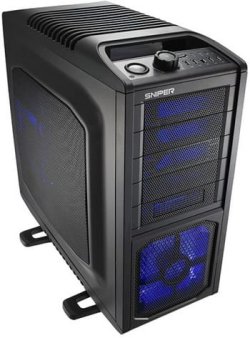
Also this picture :
It dropped along with my new build. This is my old build's inside... super messy but there is just no room for cable managment at all. I cleaned it up and well, it will be archived.
There are lots of You Tube vids on applying thermal paste, but it is important to get it right.
See if you can get them to let you watch them put it on, once you see the correct thickness, it's pretty easy.
Just checked your RAM and it looks like it doesn't have X.M.P.
Check the SPD tab in CPUZ, it will tell you the different timings and voltages the RAM is spec'ed at.
The SPD setting in your BIOS should run it at 1333 MHz, if that's what the RAM says on it, then it's not overclocking to run it at that speed.
If it's running good at 1066 MHz, and your happy then leave it there.
You probably won't notice the difference.
My Computer
- Computer type
- PC/Desktop
- Computer Manufacturer/Model Number
- 76~2.0
- OS
- Windows 7 Ult x64 - SP1/ Windows 8 Pro x64
- CPU
- Intel Core i5-3570K 4.6GHz
- Motherboard
- Gigabyte GA-Z77X UD3H, f18
- Memory
- 8GB (2X4GB) DDR3 1600 Corsair Vengeance CL8 1.5v
- Graphics Card(s)
- Sapphire HD 7770 Vapor-X OC 1GB DDR5
- Sound Card
- Onboard VIA VT2021
- Monitor(s) Displays
- 22" LCD Dell
- Screen Resolution
- 1680x1050
- Hard Drives
- Samsung 840Pro 128GB SSD,
Seagate Barracuda 500GB SATA2 7200rpm 32MB cache, Seagate Barracuda 1TB SATA2 7200rpm 32MB cache,
- PSU
- Corsair HX650W
- Case
- Cooler Master Storm Scout
- Cooling
- Corsair H80 2x12cm Noctua NF P12 , 2x14cm case fans
- Keyboard
- Logitech Wave
- Mouse
- CM Sentinel
- Internet Speed
- Dismal
- Antivirus
- Avast
- Browser
- Opera Next
- Other Info
- Haswell laptop: HP Envy 17t-j, i7-4700MQ, GeForce 740M 2GB DDR3, 17.3" Full HD 1920x1080, 16GB RAM, Samsung 840 Pro 128GB, 1TB Hitachi 7200 HDD,
Desktop: eSATA ports,
External eSATA Seagate 500GB SATA2 7200rpm,
External WD USB 500GB



 Swap Your Internals Day!


