SimpleAnecdote
New member
Hiya all!
I'm running a tripple boot with Win7 Ultimate x64, WinXP Pro, and Kubuntu 9.10.
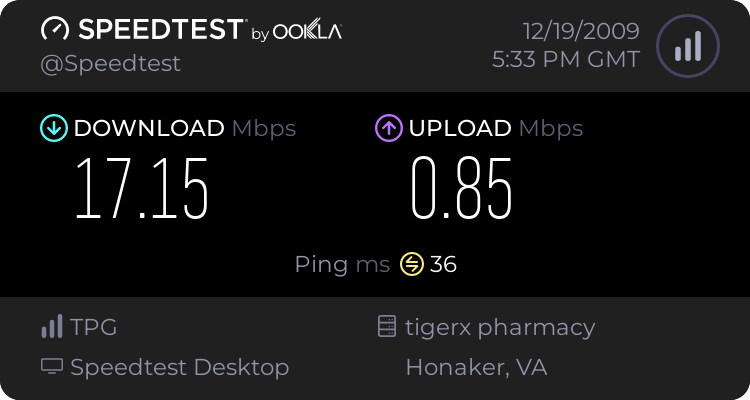
I want to get rid of XP and work with 7 when I need Windows environment. But my problem so far is the wireless speed. My internet connection is 20mbit dl and 1mbit ul. Speedtest.net - The Global Broadband Speed Test gives me a consistent average of 15mbit download and a 0.9mbit upload when on my linux. 13mbit dl and 0.8mbit when on XP. But when it comes to 7 I get 0.6mbit dl, and 0.8mbit ul.
Win7 doesn't like my old drivers that came with the wireless card so I downloaded the new official drivers from Gigabyte and it installed quickly. But I can only assume it's a drivers problem because of the disparity between the other OS and Win7.
Anyone knows any fix to this? Because I'd really like to format my XP and add some space to 7's habitat.
Thanks in advance,
Me.
I'm running a tripple boot with Win7 Ultimate x64, WinXP Pro, and Kubuntu 9.10.
I want to get rid of XP and work with 7 when I need Windows environment. But my problem so far is the wireless speed. My internet connection is 20mbit dl and 1mbit ul. Speedtest.net - The Global Broadband Speed Test gives me a consistent average of 15mbit download and a 0.9mbit upload when on my linux. 13mbit dl and 0.8mbit when on XP. But when it comes to 7 I get 0.6mbit dl, and 0.8mbit ul.
Win7 doesn't like my old drivers that came with the wireless card so I downloaded the new official drivers from Gigabyte and it installed quickly. But I can only assume it's a drivers problem because of the disparity between the other OS and Win7.
Anyone knows any fix to this? Because I'd really like to format my XP and add some space to 7's habitat.
Thanks in advance,
Me.
My Computer
- Computer Manufacturer/Model Number
- Self Assembled
- OS
- Kubuntu 9.10, WinXP Pro, Win7 Ultimate x64
- CPU
- Athlon 64 3000+
- Motherboard
- Gigabyte GA K8NMF-9
- Memory
- 3GB DDR400
- Graphics Card(s)
- Sapphire ATI x800 GT 256mb
- Sound Card
- Onboard card
- Monitor(s) Displays
- DELL Ultrasharp 2007WFP
- Screen Resolution
- 1680x1050
- Hard Drives
- 80gb WD via Serial ATA @ 7500rpm - OS partitions
80gb WD via Serial ATA @ 7500rpm - OS particular software installations
500gb Seagate External via USB2 @ 7500rpm - Backups
1tb Maxtor External via USB2 @ 7500rpm - Media
- PSU
- Don't remember - something with more juice than I need.
- Case
- A cheap, old, nasty looking, one screw, gets the job done..
- Cooling
- None