
Somethings going on here..

Coke Robot

New member
Power User
VIP
Local time
12:01 PM
Messages
402
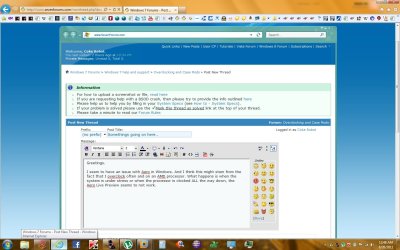
Greetings.

I seem to have an issue with Aero in Windows. And I think this might stem from the fact that I overclock often and on an AMD processor. What happens is when the system is under stress or when the processor is clocked ALL the way down, the Aero Live Preview seems to not work. And when I hover the mouse over on one of the taskbar icons and move it away, it acts like the mouse pointer is still hovering over it when it's not.

I think overclocking might had damaged the memory controller on the processor since that's the only thing I can think of hardware wise, unless I need to change the default BIOS settings to other settings to tweak things...

I have the latest graphics updates. All the latest Windows updates except for two .NET 4 updates that won't install for some reason. RAM should be all ok, but I may need to check for sure.

Also, I've seen this happen on a laptop when I stress tested it for a day and here and there, it would do the same thing as my system. That makes me think of voltage errors since this also happens when I clock down considerably on my processor.

What do you think?
 

Attachments
  • Untitled.jpg
    Untitled.jpg
    135.9 KB · Views: 17

My Computer My Computer

At a glance

Windows 7 Ultimate x64AMD Athlon 240 II @ 2.8-4.004 ghzSuperTalent 4gb DDR3ATI Radeon 3000HD
Computer Manufacturer/Model Number
ASUS
OS
Windows 7 Ultimate x64
CPU
AMD Athlon 240 II @ 2.8-4.004 ghz
Motherboard
M4A78LT-M LE
Memory
SuperTalent 4gb DDR3
Graphics Card(s)
ATI Radeon 3000HD
Screen Resolution
1440*900
Case
Re-modded Dell Dimension 4550
Cooling
Vantec 92mm Tornado x2
Other Info
It looks pretty.
That's an odd one but the best advice I can offer for now is to see what happens when the system is running at stock speed. Also Aero is dependant on your video card so I'd look at it as well.

What is the Aero desktop experience?
 

My Computer My Computer

At a glance

Windows 10 ProIntel Core i7-4770K (3.5Ghz)32 gig Corsair Dominator Platinum (4x8Gig)Sapphire Tri-X R9 Fury
Computer type
PC/Desktop
Computer Manufacturer/Model Number
Custom built by me.
OS
Windows 10 Pro
CPU
Intel Core i7-4770K (3.5Ghz)
Motherboard
Gigabyte G1 Sniper 5 (F10 Bios)
Memory
32 gig Corsair Dominator Platinum (4x8Gig)
Graphics Card(s)
Sapphire Tri-X R9 Fury
Sound Card
Soundblaster ZXR
Monitor(s) Displays
NEC PA242W 24" LCD Monitor
Screen Resolution
1920 x 1200
Hard Drives
Primary - Samsung 850 Pro (512gig), Samsung 840 Pro (256gig), 2TB WD Caviar Black.
PSU
EVGA Supernova 1000 G2
Case
Cooler Master HAF X
Cooling
Corsair H100i with Corsair Air Series SP120 Quiet Fans
Keyboard
Logitech Wireless Wave
Mouse
Logitech Performance MX
Internet Speed
High Speed Cable
Antivirus
Norton Security
Browser
IE11
Other Info
Memory Timings - 1866MHz @ 9-9-9-27-1T @ 1.5 volts

My Computer My Computer

At a glance

Windows 10 Home x64INTEL Core i5-750 Quad-Core 3.37GHzHyperX Fury Black Series 8GB (2 x 4GB) 1866MhzEVGA GeForce GTX 750 Superclocked 1GB 128-Bit...
Computer type
PC/Desktop
OS
Windows 10 Home x64
CPU
INTEL Core i5-750 Quad-Core 3.37GHz
Motherboard
ASUS P7P55D
Memory
HyperX Fury Black Series 8GB (2 x 4GB) 1866Mhz
Graphics Card(s)
EVGA GeForce GTX 750 Superclocked 1GB 128-Bit GDDR5
Monitor(s) Displays
LG 32MA68HY 32" IPS
Screen Resolution
1920 x 1080
Hard Drives
Samsung 840 Evo 120GB, SEAGATE 500GB Barracuda® 7200.12, SATA 3 Gb/s, 7200 RPM, 16MB cache
PSU
ANTEC TruePower New TP-550, 80 PLUS, 550W
Case
ANTEC Three Hundred Illusion
Cooling
COOLER MASTER Hyper 212 Plus, 4 x 120mm 1 x 140mm Noctua's
Internet Speed
85 + Mbps
Antivirus
Avast
Browser
Vivaldi
Aero is running fine according to the troubleshooter. Hmm, I'll see what happens when everything is at stock default and see what happens.

Thanks for the advice!
 

My Computer My Computer

At a glance

Windows 7 Ultimate x64AMD Athlon 240 II @ 2.8-4.004 ghzSuperTalent 4gb DDR3ATI Radeon 3000HD
Computer Manufacturer/Model Number
ASUS
OS
Windows 7 Ultimate x64
CPU
AMD Athlon 240 II @ 2.8-4.004 ghz
Motherboard
M4A78LT-M LE
Memory
SuperTalent 4gb DDR3
Graphics Card(s)
ATI Radeon 3000HD
Screen Resolution
1440*900
Case
Re-modded Dell Dimension 4550
Cooling
Vantec 92mm Tornado x2
Other Info
It looks pretty.
The only time I ever see issues like the one you describe is if the OC is unstable. Some times you can just tickle the voltage a little hair and it fixes it but if you already took the voltage up a bit you may not want to push that any further and instead bring the clock down a touch.

I would go back to stock for a day or so and see if there is still an issue.

I am also curious if you changed the graphic at all. As in have you done a graphics OC on top of the CPU OC or did you only adjust the CPU?

If you haven't touched the graphics I would suggest going stock and if you still have an issue you can check graphics and possibly reload windows once to further trouble shoot this.
 

My Computer My Computer

At a glance

Win7 64bit UltimateAMD Phenom II X6 1100T Black Edition Thuban 3...CORSAIR DOMINATOR GT 8GB (2 x 4GB) 1866 DDR3XFX HD-697A-CNDC Radeon HD6970 2GB 256-bit
Computer Manufacturer/Model Number
Custom
OS
Win7 64bit Ultimate
CPU
AMD Phenom II X6 1100T Black Edition Thuban 3.3GHz, 3.7GHz
Motherboard
Gigabyte GA-890FXA-UD5
Memory
CORSAIR DOMINATOR GT 8GB (2 x 4GB) 1866 DDR3
Graphics Card(s)
XFX HD-697A-CNDC Radeon HD6970 2GB 256-bit
Sound Card
Creative SoundBlaster X-Fi Platinum Fatal1ty Edition
Monitor(s) Displays
Dual 25 Inch Hanns-G HZ251
Screen Resolution
1920x1080 X 2
PSU
Corsair 850W Single Rail
Case
Thermaltake V9 BlacX w/ Dual HDD Docking Station
Cooling
Air lots and lots of air and copper...
Keyboard
Kensington (Low-Profile)
Mouse
Creative Fatal1ty
Internet Speed
15Gbit (15 Down 5 Up)
Other Info
XIGMATEK HDT-S1284F 120mm HYPRO Bearing CPU Cooler, LG Blu-Ray Burner.
Back
Top