Well, you said yourself it was a, "super old driver version." How did you ascertain that?
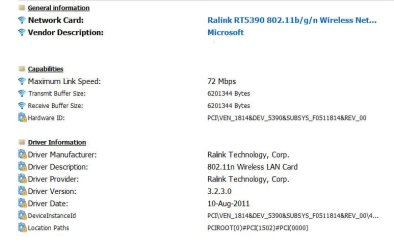
What is the make and model of your WIFI network adapter in the computer? If you don't know, run this program and to the right drop down the network tree: HWiNFO - Free System Information, Monitoring and Diagnostics
Don't click the driver update button in this program. My uBlock Origin flagged it as, "Badware risks." A lot of those so-called "driver update" websites are garbage and have the possibility of hosing over your computer. I'm sure they (the Devs of this program) were paid to add that button fallacy.
Drivers should ALWAYS be downloaded from their respective manufacture's if at all possible, and if not, scan it at Virus Total. Be warned.
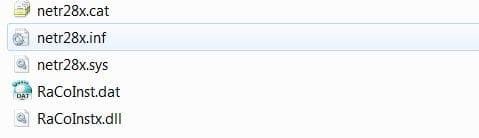
Yes, Device Manager can be used, but that's for an .INF (Information File Name Extension) file. Typically, you'd just run an executable you double click on. That's it.
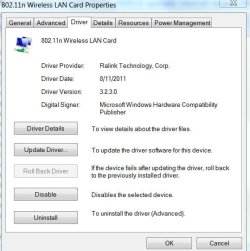
I came to the conclusion that my driver is out of date by going under device manager (screen shot attached). Also just as a heads up I was recently experiencing Internet issue, I then popped open Firefox and bam I was able to connect fine....so it definitely may be a browser issue but not entirely sure. Should I download and run that program above to let you know the make and model of network adapter?
Attachments
My Computer
At a glance
Windows 7 x64
- OS
- Windows 7 x64