Hi guys,
Thanks for this great forum.
I have a little problem, I thought there may be someone here who may be able to offer a solution other than the obvious one of swapping drives over, which I realise I may have to do. It pays to mention that I have a 3 year warranty on my hardware. So physically swapping drives will need to be done in shop.
I purchased this PC in February this year. (Absolutely love Windows7 too).
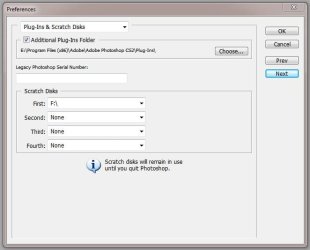
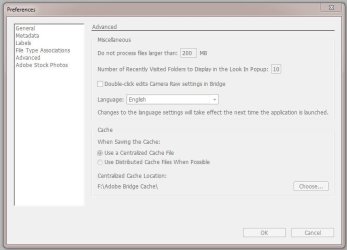
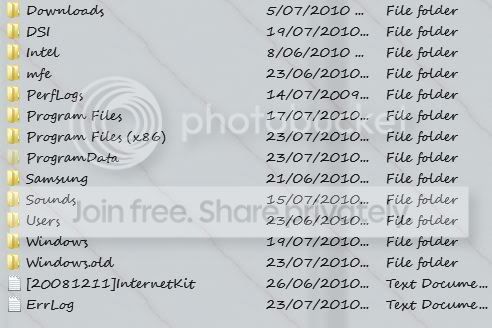
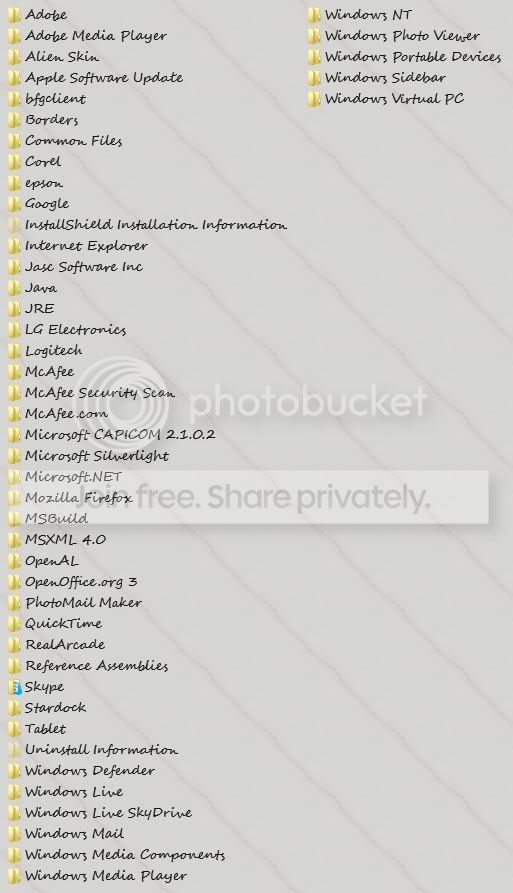
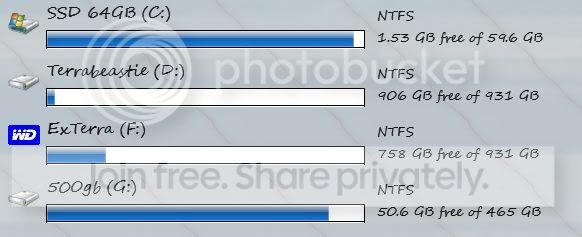
I had the PC custom built and the guy that built it loaded the SSD as 'C' drive. The SSD was meant to be for Photo shop. Obviously a 64gig SSD is not big enough. After installing Win7 and trying to direct any software I could to my terabyte drive I find that I now only have just over 1gig left on the SSD. Screen shots below (ain't the snip tool awesome!!).
Is there anyway of directing software that I can not physically direct myself to another drive other than C?
I read the tutorial about changing the registry and tried it, but it didn't work.
Any assistance would be great thank you. Hope I've given you enough info too
Regards Willow
Thanks for this great forum.
I have a little problem, I thought there may be someone here who may be able to offer a solution other than the obvious one of swapping drives over, which I realise I may have to do. It pays to mention that I have a 3 year warranty on my hardware. So physically swapping drives will need to be done in shop.
I purchased this PC in February this year. (Absolutely love Windows7 too).
I had the PC custom built and the guy that built it loaded the SSD as 'C' drive. The SSD was meant to be for Photo shop. Obviously a 64gig SSD is not big enough. After installing Win7 and trying to direct any software I could to my terabyte drive I find that I now only have just over 1gig left on the SSD. Screen shots below (ain't the snip tool awesome!!).
Is there anyway of directing software that I can not physically direct myself to another drive other than C?
I read the tutorial about changing the registry and tried it, but it didn't work.
Any assistance would be great thank you. Hope I've given you enough info too
Regards Willow
Last edited:
My Computer
- Computer Manufacturer/Model Number
- ALTECH Gigabyte Technology Co., Ltd. P55A-UD3R
- OS
- Windows 7 Professional 64-bit (6.1 Build 7600)
- CPU
- Intel(R)Core(TM)i7CPU 860 @2.80GHz(8 CPUs)
- Motherboard
- Gigabyte Technology Co., Ltd.
- Memory
- 4 gig
- Graphics Card(s)
- NVIDIA GEForce GT240 2776MB
- Sound Card
- High Definition Audio Device (5x) Digital Audio
- Monitor(s) Displays
- Samsung SyncMaster [Monitor] (23.1"vis)2333SWPLUS
- Screen Resolution
- 1920 x 1080
- Hard Drives
- Corsair 115gb 2.5" SSD, MLC, SATA-II (CSSD-F115GB2-BRKT-A) Force Series F115
Hitachi HDT721010SLA360 ATA D
Maxtor OneTouch USB Dev
WD 10EADS External USB Device (1000.20 GB)
- PSU
- Don't know
- Case
- Antec
- Cooling
- Don't know but its huge
- Keyboard
- Logitech Wave
- Mouse
- Logitech
- Internet Speed
- adsl2+