Solved Start Menu - Show All Programs automatically

I'll third this request. I have customized the menu about as much as I can, but I still have no use for the 'recent items' and resent that I can't remove it. If MS won't let us have a Windows Classic menu in 7, can they at least let us customize what they do have so that it meets our needs?

Ariel

I'll fourth the request
 

My Computer

Computer type
PC/Desktop
Computer Manufacturer/Model Number
diy
OS
Win7 pro x64
CPU
stock i7 7700k
Motherboard
Gigabyte Z270N-WIFI mini-ITX
Memory
Corsair Vengeance LPX 16GB (2x8GB) DDR4 @ 3200MHz
Graphics Card(s)
integrated Intel HD 630
Sound Card
onboard Realtek ALC1220
Monitor(s) Displays
two vertically mounted samsung 55" 4k un55mu8000
Screen Resolution
1920x1280
Hard Drives
256GB Samsung EVO 960 M.2 pci-e NVMe SSD
PSU
SilverStone Nightjar ST45NF 450Watt Fanless
Case
No case. Motherboard is mounted directly onto power supply
Cooling
Evercool low profile 815EP with Panaflow 12L fan at 7v
Keyboard
Ortek MCK-86 mini
Mouse
Belkin 5-button USB
Internet Speed
spectrum 400mbps
If you need to bring the Quick Launch bar back it's very easy,. then you create a new shortcut and type this in the Target box"

"C:\ProgramData\Microsoft\Windows\Start Menu"

Then drag that to the Quick Launch bar

You now have total access to the Start Menu,. you can move files, create folders.etc
 

My Computer

Computer Manufacturer/Model Number
Cheap $399.00 E-Machine
OS
Windows 7 Pro & Vista Home Premium
CPU
Athlon 64 3800+ (Orleans) 2.40GHz
Motherboard
Winfast
Memory
2GB DDR2 RAM DIMM
Graphics Card(s)
NVIDIA GeForce 8500 GT 512 MB memory HDMI out
Sound Card
creative X-Fi Exteme 7..1 channel
Monitor(s) Displays
Acer V223W 22" widescreen DVI
Screen Resolution
1680x1050
Hard Drives
WDC WD5 500GB
WDC WD25 250GB
PSU
OCZ 550 watt
Case
Gateway
Cooling
2 fans
Keyboard
Dell
Mouse
Sony Vaio
Internet Speed
18MB/s down - .72MB /s up
Thanks, Brink.

I did try CSMenu and like it very much, but the freeware version was not customizable and I'm always tweaking my menu. Otherwise, it would work brilliantly! Can you customize the Pro version?

Ariel

If you want customizable classic start menu (just like in 95, 2000, XP and Vista) try mine: http://www.sevenforums.com/customization/42932-ann-classic-shell-start-menu-other-features.html
It is still in beta and there are few glitches, but I hope to address them in the next week or 2.

Ivo
 

My Computer

Computer Manufacturer/Model Number
Me :) I build all my PCs
OS
Windows 7 Home 64, Vista Ultimate 64
If you want customizable classic start menu (just like in 95, 2000, XP and Vista) try mine: http://www.sevenforums.com/customization/42932-ann-classic-shell-start-menu-other-features.html
It is still in beta and there are few glitches, but I hope to address them in the next week or 2.

Ivo

Thanks for the link, Ivo - I'll try it!

If you need to bring the Quick Launch bar back it's very easy,. then you create a new shortcut and type this in the Target box"

"C:\ProgramData\Microsoft\Windows\Start Menu"

Then drag that to the Quick Launch bar

You now have total access to the Start Menu,. you can move files, create folders.etc

Yep, that's how I've been operating with it - that and clearing the 'recent items' (setting => '0') and just clicking the 'All Programs' right away. I actually like the way the new start menu looks when the all programs list fills that empty box and the way I can navigate the menus there so I could really relate to what the threadstarter said. If we could have what that person described, I might even be able to live without a classic menu.

I tried pinning every menu item in the box, but the icons you create that way come out larger than the 'all programs' list and I didn't see any way to scroll pinned items to find those that didn't fit in the little box. It also opens up a new window when select a pinned folder, not just the program you are looking for. And that takes up even more real estate than the old classic menu did.

I guess I am one of the few that just likes to see everything they have when they look through the menus. Maybe most people only use a few of the commands, but not me; I use nearly everything. I always turn off 'Customized Menus' on my programs too - you gotta know what all your options are, ya know? :cool:
 

My Computer

Computer Manufacturer/Model Number
HP G60
OS
Windows 7
Yep, that's how I've been operating with it - that and clearing the 'recent items' (setting => '0') and just clicking the 'All Programs' right away. I actually like the way the new start menu looks when the all programs list fills that empty box and the way I can navigate the menus there so I could really relate to what the threadstarter said. If we could have what that person described, I might even be able to live without a classic menu

I just changed nine,. looks much better and easier to navigate.
 

My Computer

Computer Manufacturer/Model Number
Cheap $399.00 E-Machine
OS
Windows 7 Pro & Vista Home Premium
CPU
Athlon 64 3800+ (Orleans) 2.40GHz
Motherboard
Winfast
Memory
2GB DDR2 RAM DIMM
Graphics Card(s)
NVIDIA GeForce 8500 GT 512 MB memory HDMI out
Sound Card
creative X-Fi Exteme 7..1 channel
Monitor(s) Displays
Acer V223W 22" widescreen DVI
Screen Resolution
1680x1050
Hard Drives
WDC WD5 500GB
WDC WD25 250GB
PSU
OCZ 550 watt
Case
Gateway
Cooling
2 fans
Keyboard
Dell
Mouse
Sony Vaio
Internet Speed
18MB/s down - .72MB /s up
A pity we have no hack or MS solution for this

If "Number of Programs on Startmenue" = 0 then show "All Programms"

:(

Keep hoping though :)
 

My Computer

Computer Manufacturer/Model Number
Self assembled
OS
W7 64b - Leopard 10.6.2 - Ubuntu 10.10 (MBP Snow Leopard 10.6.3)
CPU
Intel E6600
Motherboard
Asus P5W DeluxeHome
Memory
4GB
Graphics Card(s)
nVidia 8800GTX
Sound Card
Onboard
Monitor(s) Displays
Samsung 24"
Screen Resolution
1920*1200
Hard Drives
3*250GB
PSU
Antec
Case
Antec
Cooling
3*Fan
Keyboard
Logitec
Mouse
Logitec
Internet Speed
25Mb
Theres a new program out called Ckassic Shell

It's om Soundforge, but I can't locate iy yet

The best I;ve evwer seen
 

My Computer

Computer Manufacturer/Model Number
Cheap $399.00 E-Machine
OS
Windows 7 Pro & Vista Home Premium
CPU
Athlon 64 3800+ (Orleans) 2.40GHz
Motherboard
Winfast
Memory
2GB DDR2 RAM DIMM
Graphics Card(s)
NVIDIA GeForce 8500 GT 512 MB memory HDMI out
Sound Card
creative X-Fi Exteme 7..1 channel
Monitor(s) Displays
Acer V223W 22" widescreen DVI
Screen Resolution
1680x1050
Hard Drives
WDC WD5 500GB
WDC WD25 250GB
PSU
OCZ 550 watt
Case
Gateway
Cooling
2 fans
Keyboard
Dell
Mouse
Sony Vaio
Internet Speed
18MB/s down - .72MB /s up
Theres a new program out called Ckassic Shell

It's om Soundforge, but I can't locate iy yet

The best I;ve evwer seen

you shouldn't drink and type
 

My Computer

Computer type
PC/Desktop
Computer Manufacturer/Model Number
diy
OS
Win7 pro x64
CPU
stock i7 7700k
Motherboard
Gigabyte Z270N-WIFI mini-ITX
Memory
Corsair Vengeance LPX 16GB (2x8GB) DDR4 @ 3200MHz
Graphics Card(s)
integrated Intel HD 630
Sound Card
onboard Realtek ALC1220
Monitor(s) Displays
two vertically mounted samsung 55" 4k un55mu8000
Screen Resolution
1920x1280
Hard Drives
256GB Samsung EVO 960 M.2 pci-e NVMe SSD
PSU
SilverStone Nightjar ST45NF 450Watt Fanless
Case
No case. Motherboard is mounted directly onto power supply
Cooling
Evercool low profile 815EP with Panaflow 12L fan at 7v
Keyboard
Ortek MCK-86 mini
Mouse
Belkin 5-button USB
Internet Speed
spectrum 400mbps
I still type with one finger.

I do have a spell checker but forgot to use it

Here ya go:
For the past month I've been working in my spare time on this Classic Shell project. It has:
  • full-featured start menu (keyboard and mouse support, drag and drop, recent documents list, localized in 35 languages)
  • Up button for Explorer
  • and other features
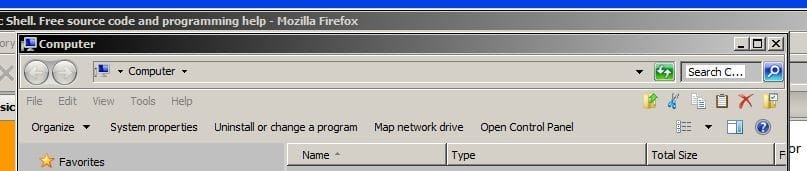
Check out the screenshots.

It is free and open source. I just added it to Source Forge: Welcome to Classic Shell
and Code Project: CodeProject: Classic Shell. Free source code and programming help

The project is still in beta, so glitches and compatibility problems are expected.

Please, give it a try. If you find a problem you can report it here or on the Source Forge help forum.

Regards
Ivo Beltchev
Attached Thumbnails
 

My Computer

Computer Manufacturer/Model Number
Cheap $399.00 E-Machine
OS
Windows 7 Pro & Vista Home Premium
CPU
Athlon 64 3800+ (Orleans) 2.40GHz
Motherboard
Winfast
Memory
2GB DDR2 RAM DIMM
Graphics Card(s)
NVIDIA GeForce 8500 GT 512 MB memory HDMI out
Sound Card
creative X-Fi Exteme 7..1 channel
Monitor(s) Displays
Acer V223W 22" widescreen DVI
Screen Resolution
1680x1050
Hard Drives
WDC WD5 500GB
WDC WD25 250GB
PSU
OCZ 550 watt
Case
Gateway
Cooling
2 fans
Keyboard
Dell
Mouse
Sony Vaio
Internet Speed
18MB/s down - .72MB /s up
I still type with one finger.

I do have a spell checker but forgot to use it

Here ya go:
For the past month I've been working in my spare time on this Classic Shell project. It has:
  • full-featured start menu (keyboard and mouse support, drag and drop, recent documents list, localized in 35 languages)
  • Up button for Explorer
  • and other features
Check out the screenshots.

It is free and open source. I just added it to Source Forge: Welcome to Classic Shell
and Code Project: CodeProject: Classic Shell. Free source code and programming help

The project is still in beta, so glitches and compatibility problems are expected.

Please, give it a try. If you find a problem you can report it here or on the Source Forge help forum.

Regards
Ivo Beltchev
Attached Thumbnails

fantastic program. Thank you.
I posted a couple questions in source forge but just in case you see this one first:

Is it possible to not have My Documents on the start menu? (I notice that right-click delete is not an option), and is it possible to have the "search" on the start menu automatically use a program such as SearchEverything? (I do not like windows search). Thanks again
 

My Computer

Computer type
PC/Desktop
Computer Manufacturer/Model Number
diy
OS
Win7 pro x64
CPU
stock i7 7700k
Motherboard
Gigabyte Z270N-WIFI mini-ITX
Memory
Corsair Vengeance LPX 16GB (2x8GB) DDR4 @ 3200MHz
Graphics Card(s)
integrated Intel HD 630
Sound Card
onboard Realtek ALC1220
Monitor(s) Displays
two vertically mounted samsung 55" 4k un55mu8000
Screen Resolution
1920x1280
Hard Drives
256GB Samsung EVO 960 M.2 pci-e NVMe SSD
PSU
SilverStone Nightjar ST45NF 450Watt Fanless
Case
No case. Motherboard is mounted directly onto power supply
Cooling
Evercool low profile 815EP with Panaflow 12L fan at 7v
Keyboard
Ortek MCK-86 mini
Mouse
Belkin 5-button USB
Internet Speed
spectrum 400mbps
I've been so busy, I haven;'t even installed it yet.
 

My Computer

Computer Manufacturer/Model Number
Cheap $399.00 E-Machine
OS
Windows 7 Pro & Vista Home Premium
CPU
Athlon 64 3800+ (Orleans) 2.40GHz
Motherboard
Winfast
Memory
2GB DDR2 RAM DIMM
Graphics Card(s)
NVIDIA GeForce 8500 GT 512 MB memory HDMI out
Sound Card
creative X-Fi Exteme 7..1 channel
Monitor(s) Displays
Acer V223W 22" widescreen DVI
Screen Resolution
1680x1050
Hard Drives
WDC WD5 500GB
WDC WD25 250GB
PSU
OCZ 550 watt
Case
Gateway
Cooling
2 fans
Keyboard
Dell
Mouse
Sony Vaio
Internet Speed
18MB/s down - .72MB /s up
I still type with one finger.

I do have a spell checker but forgot to use it

Here ya go:
For the past month I've been working in my spare time on this Classic Shell project. It has:
  • full-featured start menu (keyboard and mouse support, drag and drop, recent documents list, localized in 35 languages)
  • Up button for Explorer
  • and other features
Check out the screenshots.

It is free and open source. I just added it to Source Forge: Welcome to Classic Shell
and Code Project: CodeProject: Classic Shell. Free source code and programming help

The project is still in beta, so glitches and compatibility problems are expected.

Please, give it a try. If you find a problem you can report it here or on the Source Forge help forum.

Regards
Ivo Beltchev
Attached Thumbnails

THANKYOU! THANKYOU! THANKYOU! Ive been waiting for some to make this program since the first hour I installed the win 7 beta. Thank you again.
 

My Computer

OS
win7
Way to go davhc

I did that myself, put in on the Quick Launch bar.
 

My Computer

Computer Manufacturer/Model Number
Cheap $399.00 E-Machine
OS
Windows 7 Pro & Vista Home Premium
CPU
Athlon 64 3800+ (Orleans) 2.40GHz
Motherboard
Winfast
Memory
2GB DDR2 RAM DIMM
Graphics Card(s)
NVIDIA GeForce 8500 GT 512 MB memory HDMI out
Sound Card
creative X-Fi Exteme 7..1 channel
Monitor(s) Displays
Acer V223W 22" widescreen DVI
Screen Resolution
1680x1050
Hard Drives
WDC WD5 500GB
WDC WD25 250GB
PSU
OCZ 550 watt
Case
Gateway
Cooling
2 fans
Keyboard
Dell
Mouse
Sony Vaio
Internet Speed
18MB/s down - .72MB /s up
Is there any progress on the original Idea of opening All programs automatically. I'd prefer this to the classic menu, every thread with this subject seems to get hijacked by the classic menu. I admit it is a better solution to our other options but I don't see why we can't try to improve on it :-)
 

My Computer

Computer Manufacturer/Model Number
Asus N10J
OS
Windows 7 Pro
CPU
Atom N270 1.6Ghz
Motherboard
Intel somthing or other
Memory
2GB
Graphics Card(s)
Nvidia 9300GS & a crap Intel for battery life
Sound Card
Realtek HD
Monitor(s) Displays
Built in & HD TV
Hard Drives
250GB
Well if that's the case then is there a way of making the entire left panel disappear? I'm currenly experimenting with things like "NoStartMenuLeftPanel" as a reg entry in HKEY_CURRENT_USER\Software\Microsoft\Windows\CurrentVersion\Policies\Explorer. I've currently got to the stage of a cascaded All Programs in the left panel. If I can somehow remove the right one I will have something similar to the Classic menu but more compact and in the right theme.

And just because no one knows a way to make the all programs menu open automatically doesn't mean there isn't one...
 

My Computer

Computer Manufacturer/Model Number
Asus N10J
OS
Windows 7 Pro
CPU
Atom N270 1.6Ghz
Motherboard
Intel somthing or other
Memory
2GB
Graphics Card(s)
Nvidia 9300GS & a crap Intel for battery life
Sound Card
Realtek HD
Monitor(s) Displays
Built in & HD TV
Hard Drives
250GB
Sorry, what I meant was there are no registry settings available to do this. The contents of the all programs menu aren't populated until the user first clicks on the button. This was done for performance reasons since it can sometimes take a few seconds to enumerate the contents for the first time.
 

My Computer

OS
7
reghack;

Humblest of thanks from the most low to the most high for the clue re: Classic Shell. I'm slack-jawed with amazed disbelief at it's awesomeness... Mr. Coder - Please keep working on, if you provide a PayPal link I will donate.

Question: I ave enabled the Classic Explorer toolbar, but all the icons are bunched up on the far left. There does not seem to be a slider or other way of getting them over to the right:

classicExploerer1.JPG


Any suggestions most welcome,

Thanks again,

Raargh
 
Last edited:

My Computer

Computer Manufacturer/Model Number
Dell T3400
OS
Windows 7 Pro x64 (dual-booting XPSP3 and Win7)
CPU
Intel Core-2 Quad
Memory
4GB 800 Mhz PC2 unbuffered ECC
Graphics Card(s)
NVIDIA Quadro FX 570
Sound Card
Creative SB X-Fi model SB0770
Monitor(s) Displays
Dell 19" FP
Screen Resolution
1680x1050
Hard Drives
SATA disk0 250GB disk1 500GB
Internet Speed
TW RR
Other Info
Just a baby compared to my work box!
Mr. Coder - Please keep working on, if you provide a PayPal link I will donate.

Question: I ave enabled the Classic Explorer toolbar, but all the icons are bunched up on the far left.

Thanks for the offer, but I do not accept donations for this project. It is done in my spare time and for my own enjoyment.

To move the toolbar you have to right-click on it and uncheck "Lock the Toolbars". Move it where you want it and lock it again (this is to prevent you from accidentally drag the toolbar somewhere). The locking works exactly the same way as for the taskbar.
 

My Computer

Computer Manufacturer/Model Number
Me :) I build all my PCs
OS
Windows 7 Home 64, Vista Ultimate 64
Classic Shell rocks!

For the past month I've been working in my spare time on this Classic Shell project. It is free and open source. I just added it to Source Forge: Welcome to Classic Shell and Code Project: CodeProject: Classic Shell. Free source code and programming help

Thanks so much for this awesome app Ivo! This is *exactly* what I want!

How I organize my custom start menu is to create my own folders under AppData->Roaming->Microsoft->Windows-Start Menu.

I usually create the following folders:
01 Peripherals
--Camcorder
--Camera
--Printer-Scanner
--Webcam
02 Office
03 Web
04 Audio
05 Graphics
06 Viewers
07 Games
09 Utilities
10 System & Security

I then copy in to these folders the shortcuts for all relevant applications that I use. I leave the original Start Menu intact. With Classic Shell this works perfectly and is extremely convenient.

Thank you again Ivo!
 

My Computer

Computer Manufacturer/Model Number
Lenovo Thinkpad Z61p
OS
Windows 7 Ultimate 64 6.1.7600 Build 7600
CPU
Intel Core2 T7200 2.0 GHz
Motherboard
Intel 82801G ICH7 chipset
Memory
3 GB
Graphics Card(s)
Ati Mobility FireGL v5200
Back
Top