
( I just got it yesterday on boxing day ) When i use my 7.1 audio card and i put the red mic jack into the sound card it makes a static noise and it won't pick up any voice i do. Only static and nothing else. If i push the jack further into the sound card by just a little bit it makes a even bigger static noise when i check the Listen to device box.
I have no Microphone boost set
My Mic levels are at 100
And my format is 2 Channel, 16 bit, 44100 Hz ( CD Quality )
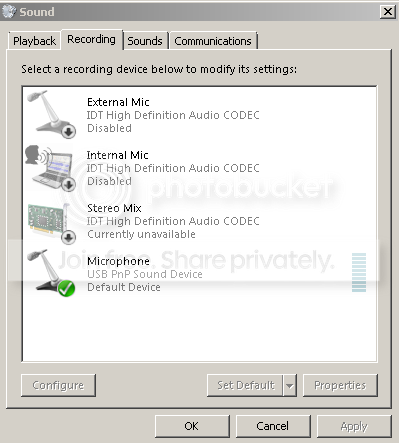
Also its set as a Default Device and its called:
MicroPhone
USB PnP Sound Device
in my other sound options i have
External Mic
Interal Mic
Stereo Mix
When i plug my mic jack into my computer, not into the sound card usb it works fine but i have to use the external microphone. I really want to use the Microphone USB PnP because i really want to fix the static and sound
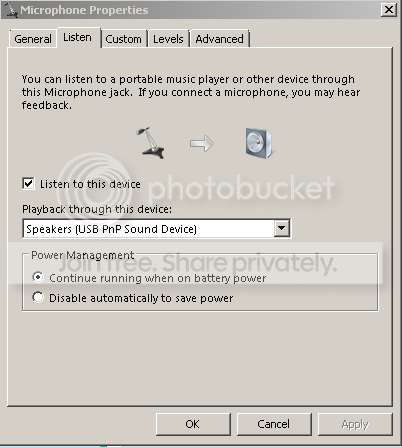
also my sound card is weird because when i plug the two jacks into the computer its all good 100 % everything is working but when i use the sound card its hard because sometimes it works and sometime it doesn't. Also when i use the sound card and put the audio green jack into the card i have to lightly put it in so that it works, if i put it in the regular way and push it in theres no audio and the jack is sensitive to come off.. And for the mic jack when i plug it into my sound card theres static and no voice when i talk into it.
I have no Microphone boost set
My Mic levels are at 100
And my format is 2 Channel, 16 bit, 44100 Hz ( CD Quality )
Also its set as a Default Device and its called:
MicroPhone
USB PnP Sound Device
in my other sound options i have
External Mic
Interal Mic
Stereo Mix
When i plug my mic jack into my computer, not into the sound card usb it works fine but i have to use the external microphone. I really want to use the Microphone USB PnP because i really want to fix the static and sound
also my sound card is weird because when i plug the two jacks into the computer its all good 100 % everything is working but when i use the sound card its hard because sometimes it works and sometime it doesn't. Also when i use the sound card and put the audio green jack into the card i have to lightly put it in so that it works, if i put it in the regular way and push it in theres no audio and the jack is sensitive to come off.. And for the mic jack when i plug it into my sound card theres static and no voice when i talk into it.
Last edited:
My Computer
At a glance
Windows 7 Home Premium 64-Bit
- OS
- Windows 7 Home Premium 64-Bit
