
You are using an out of date browser. It may not display this or other websites correctly.
You should upgrade or use an alternative browser.
You should upgrade or use an alternative browser.
Sticky Notes issue...
- Thread starter Lamsebamsen
- Start date

Running Forceware 186.94 and don't have the problem under discussion.
My Computer
- Computer Manufacturer/Model Number
- HP DV8t quad
- OS
- Windows 7 Ultimate x64 (Retail)
- CPU
- i7-Q 720
- Motherboard
- Motherboard Chipset Intel Ibex Peak-M PM55, Intel Lynnfield
- Memory
- 6 GB
- Graphics Card(s)
- nVidia GeForce GT 230M (1GB)
- Sound Card
- IDT High Definition Audio CODEC
- Monitor(s) Displays
- 18.4 inch HP Infinity FHD (Samsung 184HT03-001)
- Screen Resolution
- 1920 x 1080
- Hard Drives
- Hitachi 500GB 7200 rpm (x2)
Seagate FreeAgent 1.5 TB External USB (x2)
Thermaltake BlacX eSATA/USB 2.0 3.5/2.5 HD dock
- Cooling
- Zalman NC-2000 notebook cooling pad
- Keyboard
- laptop
- Mouse
- Logitech VX Revolution
- Other Info
- Backup Unit: Lenovo T61p

Baesd on various posts...it isn't a driver issue
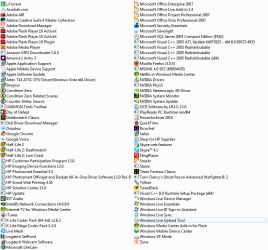
Tell us what other apps you have installed...any custom themes, any optimization software, any cleaning software
Any and everything
Tell us what other apps you have installed...any custom themes, any optimization software, any cleaning software
Any and everything
My Computer
- Computer Manufacturer/Model Number
- Compal JFT02 (Custom Build Laptop)
- OS
- Windows 7 Home Premium x64 - Mac OS X 10.6.4 x64
- CPU
- Intel Core 2 Duo T9300 2.5 GHz
- Motherboard
- JFT02
- Memory
- 4GB Kingston DDR2-800
- Graphics Card(s)
- NVIDIA Geforce 8600M GT (512MB Model)
- Sound Card
- Realtek HD Audio
- Monitor(s) Displays
- WUXGA Standard Laptop Display
- Screen Resolution
- 1680*1050
- Hard Drives
- Toshiba 320GB 5400RPM Laptop HD
- PSU
- Standard Laptop Power Supply
- Case
- Standard Laptop Case
- Cooling
- Standard Laptop Cooling
- Keyboard
- Standard Laptop 105 Key-Keyboard
- Mouse
- Synaptics Touchpad
- Internet Speed
- Verizion Online DSL 3360/864 kbs (dl/up)


My Computer
- OS
- Windows 7 Ultimate
- CPU
- Intel X6800
- Motherboard
- eVGA 680i SLI
- Memory
- 8GB OCZ DDR2 RAM
- Graphics Card(s)
- eVGA 9800 GTX "Superclocked"
- Sound Card
- onboard
- Monitor(s) Displays
- Dell 24" + Samsung 22"
- Hard Drives
- 2 x 150GB Raptor discs + 1 x 640GB Samsung SpinPoint
- PSU
- SilverStone "Zeus" 850Watt
- Case
- SilverStone
- Cooling
- Custom (air)

aperson
New member
- Local time
- 5:44 PM
- Messages
- 7
My boxes decided to go away.
I tried turning all the effects off "Best Performance mode" in control panel.
and turn everything back on.
and it was gone.
so basically turn Aero off and on again i guess
I tried turning all the effects off "Best Performance mode" in control panel.
and turn everything back on.
and it was gone.
so basically turn Aero off and on again i guess
My Computer
- OS
- Windows 7 Ultimate x64
- CPU
- Intel Xeon E5410
- Motherboard
- D5400XS
- Memory
- 16GB
- Graphics Card(s)
- nVidia GTX280
- Monitor(s) Displays
- Dell U2410
My boxes decided to go away.
I tried turning all the effects off "Best Performance mode" in control panel.
and turn everything back on.
and it was gone.
so basically turn Aero off and on again i guess
It seems to have worked on my pc too...
- crossing my fingers that it will last *knock on wood*

Rep for you!
My Computer
- OS
- Windows 7 Ultimate
- CPU
- Intel X6800
- Motherboard
- eVGA 680i SLI
- Memory
- 8GB OCZ DDR2 RAM
- Graphics Card(s)
- eVGA 9800 GTX "Superclocked"
- Sound Card
- onboard
- Monitor(s) Displays
- Dell 24" + Samsung 22"
- Hard Drives
- 2 x 150GB Raptor discs + 1 x 640GB Samsung SpinPoint
- PSU
- SilverStone "Zeus" 850Watt
- Case
- SilverStone
- Cooling
- Custom (air)
Problem came back, litteraly seconds after I posted the above post
So, I still have the problem...
So, I still have the problem...
My Computer
- OS
- Windows 7 Ultimate
- CPU
- Intel X6800
- Motherboard
- eVGA 680i SLI
- Memory
- 8GB OCZ DDR2 RAM
- Graphics Card(s)
- eVGA 9800 GTX "Superclocked"
- Sound Card
- onboard
- Monitor(s) Displays
- Dell 24" + Samsung 22"
- Hard Drives
- 2 x 150GB Raptor discs + 1 x 640GB Samsung SpinPoint
- PSU
- SilverStone "Zeus" 850Watt
- Case
- SilverStone
- Cooling
- Custom (air)
aperson
New member
- Local time
- 5:44 PM
- Messages
- 7
Awe that sucks because I have even rebooted and the white frames didn't came back.
Wish I could help more.
Wish I could help more.
My Computer
- OS
- Windows 7 Ultimate x64
- CPU
- Intel Xeon E5410
- Motherboard
- D5400XS
- Memory
- 16GB
- Graphics Card(s)
- nVidia GTX280
- Monitor(s) Displays
- Dell U2410
No one have any ideas to what might cause it, and how to get it fixed?
My Computer
- OS
- Windows 7 Ultimate
- CPU
- Intel X6800
- Motherboard
- eVGA 680i SLI
- Memory
- 8GB OCZ DDR2 RAM
- Graphics Card(s)
- eVGA 9800 GTX "Superclocked"
- Sound Card
- onboard
- Monitor(s) Displays
- Dell 24" + Samsung 22"
- Hard Drives
- 2 x 150GB Raptor discs + 1 x 640GB Samsung SpinPoint
- PSU
- SilverStone "Zeus" 850Watt
- Case
- SilverStone
- Cooling
- Custom (air)
problem identified
I just noticed this problem today.
Only change i have done is that I installed the latest version of setpoint form logitech as I purchased a new mouse.
I right clicked setpoint in the task bar and clicked exit and the borders around sticky notes disapeared.
I am running Win7 x64.
Anyone know how to fix this?
I just noticed this problem today.
Only change i have done is that I installed the latest version of setpoint form logitech as I purchased a new mouse.
I right clicked setpoint in the task bar and clicked exit and the borders around sticky notes disapeared.
I am running Win7 x64.
Anyone know how to fix this?
My Computer
- OS
- 7
mukarakaplan
New member
- Local time
- 4:44 PM
- Messages
- 7
Temporary solution
I got the same problem here. Win-7 ultimate 64bit + ATI Radeon HD 4200.
The problem wasn't there in the beginning, it started after 10 days or so. I don't really remember when the notes first appeared with those white frames. Basically the white frames are supposed to be the shadows of the notes. I think they are like placeholders. Here is a very easy temporary solution. Click the Sticky Notes icon on the task bar to make the notes disappear from the desktop. You may need to click the icon 2 or 3 times to make them disappear. Once they disappear, click the Sticky Notes icon again to make them appear again. And there are the shadows of the notes, and the white frames never appear again... UNTIL you restart the computer.
By the way I recently installed Logitech's setpoint as well. But I don't see how it can cause the problem...
I got the same problem here. Win-7 ultimate 64bit + ATI Radeon HD 4200.
The problem wasn't there in the beginning, it started after 10 days or so. I don't really remember when the notes first appeared with those white frames. Basically the white frames are supposed to be the shadows of the notes. I think they are like placeholders. Here is a very easy temporary solution. Click the Sticky Notes icon on the task bar to make the notes disappear from the desktop. You may need to click the icon 2 or 3 times to make them disappear. Once they disappear, click the Sticky Notes icon again to make them appear again. And there are the shadows of the notes, and the white frames never appear again... UNTIL you restart the computer.
By the way I recently installed Logitech's setpoint as well. But I don't see how it can cause the problem...
My Computer
- OS
- Windows 7
mukarakaplan
New member
- Local time
- 4:44 PM
- Messages
- 7
problem identified (2)
I think thekryten was right.
Solution:
Go to start menu > all programs > startup
Move Logitech SetPoint shortcut to the desktop or somewhere else (don't copy it, either move it or delete it)
Restart the computer
Problem is solved.
If you manually try to run Logitech SetPoint from the desktop again, you'll see that the white frames will appear immediately after you run Logitech SetPoint. There is some kind of a conflict between these two I don't understand how. I don't think we can solve this any further. Let's write to Logitech: Email Us
I think thekryten was right.
Solution:
Go to start menu > all programs > startup
Move Logitech SetPoint shortcut to the desktop or somewhere else (don't copy it, either move it or delete it)
Restart the computer
Problem is solved.
If you manually try to run Logitech SetPoint from the desktop again, you'll see that the white frames will appear immediately after you run Logitech SetPoint. There is some kind of a conflict between these two I don't understand how. I don't think we can solve this any further. Let's write to Logitech: Email Us
My Computer
- OS
- Windows 7
mukarakaplan
New member
- Local time
- 4:44 PM
- Messages
- 7
It's another temporary solution
Thekryten, unfortunately your solution is another temporary solution. When you restart the computer, the white frames appear again. You'll need to do the "change Windows theme" solution every time the computer restarts.
As I said in my previous post, a permanent "solution" is to remove SetPoint from the startup folder. I talked with the Logitech guys and let them know about the problem. I hope they are gonna take it seriously. I think they would if more people complain about the same problem. Please either call them or write a message to Logitech support.
Thekryten, unfortunately your solution is another temporary solution. When you restart the computer, the white frames appear again. You'll need to do the "change Windows theme" solution every time the computer restarts.
As I said in my previous post, a permanent "solution" is to remove SetPoint from the startup folder. I talked with the Logitech guys and let them know about the problem. I hope they are gonna take it seriously. I think they would if more people complain about the same problem. Please either call them or write a message to Logitech support.
My Computer
- OS
- Windows 7
Similar threads


- Replies
- 13
- Views
- 5K

- Replies
- 3
- Views
- 2K
