- Local time
- 8:03 PM
- Messages
- 197
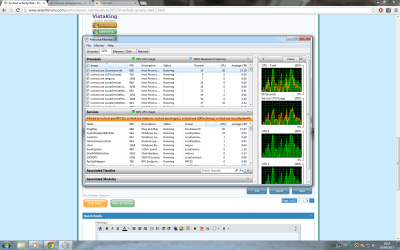
Afternoon. My recent fresh install is having trouble with a svchost process.
After a fresh boot its fine and im really unsure of what triggers this to happen.
After some time of web browsing (Chrome) and listening to WMC the HDD light will start blinking constantly and my CPU temps go up, only to notice my CPU usage is at 100% almost. The svchost services are: Power, Plug and Play and DCOM Server process launcher.
I cannot stop this until i restart the PC even a log off doesnt stop it.
Ive heard other people have this trouble but no real solutions.
My USB devices work fine, just when this svchost starts acting up, then ANY new USB device i plug in doesnt get recognised nor do they work.
After a fresh boot its fine and im really unsure of what triggers this to happen.
After some time of web browsing (Chrome) and listening to WMC the HDD light will start blinking constantly and my CPU temps go up, only to notice my CPU usage is at 100% almost. The svchost services are: Power, Plug and Play and DCOM Server process launcher.
I cannot stop this until i restart the PC even a log off doesnt stop it.
Ive heard other people have this trouble but no real solutions.
My USB devices work fine, just when this svchost starts acting up, then ANY new USB device i plug in doesnt get recognised nor do they work.
My Computer
At a glance
windows 7 home premium 64bitAmd phenom ii 560 3.30ghzCorsair TwinX 8GB (4x2)AMD radeon HD 5670 1GB
- Computer type
- PC/Desktop
- OS
- windows 7 home premium 64bit
- CPU
- Amd phenom ii 560 3.30ghz
- Motherboard
- Asus m4a785td-v evo
- Memory
- Corsair TwinX 8GB (4x2)
- Graphics Card(s)
- AMD radeon HD 5670 1GB
- Sound Card
- None
- Monitor(s) Displays
- Hp
- Hard Drives
- WD Black Caviar 1TB 7200rpm
- PSU
- Corsair 500W
- Case
- CM Enforcer
- Cooling
- Stock HS, 200mm Front fan + 120mm Exhaust
- Keyboard
- Cyborg v7
- Mouse
- Laser Microsoft 6000
- Internet Speed
- 5mb/s
- Antivirus
- Norton
- Browser
- Chrome


 rb: button type CMD inside the Search programs and files box . Right click on CMD underneath Programs (1) choose Run as administrator . Click Yes on the User Access Control window . Command prompt opens to C:\Windows\System32>_ .