Hello and welcome reymarbc mate I cannot see what is behind that pic you sent and it is not telling me much to be honest.
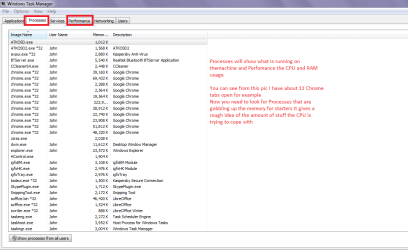
So can you please go to the Windows Task Manager - right click on the taskbar and select the Processes tab and also the Performance tab if you can send pics of them it would be helpful (best done in full screen to see more. Screenshots and Files - Upload and Post in Seven Forums
See my pic for an example
Attachments
TASK M.PNG
27.3 KB
· Views: 1
My Computer
At a glance
Desk1 7 Home Prem / Desk2 10 Pro / Main lap A...Desk1 i5 3750K / Laptop i7 GTX 860M / Desk2 i...Desk1 8GB (1866) / Desk2 16GB (1333) / Laptop...Desk 1& 2NVidia GTX 650 & Laptops on board Intel
Computer type
PC/Desktop
Computer Manufacturer/Model Number
Own build (new) Desk1 / Asus ROG Win 7 / Desk2 1st build
OS
Desk1 7 Home Prem / Desk2 10 Pro / Main lap Asus ROG 10 Pro 2 laptop Toshiba 7 Pro Asus P2520 7 & 10
One other Desktop (tester) and spare Toshba laptop both with SSD's
Running Kaspersky 2016 ISS on all machines config'd identically
Logitec audio stereo systems on each machine (x3)
Canon MG5250MFC
Router/modem TP-Link running WPA2SK