- Local time
- 2:25 AM
- Messages
- 29
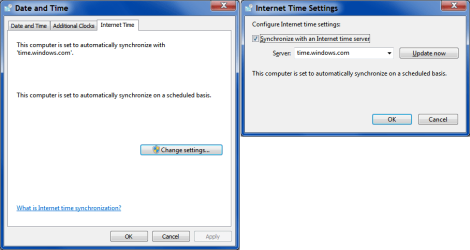
Every time I boot into Windows, the clock goes ahead by 7 hours. This wouldn't be AS annoying if it didn't subsequently break Skype -- because Skype thinks all the messages that I receive are based around that time. So whenever I type into a Skype chat and the person/people I'm talking to said something between the last time I logged in, all my messages will start to appear in the middle because the time has finally been corrected. It's hard to explain but very obnoxious and I've had to continuously flush all my Skype messages to prevent it from happening.
I suspect the reason is because I just installed #! CrunchBang Linux onto my 2nd hard drive, but I don't know how that would affect Windows' time. All I know is that it started happening after I did that. For more clarification: I have Windows on my first hard drive with an untouched MBR, then Linux on the 2nd hard drive with its own GRUB bootloader (if I want to start Linux I just change the hard drive it tries to boot to, this prevents me from having to deal with fixing MBR later on should I choose to uninstall Linux). I also have an NTFS partition that's about 200 GB on the second hard drive so I can still store some data for Windows (specifically, backup stuff) since that drive is huge and I sparsely use Linux.
Anyone have any ideas? This hasn't happened for my previous installations of Linux and I have used #! before so it isn't the distro specifically. I will be crossposting this to their forums as well. Thanks!
Edit: also, no I have not changed timezones, I've always been connected to the internet as usual, etc
I suspect the reason is because I just installed #! CrunchBang Linux onto my 2nd hard drive, but I don't know how that would affect Windows' time. All I know is that it started happening after I did that. For more clarification: I have Windows on my first hard drive with an untouched MBR, then Linux on the 2nd hard drive with its own GRUB bootloader (if I want to start Linux I just change the hard drive it tries to boot to, this prevents me from having to deal with fixing MBR later on should I choose to uninstall Linux). I also have an NTFS partition that's about 200 GB on the second hard drive so I can still store some data for Windows (specifically, backup stuff) since that drive is huge and I sparsely use Linux.
Anyone have any ideas? This hasn't happened for my previous installations of Linux and I have used #! before so it isn't the distro specifically. I will be crossposting this to their forums as well. Thanks!
Edit: also, no I have not changed timezones, I've always been connected to the internet as usual, etc
My Computer
At a glance
Windows 7 Home Premium 64bit
- OS
- Windows 7 Home Premium 64bit