Thanks, don't worry about the French, I will ask if I get stuck.
it looks as though the AMD folder tree is still there, but there's noting under it.
02/07/2014 12:15 AM <REP> 14-4-win7-win8-win8.1-32-dd-ccc-whql
Were there no ATI folders - try searching in Windows
Navigate to the C:\ drive in Explorer and type the following in the Explorer search box
kind:=Folder ATI
there is usually an ATI folder in ProgramData
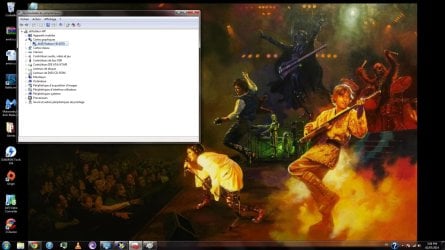
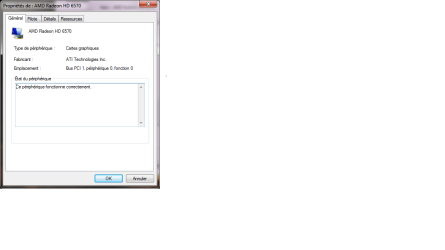
Before I give you the nitty-gritty details, could you tell me why you were updating your display driver. Or was it another component of AMD. Windows does a fair job of providing stable drivers through Windows Update (WU). I went back and looked at the image you posted and that driver appears to have been delivered through WU.
Was there a specific issue you were trying to solve or were you updating because there was a newer version on AMD?
I also have an HP machine and they don't seem to update the driver offerings much after the first year. I used to go to the various component vendor's sites to get updates. Most of the time the update was trivial (a German language change) that had little effect on the machine operation. So I stopped doing it and let Windows Update give me drivers - sure they might be out of date, but they're stable.
I gave up on AMD after every install was a lot of work. I really didn't need the update - my display was fine. But that's my machine and my experience.
You have a good driver on your machine. I'm just wondering if you should go through all the headache ot put the latests and "greatest" AMD driver on your box.
Think about the need to update the driver. It might be worthwhile to update Catalyst Install Manager (CIM), but a lot of that is fluff (Catalyst Control Center - CCC is a good example, it's only really useful if you overclock... otherwise it wastes resources and has caused issues on some machines).
It's getting late here, so go ahead and download Driver Fusion, but don't run it.
Download and install the free Driver Fusion (Trexy)
This will remove driver remnants, but take your time - it's a general purpose utility not an AMD specific utility.
There were a few warnings when I downloaded it (smart filter and defender asked me "Are you sure") - just answer yes or close the download bar when it has finished downloading.
Make sure you install the free version - I got lots of prompts to upgrade to premium. Read the screens and say "No thanks" to any prompt or check mark regarding upgrading.
Manual - mostly premium, most won't be used in this exercise. But if you're interested.
Driver Fusion Manual: About
This is where you will be headed to clean up the AMD Display driver. The page shows premium, but it still shows the area you want to be.
Don't answer yes to delete - change the view from grid to details (list on a page icon) and post a screen shot.
Driver Fusion Manual: Driver family
Bill
.






 )
)