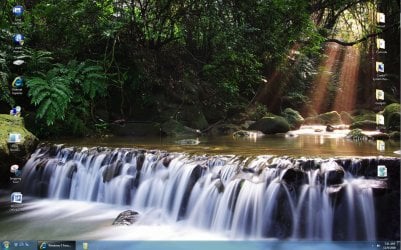
The file in Windows which contains the text that displays at the bottom of Windows 7 build 6801 (shown in the image above) is stored in C:\Windows\System32\en-US\user32.dll.mui. Visit this location, right click the file and select the Security tab, click the “Advanced” button and then visit the owner tab, click the edit button and make yourself the owner of the file. Exit that dialog, saving changes and then click the “Edit…” button, select Users and give yourself Full Control. Exit properties saving changes. Rename user32.dll.mui to user32-backup.dll.mui.
Hello all.
I gave this a go yesterday to almost utter failure. I did get the "Testing Purposes" text removed; but when I opened anything it would default to the second monitor and then freeze, and there was nothing I could think of to get out of it. Then system restore occurred to me; which did the trick!
Does anyone have any input on this?
I'm going to try it again with only one monitor hooked up to see if it'll work that way.
I'll post back with the outcome.
Later :shock: Ted
My Computer
At a glance
W 7 64-bit UltimateIntel Q9550 Yorkfield8GB Dominator 8500C5DATI : XFX 5870
- Computer Manufacturer/Model Number
- * BFK Customs *
- OS
- W 7 64-bit Ultimate
- CPU
- Intel Q9550 Yorkfield
- Motherboard
- ASUS P5Q Pro
- Memory
- 8GB Dominator 8500C5D
- Graphics Card(s)
- ATI : XFX 5870
- Sound Card
- Realtek HD Audio 7-1
- Monitor(s) Displays
- 1x 47" LCD HDMI & 3x 26" LCD HDMI
- Screen Resolution
- 1920x1080P & 1920x1200
- Hard Drives
- 1x 80GB Intel X25-M G2 SSD : 1x 500GB & 1x 640GB WD Caviar Black(s)
- PSU
- Corsair 620HX
- Case
- Cooler Master RC-690
- Cooling
- Tuniq Tower 120, 2x 140mm and 3x 120mm case fans
- Keyboard
- Microsoft 500
- Mouse
- Razer Diamondback 3G
- Internet Speed
- 14 Mb/s
- Other Info
- 1x Koutech 3Gb/s SATA HDD Hot Swap Rack


 Ted
Ted Ted
Ted