
Hi,
i've been using my WD HDD for 8months but today got an error 'do you want to format the disk now?'. i've tried doing the DLDIAG from WD and getting fail. i've done the testdisk,reboot the machine but still it can't read the drive. under dskmgmt, the drive can be seen from there,also changed the drive letter but still the same problem.
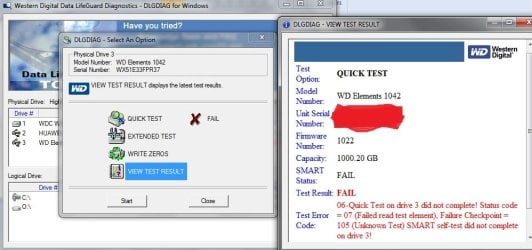
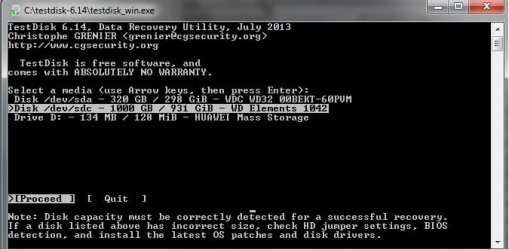
i've been using my WD HDD for 8months but today got an error 'do you want to format the disk now?'. i've tried doing the DLDIAG from WD and getting fail. i've done the testdisk,reboot the machine but still it can't read the drive. under dskmgmt, the drive can be seen from there,also changed the drive letter but still the same problem.
My Computer
At a glance
Win7
- Computer type
- Laptop
- OS
- Win7

 should this happen when a hard drive was used to another machine?
 i want thank you for this

 i'm actually working at Siemens so i was able to follow your very helpful guide. you're such a
  ! honestly, most of the files in my drive are just movies, Lol. i think it's in 200 plus, most are 1080p. I'm planning to buy another drive. Also,i run the extended test, and it failed too. but for now, i don't want to run those tests yet not until i have a new drive. :roflmao:
