My mouse simply will not behave since purchase of this Dell LATITUDE E6400. Personally I think this is why the previous owner disowned her. She will double click automagically when you use the right key. Or as you type your palm will hit on enter on the track pad.
The dillema:
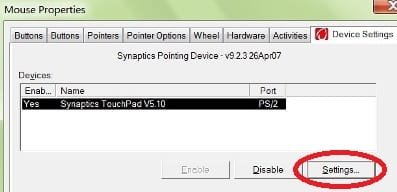
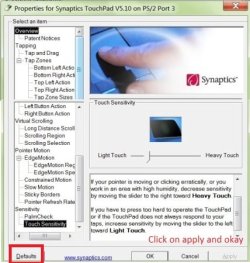
Disabling the track disables the two buttons that actually function properly at the base of the device. Is there any software out there so I can just disable the upper two buttons and track pad?
If not I am going to have to buy an external mouse
The dillema:
Disabling the track disables the two buttons that actually function properly at the base of the device. Is there any software out there so I can just disable the upper two buttons and track pad?
If not I am going to have to buy an external mouse
My Computer
At a glance
Windows 7 - Home Edition - Build 7601x8086Samsung DDR3 4GBIntergrated
- Computer type
- Laptop
- Computer Manufacturer/Model Number
- Lenovo
- OS
- Windows 7 - Home Edition - Build 7601x8086
- Memory
- Samsung DDR3 4GB
- Graphics Card(s)
- Intergrated
- Sound Card
- Intergrated
- Screen Resolution
- 1400 x 1050
- Hard Drives
- 80GB HDD 2.5
- PSU
- 20V adapter
- Case
- Piece of plastic
- Cooling
- Copper heatsink
- Keyboard
- Intergrated PS2
- Mouse
- TouchPad
- Antivirus
- Commodo
- Browser
- K-Melon