Summary of Noteworthy Events +
–
Minor Aberrations
–
Address-based Tests
+ –
NAT detection (
?): NAT Detected
+
Local Network Interfaces (
?): OK
+
DNS-based host information (
?): OK
+
NAT support for Universal Plug and Play (UPnP) (
?): Yes
+
Reachability Tests
+ –
TCP connectivity (
?): Note
–
Direct TCP access to remote FTP servers (port 21) is allowed.
Direct TCP access to remote SSH servers (port 22) is allowed.
Direct TCP access to remote SMTP servers (port 25) is allowed.
Direct TCP access to remote DNS servers (port 53) is allowed.
Direct TCP access to remote HTTP servers (port 80) is allowed.
Direct TCP access to remote POP3 servers (port 110) is allowed.
Direct TCP access to remote RPC servers (port 135) is blocked.
This is probably for security reasons, as this protocol is generally not designed for use outside the local network.
Direct TCP access to remote NetBIOS servers (port 139) is blocked.
This is probably for security reasons, as this protocol is generally not designed for use outside the local network.
Direct TCP access to remote IMAP servers (port 143) is allowed.
Direct TCP access to remote SNMP servers (port 161) is allowed.
Direct TCP access to remote HTTPS servers (port 443) is allowed.
Direct TCP access to remote SMB servers (port 445) is blocked.
This is probably for security reasons, as this protocol is generally not designed for use outside the local network.
Direct TCP access to remote SMTP/SSL servers (port 465) is allowed.
Direct TCP access to remote secure IMAP servers (port 585) is allowed.
Direct TCP access to remote authenticated SMTP servers (port 587) is allowed.
Direct TCP access to remote IMAP/SSL servers (port 993) is allowed.
Direct TCP access to remote POP/SSL servers (port 995) is allowed.
Direct TCP access to remote OpenVPN servers (port 1194) is allowed.
Direct TCP access to remote PPTP Control servers (port 1723) is allowed.
Direct TCP access to remote SIP servers (port 5060) is allowed.
Direct TCP access to remote BitTorrent servers (port 6881) is allowed.
Direct TCP access to remote TOR servers (port 9001) is allowed.
UDP connectivity (
?): OK
+
Traceroute (
?): OK
+
Path MTU (
?): OK
+
Network Access Link Properties
+ –
Network latency measurements (
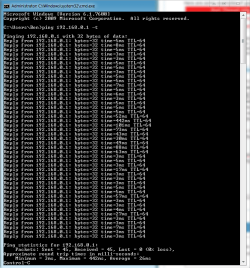
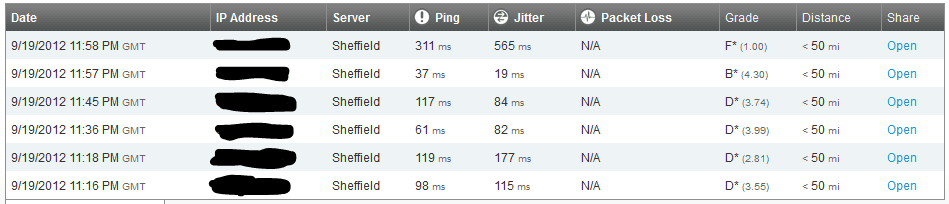
?): Latency: 170ms Loss: 8.5%
–
The round-trip time (RTT) between your computer and our server is 170 msec, which is good.
We recorded a packet loss of 8%. This loss is very significant and will lead to serious performance problems. It could be due either to very high load on our servers due to a large number of visitors, or problems in your network. All the packet loss appears to have occurred on the path from our server to your computer.
TCP connection setup latency (
?): 200ms
+
Network background health measurement (
?): 18 transient outages, longest: 1.0 seconds
–
During most of Netalyzr's execution, the applet continuously measures the state of the network in the background, looking for short outages. During testing, the applet observed 18 such outages. The longest outage lasted for 1.0 seconds. This suggests a general problem with the network where connectivity is intermittent. This loss might also cause some of Netalyzr's other tests to produce incorrect results.
Network bandwidth (
?): Upload 480 Kbit/sec, Download 770 Kbit/sec
+
Network buffer measurements (
?): Note
+
HTTP Tests
+ –
Address-based HTTP proxy detection (
?): OK
+
Content-based HTTP proxy detection (
?): OK
+
HTTP proxy detection via malformed requests (
?): OK
+
Filetype-based filtering (
?): OK
+
HTTP caching behavior (
?): OK
+
JavaScript-based tests (
?): OK
+
DNS Tests
+ –
Restricted domain DNS lookup (
?): OK
+
Unrestricted domain DNS lookup (
?): OK
+
Direct DNS support (
?): OK
+
Direct EDNS support (
?): OK
+
DNS resolver address (
?): OK
+
DNS resolver properties (
?): Lookup latency 280ms
+
Direct probing of DNS resolvers (
?)
–
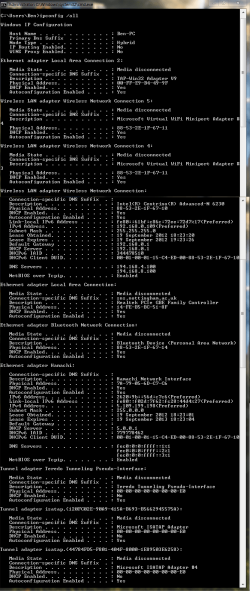
Your system is configured to use 5 DNS resolver(s).
The resolver at 8.8.8.8 can process all tested types. It does not validate DNSSEC. It does not wildcard NXDOMAIN errors.
The resolver at 194.168.4.100 could not process the following tested types:
- Large (~3000B) TXT records fetched with EDNS0
It does not validate DNSSEC. It does not wildcard NXDOMAIN errors. The resolver reports a number of additional properties.
Show them.
The resolver at 194.168.8.100 can process all tested types. It does not validate DNSSEC. It does not wildcard NXDOMAIN errors. The resolver reports a number of additional properties.
Show them.
The resolver at 128.243.46.113 is not responding to requests.
The resolver at 128.243.42.59 is not responding to requests.
DNS glue policy (
?): OK
+
DNS resolver port randomization (
?): OK
+
DNS lookups of popular domains (
?): OK
+
DNS external proxy (
?): OK
+
DNS results wildcarding (
?): OK
+
DNS-level redirection of specific sites (
?): OK
+
Direct probing of DNS roots (
?):
+
IPv6 Tests
+ –
DNS support for IPv6 (
?): OK
+
IPv4, IPv6, and your web browser (
?): No IPv6 support
+
IPv6 connectivity (
?): No IPv6 support
+
Host Properties
+ –
System clock accuracy (
?): OK
+
Browser properties (
?): OK
+
Uploaded data (
?): OK
+