
Unusual artifacts, can't figure out what's causing them.

vpwin7

New member
Member
VIP
Local time
1:03 PM
Messages
122
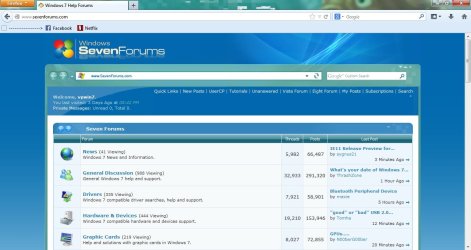
Screenshot example provided.

This happens very seldom, maybe a few times a month. Out of the blue I'll get the blocky artifacts shown in the attachment on my screen, almost always near the top/right region.

What I know: It's not the cables or the television, nor is it interference related. Oddly, these blocks do not appear on the desktop but only on foreground applications. Restarting the computer fixes the problem, there is nothing I've found to trigger the issue.

Is it possible it's an explorer.exe issue? Or would that not apply since it's appearing on all applications? Nothing unusual in the event viewer.
 

Attachments
  • weirdartifacts.jpg
    weirdartifacts.jpg
    92.1 KB · Views: 9

My Computer My Computer

Computer Manufacturer/Model Number
Toshiba A505-S6960
OS
Windows 7 Home Premium x64
CPU
Intel Core 2 Duo T6500 / 2.1 GHz
Memory
4.0GB Dual-Channel DDR2 @ 398MHz (6-6-6-18)
Graphics Card(s)
Onboard - Intel GMA 4500MHD 128MB
Sound Card
Onboard

My Computer My Computer

Computer type
PC/Desktop
Computer Manufacturer/Model Number
n/a
OS
W7 Ultimate SP1, LM19.2 MATE, W10 Home 1703, W10 Pro 1703 VM, #All 64 bit
CPU
AMD Phenom II x6 1100T, 3.3 GHz
Motherboard
ASUS M4A88T-M/USB3 (AM3)
Memory
12GB DDR3 1333 G-Skill (4GB x 2), G-Skill (2GB x 2)
Graphics Card(s)
NVIDIA GeForce GTX 660
Sound Card
Realtek?
Monitor(s) Displays
Samsung S23B350
Screen Resolution
1920x1080
Hard Drives
WD Green 2TB (SATA), WD Green 3TB (SATA), WD Blue 4TB (SATA), WD Blue 6TB (SATA)
PSU
Cooler Master
Case
Antec GX300 Tower
Cooling
3x Antec TRICOOL 120mm Fans
Mouse
Wired Optical
Internet Speed
DSL
Antivirus
Avast
Browser
Pale Moon (64 bit)
Other Info
2018-12-27 Upgraded HDDs
2015-12-10 Upgraded case, graphics card, storage
2015-08-15 Upgraded motherboard & RAM
2015-07-15 Upgraded LM17.1 to LM17.2
Yeah they're up to date. It's probably nothing of significance. Only seems to do it outside of games and on a very seldom occurrence. The tech in me is just baffled.
 

My Computer My Computer

Computer Manufacturer/Model Number
Toshiba A505-S6960
OS
Windows 7 Home Premium x64
CPU
Intel Core 2 Duo T6500 / 2.1 GHz
Memory
4.0GB Dual-Channel DDR2 @ 398MHz (6-6-6-18)
Graphics Card(s)
Onboard - Intel GMA 4500MHD 128MB
Sound Card
Onboard
I know what you mean (I used to be an electronics repair tech).

Maybe it's a connection problem.
Something heats up and flexes, which then cools it down, so it starts working again.

You could try replacing your cables and/or unplugging and reseating your cables and cards.
 

My Computer My Computer

Computer type
PC/Desktop
Computer Manufacturer/Model Number
n/a
OS
W7 Ultimate SP1, LM19.2 MATE, W10 Home 1703, W10 Pro 1703 VM, #All 64 bit
CPU
AMD Phenom II x6 1100T, 3.3 GHz
Motherboard
ASUS M4A88T-M/USB3 (AM3)
Memory
12GB DDR3 1333 G-Skill (4GB x 2), G-Skill (2GB x 2)
Graphics Card(s)
NVIDIA GeForce GTX 660
Sound Card
Realtek?
Monitor(s) Displays
Samsung S23B350
Screen Resolution
1920x1080
Hard Drives
WD Green 2TB (SATA), WD Green 3TB (SATA), WD Blue 4TB (SATA), WD Blue 6TB (SATA)
PSU
Cooler Master
Case
Antec GX300 Tower
Cooling
3x Antec TRICOOL 120mm Fans
Mouse
Wired Optical
Internet Speed
DSL
Antivirus
Avast
Browser
Pale Moon (64 bit)
Other Info
2018-12-27 Upgraded HDDs
2015-12-10 Upgraded case, graphics card, storage
2015-08-15 Upgraded motherboard & RAM
2015-07-15 Upgraded LM17.1 to LM17.2
Back
Top