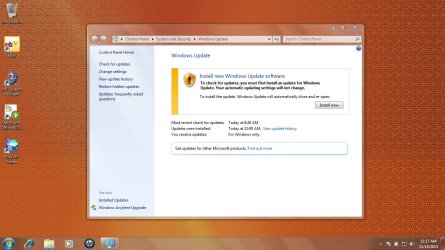
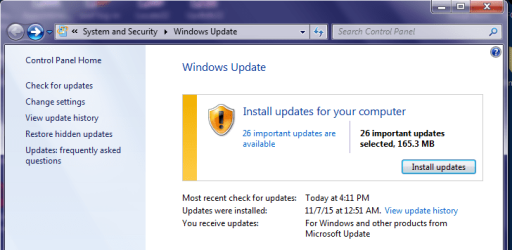
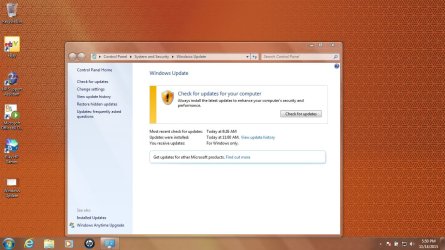
I have a laptop (HP) that I recovered back to out of box condition which I now have to do Windows updates to bring it current. Updates work just fine until a particular update. I did a check for updates and the attached came up. It is the Windows Update Agent 7.6.7600.320. Does not give the option to bypass it. Once it installs the laptop will check for updates forever. I performed the out of box recovery again and updates went just fine until this little sucker came back. Any ideas as to what to do?
See attachment.
Not quite forever, but it can take 24+ hours.
You can manually install this update...
https://support.microsoft.com/en-us/kb/3083324 (See edit2 below.)
...and then manually check for updates. Doing that will let you bypass installing Windows Update Agent 7.6.7600.320. But you might still need to wait for hours to get the list of updates.
Some users have shortened that time by manually installing this update:
https://support.microsoft.com/en-us/kb/3102810
edit1: In my testing, I could not manually download KB3102810 using IE8. The main part of the website would not load. Way to go MS.
edit2: As a prerequisite to my ramblings below, I offer this useless tidbit concerning MS terms: The Windows Update Agent was renamed to the Windows Update Client... perhaps after SP1. I've not bothered to find out exactly when the name changed.
I really should spend more time looking in the
Windows Catalog website. That website tells me that KB3102810 replaces KB3083324. There is no need to install KB3083324. Just install KB3102810.
KB3102810 is Microsoft's Windows Update Client update for November 2015. They just don't call it that. I should have known that just from looking at the files that it updates. Anyway, as I mention in edit1 of this post, IE8 would not display the body of this link:
https://support.microsoft.com/en-us/kb/3102810 Use these links instead:
All supported x86-based versions of Windows 7:
Download Update for Windows 7 (KB3102810) from Official Microsoft Download Center
All supported x64-based versions of Windows 7:
Download Update for Windows 7 for x64-based Systems (KB3102810) from Official Microsoft Download Center
Those links will function within IE8 (which is what you might have with a fresh install or factory reset).
If you started the Windows Update process before manually installing KB3102810 (or any of the newer Windows Update Clients), then you will probably see the screen shown in the original post of this thread. After installing KB3102810, you might still see that same screen. Ignore the main part of the screen and click on the link named "
Check for updates" in the upper left corner of that interface.
In my testing (using a W7 Virtual Machine (VM) that only had SP1 installed), installing KB3102810 allowed me to skip the update shown in the screenshot in the original post in this thread. The reason to skip that update is: the scan for the list of Windows updates can take 24+ hours. There have been many threads confirming this long scan time. With KB3102810 installed, the list of 200+ updates came in within 10 minutes (having the VM running on an SSD helps shorten that scan time - your scan time may be longer).
edit3:
December's update to the Windows Update Clients is out.
It can be used in place of KB3102810.
https://support.microsoft.com/en-us/kb/3112343