"Upgrade" from Vista 32 bit to 7 64 bit?

So I have my two 64 bit Win 7 RC latest version machines. One was formerly Vista Ultimate, one Vista Business.

My best bet if a version such as Win 7 Pro would work for me would be to buy the $99 Win 7 Pro upgrade promotion while it is available and go through the "clean install' process with an upgrade disc" documented here and via other links in this thread? Will that work for me?

Yes, this should work. We won't know for certain certain until RTM comes out, but various people in the know say it will.


Also keep in mind even if I wanted to go all the way back to Vista, it is my understanding I could not Win 7 Pro to upgrade my one Ultimate machine.

That's correct-ish. If you want to do an in-place upgrade, then no, you can't upgrade vista ultimate with 7 pro. However, you should be able to use the installed copy of vista ultimate to allow you to format and install clean (either over the top, or alongside) using the upgrade key and a dvd boot of windows 7 pro upgrade.

The ugrade promotion price is so nice, but is there any risk for me in it not working?

Nothing is 100% certain until RTM comes out and we can try it for ourselves, but all the evidence indicates that 7 upgrades will work the same as vista in this regard, so should be a safe enough bet.
 

My Computer My Computer

At a glance

Windows 7 7100 x64
OS
Windows 7 7100 x64
Hi,

I'm wondering if anyone can help. I have a similar issue. My PC has a Pentium D 820 Processor. I read in some places that i should purchase Windows 7 64 bit and in others 32 bit. Can anyone help?? (I will be doing a clean install)

Thank you
 

My Computer My Computer

At a glance

XP
OS
XP
Hi Wilko .. Welcome to the forums...

Your processor will support the 64bit version of Windows 7, as to whether you should install it though will depend on several things... How much memory do you currently have... 4gb is considered to be the minimum for 64bit... Also keep in mind that you will need 64bit drivers for all of your hardware, so you might want to keep that in mind as well.. ;)
 

My Computer My Computer

At a glance

64-bit Windows 8.1 ProCore(TM) i5 CPU 4330 Haswell @ 3.20GHz12.00 GBIntel(R) HD Graphics
Computer type
PC/Desktop
Computer Manufacturer/Model Number
LENOVO K450 @3.0GHZ
OS
64-bit Windows 8.1 Pro
CPU
Core(TM) i5 CPU 4330 Haswell @ 3.20GHz
Motherboard
LENOVO
Memory
12.00 GB
Graphics Card(s)
Intel(R) HD Graphics
Sound Card
Intel HD integtrated
Monitor(s) Displays
HP 25' ISP Monitor
Screen Resolution
1900/1020
Hard Drives
(1) ST1000DM003-1CH162 (2) Generic STORAGE DEVICE USB Device (3) Generic STORAGE DEVICE USB Device
Internet Speed
100mb down/10mb up
Thank you very much for youre help! I have 4gb memory, and i think all my hardware should be ok. I will go for 64 bit then. Thank you again
 

My Computer My Computer

At a glance

XP
OS
XP
Sorry, one last question. I will be getting an upgrade disk. I currently have a 32 bit version of XP installed. Can i do the "custom installation" for a clean install to a 64bit. Or will i have to install the 32 bit Windows 7?
 

My Computer My Computer

At a glance

XP
OS
XP
Sorry, one last question. I will be getting an upgrade disk. I currently have a 32 bit version of XP installed. Can i do the "custom installation" for a clean install to a 64bit. Or will i have to install the 32 bit Windows 7?
You don't have to install the 32 bit Win 7.....Custom will allow you to use either 32 bit or 64 bit...no restriction on that at all.
 

My Computer My Computer

At a glance

Windows 7 RTM Ultimate - Activated (Technet)Athlon 4800+2 gigATI Radeon 2400+
Computer Manufacturer/Model Number
Home Build
OS
Windows 7 RTM Ultimate - Activated (Technet)
CPU
Athlon 4800+
Motherboard
Gigabyte M56S-S3
Memory
2 gig
Graphics Card(s)
ATI Radeon 2400+
Sound Card
On board
Monitor(s) Displays
Samsung 22" LCD
Screen Resolution
1680 x 1050
Hard Drives
WD 250 gig Sata
PSU
550 w
Case
Antec LS100
Keyboard
Logitech MX5000 BT
Mouse
Logitech MX 5000 BT
Internet Speed
ADSL 2+
I think one of the biggest things being misunderstood is how the term upgrade is used in this situation. It doesn't mean that you are taking a computer with an older operating system and converting it to Windows 7. An upgrade version of Windows 7 means that you are able to prove that you own a copy of an older version of Windows (that is in the proper upgrade path of course). It does not have to be currently installed on a computer.
 
Last edited:

My Computer My Computer

At a glance

Windows 7 Ultimate RTM (Technet)3.00 gigahertz Intel Core2 Duo E84004GBATI Radeon X1950 Pro
Computer Manufacturer/Model Number
Custom
OS
Windows 7 Ultimate RTM (Technet)
CPU
3.00 gigahertz Intel Core2 Duo E8400
Motherboard
ASUSTeK Computer INC. P5K/EPU Rev 1.xx
Memory
4GB
Graphics Card(s)
ATI Radeon X1950 Pro
Sound Card
Built in HD Audio
Monitor(s) Displays
22" Gateway LCD
Screen Resolution
1920 x 1200
Hard Drives
ST3160023A [Hard drive] (160.04 GB) -- drive 0, rev 8.01, ST3500630AS [Hard drive] (500.11 GB) -- drive 2, rev 3.AAK
ST3500630AS [Hard drive] (500.11 GB) -- drive 1, rev 3.AAK
Keyboard
Logitech G11
Mouse
Microsoft Wireless Laser Mouse 5000
Internet Speed
13.44 Mbps
I think one of the biggest things being misunderstood is how the term upgrade is used in this situation. It doesn't mean that you are taking a computer with an older operating system and converting it to Windows 7. An upgrade version of Windows 7 means that you are able to prove that you own a copy of an older version of Windows (that is in the proper upgrade path of course). It does not have to be currently installed on a computer.
Sorry but the manual furnished with the UPGRADE DISK does not say I have to own a older version of Windows. It simply says:
Installing Windows
If your computer has NO OS installed.
1. Turn on your computer, Insert the Windows Installation disc into your DVD drive.
2. Restart your computer while the installation disc is inserted in the DVD drive.

No where does it say I have to own a previous Edition of Windows.
It also states when ask DO NOT INSERT THE KEY.
It states that i will have 30 days within which I can while booted into Windows, insert the DVD again, and when ask click UPDATE and when ask insert the UPGRADE KEY.

Not once did the install ask me to insert any disc or prove that I have owned a previous version of Windows.

other reference:
http://community.winsupersite.com/b...-7-upgrade-media-what-about-x64-upgrades.aspx
 
I think one of the biggest things being misunderstood is how the term upgrade is used in this situation. It doesn't mean that you are taking a computer with an older operating system and converting it to Windows 7. An upgrade version of Windows 7 means that you are able to prove that you own a copy of an older version of Windows (that is in the proper upgrade path of course). It does not have to be currently installed on a computer.
Sorry but the manual furnished with the UPGRADE DISK does not say I have to own a older version of Windows. It simply says:
Installing Windows
If your computer has NO OS installed.
1. Turn on your computer, Insert the Windows Installation disc into your DVD drive.
2. Restart your computer while the installation disc is inserted in the DVD drive.

No where does it say I have to own a previous Edition of Windows.
It also states when ask DO NOT INSERT THE KEY.
It states that i will have 30 days within which I can while booted into Windows, insert the DVD again, and when ask click UPDATE and when ask insert the UPGRADE KEY.

Not once did the install ask me to insert any disc or prove that I have owned a previous version of Windows.

other reference:
http://community.winsupersite.com/b...-7-upgrade-media-what-about-x64-upgrades.aspx


From the Microsoft Store:

Windows 7 Home Premium Upgrade - Buy and download from Microsoft Store

"If you have Windows Vista, you can purchase Windows 7 Upgrade versions."

"If you have Windows XP, you can purchase Windows 7 Upgrade versions."

Yes, a requirement of purchasing the upgrade version is that you MUST own a copy of Vista or XP. I'm sure it is also in the EULA. Will look for it shortly.
 

My Computer My Computer

At a glance

Windows 7 Ultimate RTM (Technet)3.00 gigahertz Intel Core2 Duo E84004GBATI Radeon X1950 Pro
Computer Manufacturer/Model Number
Custom
OS
Windows 7 Ultimate RTM (Technet)
CPU
3.00 gigahertz Intel Core2 Duo E8400
Motherboard
ASUSTeK Computer INC. P5K/EPU Rev 1.xx
Memory
4GB
Graphics Card(s)
ATI Radeon X1950 Pro
Sound Card
Built in HD Audio
Monitor(s) Displays
22" Gateway LCD
Screen Resolution
1920 x 1200
Hard Drives
ST3160023A [Hard drive] (160.04 GB) -- drive 0, rev 8.01, ST3500630AS [Hard drive] (500.11 GB) -- drive 2, rev 3.AAK
ST3500630AS [Hard drive] (500.11 GB) -- drive 1, rev 3.AAK
Keyboard
Logitech G11
Mouse
Microsoft Wireless Laser Mouse 5000
Internet Speed
13.44 Mbps
I think one of the biggest things being misunderstood is how the term upgrade is used in this situation. It doesn't mean that you are taking a computer with an older operating system and converting it to Windows 7. An upgrade version of Windows 7 means that you are able to prove that you own a copy of an older version of Windows (that is in the proper upgrade path of course). It does not have to be currently installed on a computer.
Sorry but the manual furnished with the UPGRADE DISK does not say I have to own a older version of Windows. It simply says:
Installing Windows
If your computer has NO OS installed.
1. Turn on your computer, Insert the Windows Installation disc into your DVD drive.
2. Restart your computer while the installation disc is inserted in the DVD drive.

No where does it say I have to own a previous Edition of Windows.
It also states when ask DO NOT INSERT THE KEY.
It states that i will have 30 days within which I can while booted into Windows, insert the DVD again, and when ask click UPDATE and when ask insert the UPGRADE KEY.

Not once did the install ask me to insert any disc or prove that I have owned a previous version of Windows.

other reference:
http://community.winsupersite.com/b...-7-upgrade-media-what-about-x64-upgrades.aspx

From page 9 of the Windows 7 EULA:

"15. UPGRADES. To use upgrade software, you must first be licensed for the software that is eligible for the upgrade. Upon upgrade, this agreement takes the place of the agreement for the software you upgraded from. After you upgrade, you may no longer use the software you upgraded from."

Yes, Virginia, you must own a qualifying upgradeable product. AND, you forfeit your right to ever install the old version again, on any computer. Obviously, these are legalities, but they are real, nonetheless.
 

My Computer My Computer

At a glance

Windows 7 Ultimate RTM (Technet)3.00 gigahertz Intel Core2 Duo E84004GBATI Radeon X1950 Pro
Computer Manufacturer/Model Number
Custom
OS
Windows 7 Ultimate RTM (Technet)
CPU
3.00 gigahertz Intel Core2 Duo E8400
Motherboard
ASUSTeK Computer INC. P5K/EPU Rev 1.xx
Memory
4GB
Graphics Card(s)
ATI Radeon X1950 Pro
Sound Card
Built in HD Audio
Monitor(s) Displays
22" Gateway LCD
Screen Resolution
1920 x 1200
Hard Drives
ST3160023A [Hard drive] (160.04 GB) -- drive 0, rev 8.01, ST3500630AS [Hard drive] (500.11 GB) -- drive 2, rev 3.AAK
ST3500630AS [Hard drive] (500.11 GB) -- drive 1, rev 3.AAK
Keyboard
Logitech G11
Mouse
Microsoft Wireless Laser Mouse 5000
Internet Speed
13.44 Mbps
From page 9 of the Windows 7 EULA:

"15. UPGRADES. To use upgrade software, you must first be licensed for the software that is eligible for the upgrade. Upon upgrade, this agreement takes the place of the agreement for the software you upgraded from. After you upgrade, you may no longer use the software you upgraded from."

Yes, Virginia, you must own a qualifying upgradeable product. AND, you forfeit your right to ever install the old version again, on any computer. Obviously, these are legalities, but they are real, nonetheless.
-----------------------------------------------------------------------
Yes I do understand what your saying. I also can read what they say, If the manual says you can clean install with the upgrade copy, where does that indicate that you or me have ever owned a copy of any Windows OS.
sample: I buy a laptop off EBAY - many sellers - indicate THERE IS NO OS installed. HDD is Formatted. when you turnon the laptop so you can open the DVD reader, then insert the DVD reboot and insure it is set to BOOT TO DVD, chose custom, chose clean install w/o a KEY. an you have a 100% legit Full Retail Install win 7. while booted to your proper version of Win7, open the dvd - close the DVD- you then will be ask to upgrade.
click yes, and when ask insert the Proper KEY. for version. It even tells you on the first install - make sure your installing the version with which you have a legit KEY to upgrade to.
-----------------------------------------------------------------------
Reference is my Legit Vista Signature Copy - UPGRADE disc set.
I will wait until the Official Upgrade copies are available.
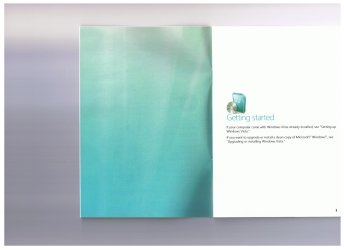
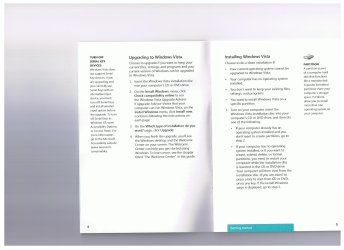
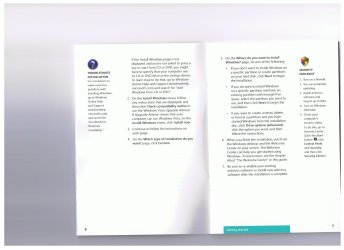
for those who wish to view the Vista Book on Clean install with Upgrade disc set.
main reference is Pg.1 - pg.3 - pg-5 - pg 6 para 4.
So unless Microsoft does a 100% turn around. and many MVP and writers say MS has told them the Clean Install with UPGRADE Disc has not changed.
 

Attachments

  • page 1.jpeg
    page 1.jpeg
    291.3 KB · Views: 4
  • pg 2-3.jpeg
    pg 2-3.jpeg
    252.4 KB · Views: 7
  • pg 4-5.jpeg
    pg 4-5.jpeg
    248.6 KB · Views: 3
  • pg 6-7.jpeg
    pg 6-7.jpeg
    243 KB · Views: 3
From page 9 of the Windows 7 EULA:

"15. UPGRADES. To use upgrade software, you must first be licensed for the software that is eligible for the upgrade. Upon upgrade, this agreement takes the place of the agreement for the software you upgraded from. After you upgrade, you may no longer use the software you upgraded from."

Yes, Virginia, you must own a qualifying upgradeable product. AND, you forfeit your right to ever install the old version again, on any computer. Obviously, these are legalities, but they are real, nonetheless.
-----------------------------------------------------------------------
Yes I do understand what your saying. I also can read what they say, If the manual says you can clean install with the upgrade copy, where does that indicate that you or me have ever owned a copy of any Windows OS.
sample: I buy a laptop off EBAY - many sellers - indicate THERE IS NO OS installed. HDD is Formatted. when you turnon the laptop so you can open the DVD reader, then insert the DVD reboot and insure it is set to BOOT TO DVD, chose custom, chose clean install w/o a KEY. an you have a 100% legit Full Retail Install win 7. while booted to your proper version of Win7, open the dvd - close the DVD- you then will be ask to upgrade.
click yes, and when ask insert the Proper KEY. for version. It even tells you on the first install - make sure your installing the version with which you have a legit KEY to upgrade to.
-----------------------------------------------------------------------
Reference is my Legit Vista Signature Copy - UPGRADE disc set.
I will wait until the Official Upgrade copies are available.
for those who wish to view the Vista Book on Clean install with Upgrade disc set.
main reference is Pg.1 - pg.3 - pg-5 - pg 6 para 4.
So unless Microsoft does a 100% turn around. and many MVP and writers say MS has told them the Clean Install with UPGRADE Disc has not changed.

I believe we are discussing this from two different angles. You seem to be more concerned with IF you can do it, rather than is it LEGAL to do it. According to the EULA, it is not legal to install the upgrade version unless you have a valid license to a version that is in the Windows 7 upgrade path, period. Whether Microsoft enforces this or requires you to prove the ownership is another matter entirely, and really doesn't matter in the long run.

What your example describes is a cheat, plain and simple. You know it and I know it. Discussing it is rather pointless. Enjoy Windows 7!
 

My Computer My Computer

At a glance

Windows 7 Ultimate RTM (Technet)3.00 gigahertz Intel Core2 Duo E84004GBATI Radeon X1950 Pro
Computer Manufacturer/Model Number
Custom
OS
Windows 7 Ultimate RTM (Technet)
CPU
3.00 gigahertz Intel Core2 Duo E8400
Motherboard
ASUSTeK Computer INC. P5K/EPU Rev 1.xx
Memory
4GB
Graphics Card(s)
ATI Radeon X1950 Pro
Sound Card
Built in HD Audio
Monitor(s) Displays
22" Gateway LCD
Screen Resolution
1920 x 1200
Hard Drives
ST3160023A [Hard drive] (160.04 GB) -- drive 0, rev 8.01, ST3500630AS [Hard drive] (500.11 GB) -- drive 2, rev 3.AAK
ST3500630AS [Hard drive] (500.11 GB) -- drive 1, rev 3.AAK
Keyboard
Logitech G11
Mouse
Microsoft Wireless Laser Mouse 5000
Internet Speed
13.44 Mbps
And here I thought you had turned over a new leaf Mac... ;)
 

My Computer My Computer

At a glance

64-bit Windows 8.1 ProCore(TM) i5 CPU 4330 Haswell @ 3.20GHz12.00 GBIntel(R) HD Graphics
Computer type
PC/Desktop
Computer Manufacturer/Model Number
LENOVO K450 @3.0GHZ
OS
64-bit Windows 8.1 Pro
CPU
Core(TM) i5 CPU 4330 Haswell @ 3.20GHz
Motherboard
LENOVO
Memory
12.00 GB
Graphics Card(s)
Intel(R) HD Graphics
Sound Card
Intel HD integtrated
Monitor(s) Displays
HP 25' ISP Monitor
Screen Resolution
1900/1020
Hard Drives
(1) ST1000DM003-1CH162 (2) Generic STORAGE DEVICE USB Device (3) Generic STORAGE DEVICE USB Device
Internet Speed
100mb down/10mb up
I think one of the biggest things being misunderstood is how the term upgrade is used in this situation. It doesn't mean that you are taking a computer with an older operating system and converting it to Windows 7. An upgrade version of Windows 7 means that you are able to prove that you own a copy of an older version of Windows (that is in the proper upgrade path of course). It does not have to be currently installed on a computer.
Sorry but the manual furnished with the UPGRADE DISK does not say I have to own a older version of Windows. It simply says:
Installing Windows
If your computer has NO OS installed.
1. Turn on your computer, Insert the Windows Installation disc into your DVD drive.
2. Restart your computer while the installation disc is inserted in the DVD drive.

No where does it say I have to own a previous Edition of Windows.
It also states when ask DO NOT INSERT THE KEY.
It states that i will have 30 days within which I can while booted into Windows, insert the DVD again, and when ask click UPDATE and when ask insert the UPGRADE KEY.

Not once did the install ask me to insert any disc or prove that I have owned a previous version of Windows.

other reference:
http://community.winsupersite.com/b...-7-upgrade-media-what-about-x64-upgrades.aspx

From page 9 of the Windows 7 EULA:

"15. UPGRADES. To use upgrade software, you must first be licensed for the software that is eligible for the upgrade. Upon upgrade, this agreement takes the place of the agreement for the software you upgraded from. After you upgrade, you may no longer use the software you upgraded from."

Yes, Virginia, you must own a qualifying upgradeable product. AND, you forfeit your right to ever install the old version again, on any computer. Obviously, these are legalities, but they are real, nonetheless.


Hi there

This isn't actually true

If you REMOVE the "Upgraded" version of the OS you are 100% legally allowed to restore your old OS again.

This is of course obvious since if you actually have a real crash on the upgraded version of the OS and wipe your disk you will need to recover your old OS again if you want to do an "upgrade" rather than a clean install.

You of course can do a clean install but you must let the install media delete the old OS.


BTW be careful as well - if you install an "upgrade" version on a CLEAN disk rather than let the upgrade media wipe the disk then when you attempt to activate the product you'll get a nice little message saying - This product CANNOT be activated as it is an UPGRADE version.

(At least this happened to me when attempting a Vista upgrade from XP).

BEFORE doing any of this stuff KEEP backup images at every stage of your upgrade process so you can re-start if you run into these silly types of problems.

Cheers
jimbo
 

My Computer My Computer

At a glance

Linux CENTOS 7 / various Windows OS'es and se...Intel i7 Intel i58GB, 16GBOn Motherboard
Computer type
PC/Desktop
Computer Manufacturer/Model Number
Custom built, several laptops HP/ASUS
OS
Linux CENTOS 7 / various Windows OS'es and servers
CPU
Intel i7 Intel i5
Memory
8GB, 16GB
Graphics Card(s)
On Motherboard
Sound Card
Realtek HD audio
Monitor(s) Displays
Apple Cinema display, Samsung LCD
Screen Resolution
1920 X 1080
Hard Drives
4 X 1TB SATA
Mouse
Toshiba wireless laser
Internet Speed
> 20MB up
n/a
 
Last edited:

My Computer My Computer

At a glance

Windows 7 Ultimate x64Q6600 @2.4ghz (G0 stepping)8 gb OCZ vista essential sli PC-6400Dual 9800gt in SLI mode
Computer Manufacturer/Model Number
Systemax N2000 Gaming PC
OS
Windows 7 Ultimate x64
CPU
Q6600 @2.4ghz (G0 stepping)
Motherboard
XFX nforce 680i LT
Memory
8 gb OCZ vista essential sli PC-6400
Graphics Card(s)
Dual 9800gt in SLI mode
Sound Card
Integrated 8.1 High Definition Audio
Monitor(s) Displays
Dual Sceptre x246w 24 inch monitors
Screen Resolution
1920 x 1200 each monitor
Hard Drives
500 GB SATA II / 7500 rpm
PSU
Cooler Master Real Power Pro 1250W
Case
N2000 server tower
Cooling
Thermaltake Bigwater 760 is
Keyboard
MS Intelitype 6000 v2.0
Mouse
MS Intelipoint 6000
Internet Speed
Wi-power 1.5GB up / 512k down
Other Info
Windows 7 Ultimate x64, Windows 7 Pro x64, Windows Home Premium X86, Windows XP pro, Windows Home Server x86, Ubuntu 10.4 x86 and x64, Ubuntu server 10.4, SQL Server 2005, MySQL 5.0
Sorry but the manual furnished with the UPGRADE DISK does not say I have to own a older version of Windows. It simply says:
Installing Windows
If your computer has NO OS installed.
1. Turn on your computer, Insert the Windows Installation disc into your DVD drive.
2. Restart your computer while the installation disc is inserted in the DVD drive.

No where does it say I have to own a previous Edition of Windows.
It also states when ask DO NOT INSERT THE KEY.
It states that i will have 30 days within which I can while booted into Windows, insert the DVD again, and when ask click UPDATE and when ask insert the UPGRADE KEY.

Not once did the install ask me to insert any disc or prove that I have owned a previous version of Windows.

other reference:
http://community.winsupersite.com/b...-7-upgrade-media-what-about-x64-upgrades.aspx

From page 9 of the Windows 7 EULA:

"15. UPGRADES. To use upgrade software, you must first be licensed for the software that is eligible for the upgrade. Upon upgrade, this agreement takes the place of the agreement for the software you upgraded from. After you upgrade, you may no longer use the software you upgraded from."

Yes, Virginia, you must own a qualifying upgradeable product. AND, you forfeit your right to ever install the old version again, on any computer. Obviously, these are legalities, but they are real, nonetheless.


Hi there

This isn't actually true

If you REMOVE the "Upgraded" version of the OS you are 100% legally allowed to restore your old OS again.

This is of course obvious since if you actually have a real crash on the upgraded version of the OS and wipe your disk you will need to recover your old OS again if you want to do an "upgrade" rather than a clean install.

You of course can do a clean install but you must let the install media delete the old OS.


BTW be careful as well - if you install an "upgrade" version on a CLEAN disk rather than let the upgrade media wipe the disk then when you attempt to activate the product you'll get a nice little message saying - This product CANNOT be activated as it is an UPGRADE version.

(At least this happened to me when attempting a Vista upgrade from XP).

BEFORE doing any of this stuff KEEP backup images at every stage of your upgrade process so you can re-start if you run into these silly types of problems.

Cheers
jimbo

Nothing in the EULA backs up your statement. Please provide documented proof as I did, or your statement simply is not valid.
 

My Computer My Computer

At a glance

Windows 7 Ultimate RTM (Technet)3.00 gigahertz Intel Core2 Duo E84004GBATI Radeon X1950 Pro
Computer Manufacturer/Model Number
Custom
OS
Windows 7 Ultimate RTM (Technet)
CPU
3.00 gigahertz Intel Core2 Duo E8400
Motherboard
ASUSTeK Computer INC. P5K/EPU Rev 1.xx
Memory
4GB
Graphics Card(s)
ATI Radeon X1950 Pro
Sound Card
Built in HD Audio
Monitor(s) Displays
22" Gateway LCD
Screen Resolution
1920 x 1200
Hard Drives
ST3160023A [Hard drive] (160.04 GB) -- drive 0, rev 8.01, ST3500630AS [Hard drive] (500.11 GB) -- drive 2, rev 3.AAK
ST3500630AS [Hard drive] (500.11 GB) -- drive 1, rev 3.AAK
Keyboard
Logitech G11
Mouse
Microsoft Wireless Laser Mouse 5000
Internet Speed
13.44 Mbps
Back
Top