
BEFORE anyone says "google it" I have.. so many times..I've been frustrated with this issue for as long as I can remember. And it will take a bit of explaining for you to know what I mean, so I'm going to include some pictures to make it easier.
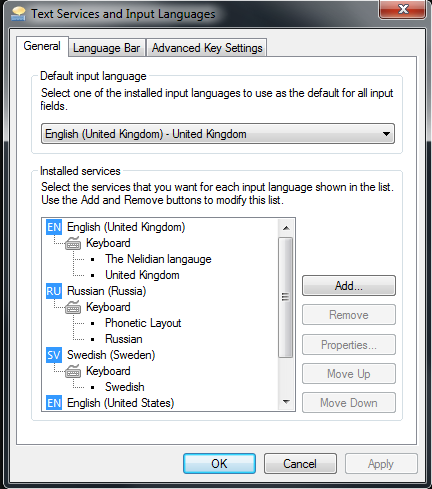
As you can see here, I have US English on the list (this is very tedious because I alt tab between my languages quickly and it takes up a considerable amount of time getting it off there every few hours) but it is NOT on the list of languages in the menu.:
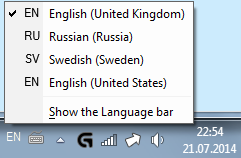
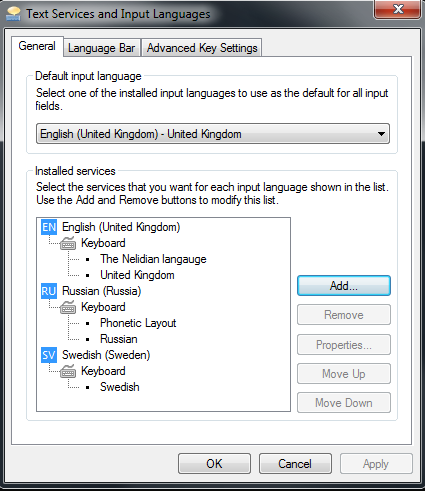
It'll stay gone for a couple of hours, normally. But then it's back again (unfortunately).
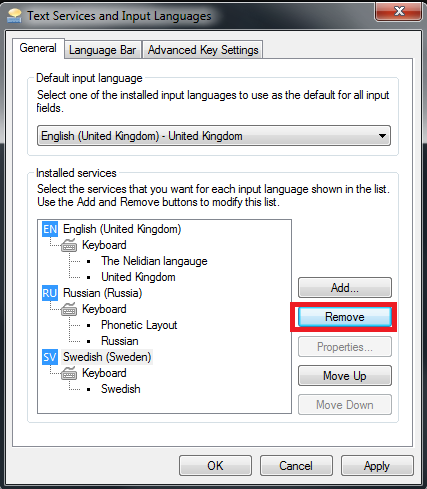
As I said above, I've already tried researching this issue, and the only thing anyone has given that's had any effect at all is what I will show below:
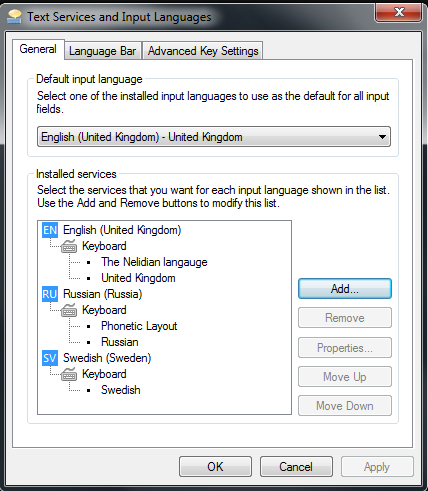
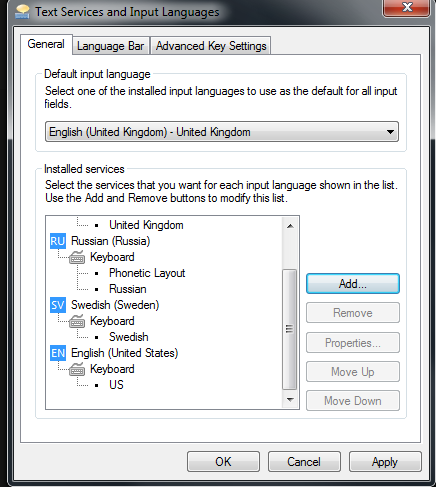
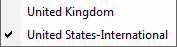
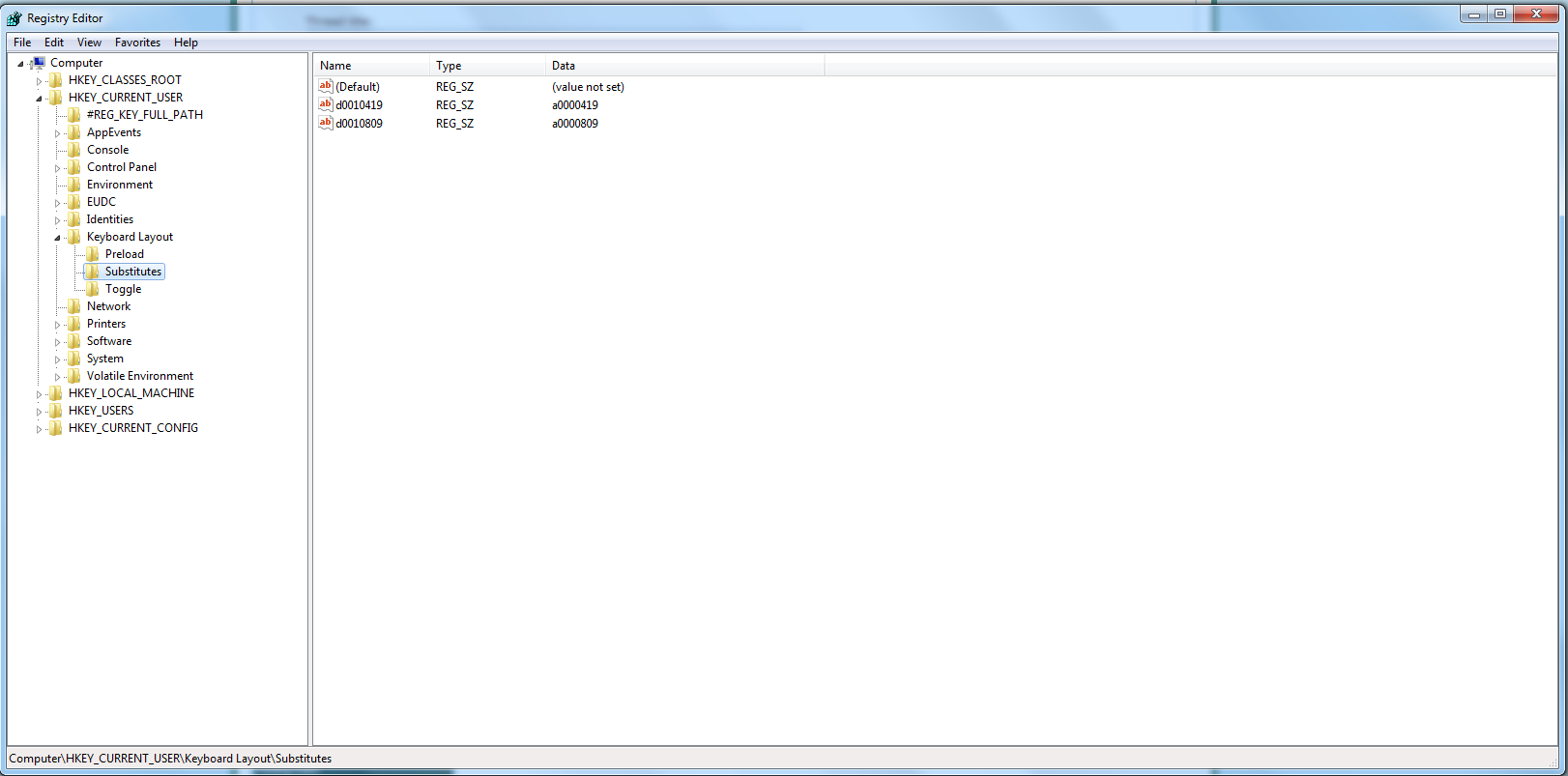
I have even tried going into my regedit and changing the Substitute values, as someone else suggested so that it does not default to US English, but that only made regular UK English appear in the selection. See below:
I guess it will help if I say I purchased my OS in America with my custom PC and the language of my system is English, although I downloaded the pack for Russian and a few others.
If anyone's going to say "Well why don't you just use the US International on the English (US) setup?" it's because it does not change the fact that it will autocorrect words like "colour" and "aluminium" and tell me to reword my sentence strucutre and make it utterly confusing. I just prefer UK English as it's what I speak (well, moreso than American English).
I do not think it's Chrome that is causing it to come up again, nor any other programs I use (I am a PC gamer and aritst) as opening/closing them does not trigger it. It simply happens seemingly at random. Maybe shift+alt shortcut could be influencing this, but if it is, that's a really cruel joke.
I have also tried copying my user settings to all users and have adopted the Russian date and time format, and have even put my country as Russia in an attempt to get it to stop adding the unwanted English. But alas, it was in vain. Although I am greatful I now get the majority of installations and websites in a more familiar language.
Any help is welcome, and,
basically, I only want the keyboards "United Kingdom (which is set to US International)", "Swedish (Svenska)" and Russian (Русский)"
Apologies for any bad English.
As you can see here, I have US English on the list (this is very tedious because I alt tab between my languages quickly and it takes up a considerable amount of time getting it off there every few hours) but it is NOT on the list of languages in the menu.:
It'll stay gone for a couple of hours, normally. But then it's back again (unfortunately).
As I said above, I've already tried researching this issue, and the only thing anyone has given that's had any effect at all is what I will show below:
I have even tried going into my regedit and changing the Substitute values, as someone else suggested so that it does not default to US English, but that only made regular UK English appear in the selection. See below:
I guess it will help if I say I purchased my OS in America with my custom PC and the language of my system is English, although I downloaded the pack for Russian and a few others.
If anyone's going to say "Well why don't you just use the US International on the English (US) setup?" it's because it does not change the fact that it will autocorrect words like "colour" and "aluminium" and tell me to reword my sentence strucutre and make it utterly confusing. I just prefer UK English as it's what I speak (well, moreso than American English).
I do not think it's Chrome that is causing it to come up again, nor any other programs I use (I am a PC gamer and aritst) as opening/closing them does not trigger it. It simply happens seemingly at random. Maybe shift+alt shortcut could be influencing this, but if it is, that's a really cruel joke.
I have also tried copying my user settings to all users and have adopted the Russian date and time format, and have even put my country as Russia in an attempt to get it to stop adding the unwanted English. But alas, it was in vain. Although I am greatful I now get the majority of installations and websites in a more familiar language.
Any help is welcome, and,
basically, I only want the keyboards "United Kingdom (which is set to US International)", "Swedish (Svenska)" and Russian (Русский)"
Apologies for any bad English.
My Computer
At a glance
Windows 7 Ultimate 64-bitI7-337016 GB CORSAIRGTX 660
- Computer type
- PC/Desktop
- Computer Manufacturer/Model Number
- custom build
- OS
- Windows 7 Ultimate 64-bit
- CPU
- I7-3370
- Motherboard
- --
- Memory
- 16 GB CORSAIR
- Graphics Card(s)
- GTX 660
- Monitor(s) Displays
- BenQ
- Screen Resolution
- 1920x1080
- Hard Drives
- 2 TB HDD
- Internet Speed
- 20 down/2 up
- Antivirus
- Malware Bytes Anti-Malware
- Browser
- Google Chrome


