Hi all,
I'm using an Asus A53SV laptop running on Windows 7 Home Premium 64x
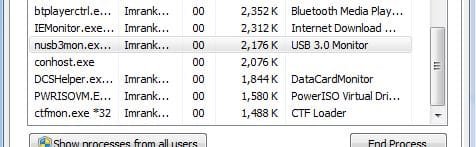
Occasionally when I start my laptop, I'll find the USB 3.0 not functioning. I would plug a USB hub as there's not enough USB ports for all my devices. Whenever the USB 3.0 is not working, I would use the driver from Asus driver website to repair the driver function. After the repair, the port would work again, but will need to reinstall all the devices attached to the port.
My question is, why is this happening?
I'm using an Asus A53SV laptop running on Windows 7 Home Premium 64x
Occasionally when I start my laptop, I'll find the USB 3.0 not functioning. I would plug a USB hub as there's not enough USB ports for all my devices. Whenever the USB 3.0 is not working, I would use the driver from Asus driver website to repair the driver function. After the repair, the port would work again, but will need to reinstall all the devices attached to the port.
My question is, why is this happening?
My Computer
- Computer type
- Laptop
- Computer Manufacturer/Model Number
- Asus A53SV
- OS
- Windows 7 Home Premium x64
- Graphics Card(s)
- Nvidia GeForce GT 540M
- Antivirus
- Avast
- Browser
- Mozilla Firefox