USB 3 Ports not working after fresh install of Win7

kwil

New member
Member
VIP
Local time
9:50 AM
Messages
105
Hi..

I've recently done a fresh install of Win 7 (64Bit)

However none of my USB 3 ports now work any more on my Desktop computer.


I've tested with a USB 3 Flash drive which works fine in my laptop's USB 3 ports.


All the desktop USB 2 ports work fine and the USB 3 flash drive works when I put it in a USB 2 port.

I've gone into Device Manager and noted the following conflicts:

Other Devices:

Ethernet Controller

SM Bus Controller

Universal Serial Bus (USB) Controller


I tried 'Updating Driver Software' for each, but no drivers were found for any of the above.

I also tried uninstalling all of them but when I rebooted, they all came back.


This USB 3 problem seems to be common and I understand it's happening with Windows 10, but I've never experienced it in the past myself though I am aware Win7 doesn't 'natively' support USB 3.


It's not the end of the world, but as I'm sure you'll appreciate, when you've done a fresh install and taken a lot of time and effort to re-install your other software and get things the way you want, to then find USB 3 ports not working is an irritation:cry:

At anyrate, I'd appreciate any help or suggestions...except re-installing everything again!:D

Many thanks
 

My Computer My Computer

At a glance

Microsoft Windows 7 Home Premium 64-bit 7601 ...Intel(R) Core(TM) i7-2600 CPU @ 3.40GHz8.00 GBIntel(R) HD Graphics Family
Computer type
PC/Desktop
OS
Microsoft Windows 7 Home Premium 64-bit 7601 Multiprocessor Free Service Pack 1
CPU
Intel(R) Core(TM) i7-2600 CPU @ 3.40GHz
Motherboard
ASRock H61M/U3S3
Memory
8.00 GB
Graphics Card(s)
Intel(R) HD Graphics Family
Sound Card
(1) Realtek High Definition Audio (2) High Definition Audi
Screen Resolution
1920 x 1080 x 32 bits (4294967296 colors) @ 59 Hz
Hard Drives
(1) ST3500413AS ATA Device (2) ST3500413AS ATA Device (3) Generic- Card Reader USB Device
Hi kwil,

[1] Please don't double post!
[2] Please delete the other post.
[3] You need to integrate the USB 3.0 drivers into the installation media and create a new installation DVD or USB. 7UPDATER [see below], written and created by SIW2 will do this => Update your Win 7 installation media.

I hope this helps!
 

My Computer My Computer

At a glance

Win 7 HP SP1 64-bit Vista HB SP2 32-bit Linux...Intel(R) Pentium(R) CPU P6200 @ 2.13GHz4.00 GBIntel(R) Graphics Media Accelerator HD
Computer type
Laptop
Computer Manufacturer/Model Number
Fujitsu LIFEBOOK
OS
Win 7 HP SP1 64-bit Vista HB SP2 32-bit Linux Mint 18.3
CPU
Intel(R) Pentium(R) CPU P6200 @ 2.13GHz
Motherboard
FUJITSU FJNBB06
Memory
4.00 GB
Graphics Card(s)
Intel(R) Graphics Media Accelerator HD
Sound Card
[1] Realtek High Definition Audio [2] Intel(R) Display Audio
Screen Resolution
1366 x 768 x 32 bits (4294967296 colors) @ 59 Hz
Hard Drives
TOSHIBA MK5076GSX
Antivirus
AVG FREE
install the ASMedia USB 3.0 driver from your motherboard site.

ASRock > H61M/U3S3

I am assuming your posted specs are correct. You may also need to install the Intel Management Engine Driver
 

My Computer My Computer

At a glance

Win7 pro x64stock i7 7700kCorsair Vengeance LPX 16GB (2x8GB) DDR4 @ 320...integrated Intel HD 630
Computer type
PC/Desktop
Computer Manufacturer/Model Number
diy
OS
Win7 pro x64
CPU
stock i7 7700k
Motherboard
Gigabyte Z270N-WIFI mini-ITX
Memory
Corsair Vengeance LPX 16GB (2x8GB) DDR4 @ 3200MHz
Graphics Card(s)
integrated Intel HD 630
Sound Card
onboard Realtek ALC1220
Monitor(s) Displays
two vertically mounted samsung 55" 4k un55mu8000
Screen Resolution
1920x1280
Hard Drives
256GB Samsung EVO 960 M.2 pci-e NVMe SSD
PSU
SilverStone Nightjar ST45NF 450Watt Fanless
Case
No case. Motherboard is mounted directly onto power supply
Cooling
Evercool low profile 815EP with Panaflow 12L fan at 7v
Keyboard
Ortek MCK-86 mini
Mouse
Belkin 5-button USB
Internet Speed
spectrum 400mbps
Hi kwil,

[1] Please don't double post!
[2] Please delete the other post.
[3] You need to integrate the USB 3.0 drivers into the installation media and create a new installation DVD or USB. 7UPDATER [see below], written and created by SIW2 will do this => Update your Win 7 installation media.

I hope this helps!


Hi Paul, thanks for the reply. Double post shouldn't have happened but...


At anyrate you say 'integrate USB drivers into installation media and create a new installation DVD or USB..'

What exactly do you mean 'create a...USB'?

Since I fresh installed Win7 from the original Win7 Disc, are you saying I have somehow to duplicate that disc and include USB 3 drivers, then run the whole thing again?:sarc:


I'm confused...Can you enlighten me?
 

My Computer My Computer

At a glance

Microsoft Windows 7 Home Premium 64-bit 7601 ...Intel(R) Core(TM) i7-2600 CPU @ 3.40GHz8.00 GBIntel(R) HD Graphics Family
Computer type
PC/Desktop
OS
Microsoft Windows 7 Home Premium 64-bit 7601 Multiprocessor Free Service Pack 1
CPU
Intel(R) Core(TM) i7-2600 CPU @ 3.40GHz
Motherboard
ASRock H61M/U3S3
Memory
8.00 GB
Graphics Card(s)
Intel(R) HD Graphics Family
Sound Card
(1) Realtek High Definition Audio (2) High Definition Audi
Screen Resolution
1920 x 1080 x 32 bits (4294967296 colors) @ 59 Hz
Hard Drives
(1) ST3500413AS ATA Device (2) ST3500413AS ATA Device (3) Generic- Card Reader USB Device
install the ASMedia USB 3.0 driver from your motherboard site.

ASRock > H61M/U3S3

I am assuming your posted specs are correct. You may also need to install the Intel Management Engine Driver


Hi John...thanks for taking time to reply.


I've downloaded the Asrock USB3 driver...and the Intel Management Engine driver.


Both downloaded in a zip file.


1. Should I unzip Intel Management driver first and if so...should I locate it in 'Program Files (x86) or where?


2. Equally, if I unzip the Asrock USB3 driver, where does it go or where do I 'put it'?


BTW, as things stand, Asrock motherboard shows all USB configurations are already enabled.


Any further comment would be helpful...I'll sit tight till I'm more sure of things...


Many thanks
 

My Computer My Computer

At a glance

Microsoft Windows 7 Home Premium 64-bit 7601 ...Intel(R) Core(TM) i7-2600 CPU @ 3.40GHz8.00 GBIntel(R) HD Graphics Family
Computer type
PC/Desktop
OS
Microsoft Windows 7 Home Premium 64-bit 7601 Multiprocessor Free Service Pack 1
CPU
Intel(R) Core(TM) i7-2600 CPU @ 3.40GHz
Motherboard
ASRock H61M/U3S3
Memory
8.00 GB
Graphics Card(s)
Intel(R) HD Graphics Family
Sound Card
(1) Realtek High Definition Audio (2) High Definition Audi
Screen Resolution
1920 x 1080 x 32 bits (4294967296 colors) @ 59 Hz
Hard Drives
(1) ST3500413AS ATA Device (2) ST3500413AS ATA Device (3) Generic- Card Reader USB Device
Hi kwil,

At anyrate you say 'integrate USB drivers into installation media and create a new installation DVD or USB..'

What exactly do you mean 'create a...USB'?

Since I fresh installed Win7 from the original Win7 Disc, are you saying I have somehow to duplicate that disc and include USB 3 drivers, then run the whole thing again?

I'm confused...Can you enlighten me?

You need to integrate the USB 3.0 drivers into the Win7 installation media and create a new installation DVD or USB. 7UPDATER, written and created by SIW2 will explain how to easily do this => Update your Win 7 installation media.

You basically start with the original Win7 Disc, integrate the USB 3 drivers into the install.wim using the 7UPDATER in the thread above, create a new Win7 bootable ISO, burn it to a DVD or USB, and finally re-install Win7. Then run WU [Windows Update] using DISM++.

I hope this helps!
 

My Computer My Computer

At a glance

Win 7 HP SP1 64-bit Vista HB SP2 32-bit Linux...Intel(R) Pentium(R) CPU P6200 @ 2.13GHz4.00 GBIntel(R) Graphics Media Accelerator HD
Computer type
Laptop
Computer Manufacturer/Model Number
Fujitsu LIFEBOOK
OS
Win 7 HP SP1 64-bit Vista HB SP2 32-bit Linux Mint 18.3
CPU
Intel(R) Pentium(R) CPU P6200 @ 2.13GHz
Motherboard
FUJITSU FJNBB06
Memory
4.00 GB
Graphics Card(s)
Intel(R) Graphics Media Accelerator HD
Sound Card
[1] Realtek High Definition Audio [2] Intel(R) Display Audio
Screen Resolution
1366 x 768 x 32 bits (4294967296 colors) @ 59 Hz
Hard Drives
TOSHIBA MK5076GSX
Antivirus
AVG FREE
You should also install your chipset driver
http://asrock.pc.cdn.bitgravity.com...64_Win7_Vista64_Vista_XP64_XP(9.2.0.1021).zip

It does not matter what order you install the drivers but I would start with the chipset, then the intel management interface, then the usb 3 driver. There is no danger to this process - windows will only process the install if your hardware matches what is in the driver package.

In each zip file will be a file called SETUP. Just find it, click it and cick yes or next when it prompts you with questions like "do you want to install the driver" or whatever. Then reboot if it asks you to.

Btw after you make a post, you can click "edit" and go back and delete the extra lines so there is not so much blank space. I don't know why sevenforums has this problem but it has been adding extra lines for months now.
 
Last edited:

My Computer My Computer

At a glance

Win7 pro x64stock i7 7700kCorsair Vengeance LPX 16GB (2x8GB) DDR4 @ 320...integrated Intel HD 630
Computer type
PC/Desktop
Computer Manufacturer/Model Number
diy
OS
Win7 pro x64
CPU
stock i7 7700k
Motherboard
Gigabyte Z270N-WIFI mini-ITX
Memory
Corsair Vengeance LPX 16GB (2x8GB) DDR4 @ 3200MHz
Graphics Card(s)
integrated Intel HD 630
Sound Card
onboard Realtek ALC1220
Monitor(s) Displays
two vertically mounted samsung 55" 4k un55mu8000
Screen Resolution
1920x1280
Hard Drives
256GB Samsung EVO 960 M.2 pci-e NVMe SSD
PSU
SilverStone Nightjar ST45NF 450Watt Fanless
Case
No case. Motherboard is mounted directly onto power supply
Cooling
Evercool low profile 815EP with Panaflow 12L fan at 7v
Keyboard
Ortek MCK-86 mini
Mouse
Belkin 5-button USB
Internet Speed
spectrum 400mbps
Hi johnhoh,

Btw after you make a post, you can click "edit" and go back and delete the extra lines so there is not so much blank space. I don't know why sevenforums has this problem but it has been adding extra lines for months now.

I think it is when Firefox is used for some reason!
 

My Computer My Computer

At a glance

Win 7 HP SP1 64-bit Vista HB SP2 32-bit Linux...Intel(R) Pentium(R) CPU P6200 @ 2.13GHz4.00 GBIntel(R) Graphics Media Accelerator HD
Computer type
Laptop
Computer Manufacturer/Model Number
Fujitsu LIFEBOOK
OS
Win 7 HP SP1 64-bit Vista HB SP2 32-bit Linux Mint 18.3
CPU
Intel(R) Pentium(R) CPU P6200 @ 2.13GHz
Motherboard
FUJITSU FJNBB06
Memory
4.00 GB
Graphics Card(s)
Intel(R) Graphics Media Accelerator HD
Sound Card
[1] Realtek High Definition Audio [2] Intel(R) Display Audio
Screen Resolution
1366 x 768 x 32 bits (4294967296 colors) @ 59 Hz
Hard Drives
TOSHIBA MK5076GSX
Antivirus
AVG FREE
Hi kwil,

You need to integrate the USB 3.0 drivers into the Win7 installation media and create a new installation DVD or USB. 7UPDATER, written and created by SIW2 will explain how to easily do this => Update your Win 7 installation media.

You basically start with the original Win7 Disc, integrate the USB 3 drivers into the install.wim using the 7UPDATER in the thread above, create a new Win7 bootable ISO, burn it to a DVD or USB, and finally re-install Win7. Then run WU [Windows Update] using DISM++.

I hope this helps!


Many thanks again Paul for your time...


It's as I expected...I'll have to re-install Win 7 from the newly created disc then all my individual software all over again:mad:....Is there no other easier way to get my USB 3's back?:D


I mean, who has the time to faff around like this...just for USB 3!


That said, I now understand what to do and that's a plus.


One final explanation, please:


The link to 7 Updater also shows two zip files:
nvme-win7x64.zip/
nvme-win7x86.zip


What exactly are these and since I'm assuming they're important, where do I unzip them to?


When you get a moment, Paul, I'd welcome this information.


Regards
 

My Computer My Computer

At a glance

Microsoft Windows 7 Home Premium 64-bit 7601 ...Intel(R) Core(TM) i7-2600 CPU @ 3.40GHz8.00 GBIntel(R) HD Graphics Family
Computer type
PC/Desktop
OS
Microsoft Windows 7 Home Premium 64-bit 7601 Multiprocessor Free Service Pack 1
CPU
Intel(R) Core(TM) i7-2600 CPU @ 3.40GHz
Motherboard
ASRock H61M/U3S3
Memory
8.00 GB
Graphics Card(s)
Intel(R) HD Graphics Family
Sound Card
(1) Realtek High Definition Audio (2) High Definition Audi
Screen Resolution
1920 x 1080 x 32 bits (4294967296 colors) @ 59 Hz
Hard Drives
(1) ST3500413AS ATA Device (2) ST3500413AS ATA Device (3) Generic- Card Reader USB Device

My Computers My Computers

  • At a glance

    7 X64i5 84002x8gb 3200mhz
    Computer type
    PC/Desktop
    OS
    7 X64
    CPU
    i5 8400
    Motherboard
    gigabyte b365m ds3h
    Memory
    2x8gb 3200mhz
    Hard Drives
    various
    PSU
    pure power 11 400w cm
    Case
    Coolermaster
    Cooling
    cryorig m9i
  • At a glance

    7x64g54008gb ddr4 2400
    Computer type
    PC/Desktop
    OS
    7x64
    CPU
    g5400
    Motherboard
    ga b365m ds3h
    Memory
    8gb ddr4 2400
    PSU
    xfx pro 450w
Hi SIW2...


Many thanks for your time laying out the process in 7 UPDATER.


Just so I'm straight:


1 Using 7UPDATER: load ASRock USB 3 drivers + chipset (as John mentions above) > create new Win7 bootable DVD


2. Once done, I insert the DVD > no need to do a re-install > extract and run Win7 USB3 from the zip (which I assume will be visible in Windows Explorer window pane on the right), then test the USB 3 ports again for lift-off:D


Do I have that right?


Also: I still don't know what the following refers to in the 7UPDATER link (see above comment for Paul)

nvme-win7x64.zip/
nvme-win7x86.zip


When you have time, let me know...Much appreciated
 

My Computer My Computer

At a glance

Microsoft Windows 7 Home Premium 64-bit 7601 ...Intel(R) Core(TM) i7-2600 CPU @ 3.40GHz8.00 GBIntel(R) HD Graphics Family
Computer type
PC/Desktop
OS
Microsoft Windows 7 Home Premium 64-bit 7601 Multiprocessor Free Service Pack 1
CPU
Intel(R) Core(TM) i7-2600 CPU @ 3.40GHz
Motherboard
ASRock H61M/U3S3
Memory
8.00 GB
Graphics Card(s)
Intel(R) HD Graphics Family
Sound Card
(1) Realtek High Definition Audio (2) High Definition Audi
Screen Resolution
1920 x 1080 x 32 bits (4294967296 colors) @ 59 Hz
Hard Drives
(1) ST3500413AS ATA Device (2) ST3500413AS ATA Device (3) Generic- Card Reader USB Device
If you do nothing else but go here:
ASRock > H61M/U3S3

then download and run the chipset driver, intel management interface driver, and the USB 3 driver from that page, you should be good to go.

Doing a re-install is not needed, because you already have working USB 2 ports. If your machine had nothing but USB 3 ports you would not be able to use a keyboard or mouse and a re-install would be your only option, as discussed in some of the posts above. But in your situation right now, all you need is to install the right drivers.

btw it does not matter where you put the downloaded drivers. Put them on your desktop, go into the folder and find the SETUP file, then click it. When you do that the following happens.
1) SETUP detects what hardware you have, making sure it matches the driver
2) checks to see if you are already running a newer version of the same driver in which case it will ask you if you really want to install an older driver (if it asks that, say yes)
3) copies the needed driver files from the package and loads them to the folders that windows uses for drivers.
 

My Computer My Computer

At a glance

Win7 pro x64stock i7 7700kCorsair Vengeance LPX 16GB (2x8GB) DDR4 @ 320...integrated Intel HD 630
Computer type
PC/Desktop
Computer Manufacturer/Model Number
diy
OS
Win7 pro x64
CPU
stock i7 7700k
Motherboard
Gigabyte Z270N-WIFI mini-ITX
Memory
Corsair Vengeance LPX 16GB (2x8GB) DDR4 @ 3200MHz
Graphics Card(s)
integrated Intel HD 630
Sound Card
onboard Realtek ALC1220
Monitor(s) Displays
two vertically mounted samsung 55" 4k un55mu8000
Screen Resolution
1920x1280
Hard Drives
256GB Samsung EVO 960 M.2 pci-e NVMe SSD
PSU
SilverStone Nightjar ST45NF 450Watt Fanless
Case
No case. Motherboard is mounted directly onto power supply
Cooling
Evercool low profile 815EP with Panaflow 12L fan at 7v
Keyboard
Ortek MCK-86 mini
Mouse
Belkin 5-button USB
Internet Speed
spectrum 400mbps

My Computers My Computers

  • At a glance

    7 X64i5 84002x8gb 3200mhz
    Computer type
    PC/Desktop
    OS
    7 X64
    CPU
    i5 8400
    Motherboard
    gigabyte b365m ds3h
    Memory
    2x8gb 3200mhz
    Hard Drives
    various
    PSU
    pure power 11 400w cm
    Case
    Coolermaster
    Cooling
    cryorig m9i
  • At a glance

    7x64g54008gb ddr4 2400
    Computer type
    PC/Desktop
    OS
    7x64
    CPU
    g5400
    Motherboard
    ga b365m ds3h
    Memory
    8gb ddr4 2400
    PSU
    xfx pro 450w
If you do nothing else but go here:
ASRock > H61M/U3S3

then download and run the chipset driver, intel management interface driver, and the USB 3 driver from that page, you should be good to go.

Doing a re-install is not needed, because you already have working USB 2 ports. If your machine had nothing but USB 3 ports you would not be able to use a keyboard or mouse and a re-install would be your only option, as discussed in some of the posts above. But in your situation right now, all you need is to install the right drivers.

btw it does not matter where you put the downloaded drivers. Put them on your desktop, go into the folder and find the SETUP file, then click it. When you do that the following happens.
1) SETUP detects what hardware you have, making sure it matches the driver
2) checks to see if you are already running a newer version of the same driver in which case it will ask you if you really want to install an older driver (if it asks that, say yes)
3) copies the needed driver files from the package and loads them to the folders that windows uses for drivers.


Hi John...thanks again for your assistance.


Forgive my ignorance, but are you saying therefore that I DON'T need to create a new Win7 disc as Paul above first insisted?


All I need to do is unzip the drivers as you've listed and let them loose on my system as it stands at the moment?...Yes/No?:D


Regards
 

My Computer My Computer

At a glance

Microsoft Windows 7 Home Premium 64-bit 7601 ...Intel(R) Core(TM) i7-2600 CPU @ 3.40GHz8.00 GBIntel(R) HD Graphics Family
Computer type
PC/Desktop
OS
Microsoft Windows 7 Home Premium 64-bit 7601 Multiprocessor Free Service Pack 1
CPU
Intel(R) Core(TM) i7-2600 CPU @ 3.40GHz
Motherboard
ASRock H61M/U3S3
Memory
8.00 GB
Graphics Card(s)
Intel(R) HD Graphics Family
Sound Card
(1) Realtek High Definition Audio (2) High Definition Audi
Screen Resolution
1920 x 1080 x 32 bits (4294967296 colors) @ 59 Hz
Hard Drives
(1) ST3500413AS ATA Device (2) ST3500413AS ATA Device (3) Generic- Card Reader USB Device

My Computer My Computer

At a glance

Win7 pro x64stock i7 7700kCorsair Vengeance LPX 16GB (2x8GB) DDR4 @ 320...integrated Intel HD 630
Computer type
PC/Desktop
Computer Manufacturer/Model Number
diy
OS
Win7 pro x64
CPU
stock i7 7700k
Motherboard
Gigabyte Z270N-WIFI mini-ITX
Memory
Corsair Vengeance LPX 16GB (2x8GB) DDR4 @ 3200MHz
Graphics Card(s)
integrated Intel HD 630
Sound Card
onboard Realtek ALC1220
Monitor(s) Displays
two vertically mounted samsung 55" 4k un55mu8000
Screen Resolution
1920x1280
Hard Drives
256GB Samsung EVO 960 M.2 pci-e NVMe SSD
PSU
SilverStone Nightjar ST45NF 450Watt Fanless
Case
No case. Motherboard is mounted directly onto power supply
Cooling
Evercool low profile 815EP with Panaflow 12L fan at 7v
Keyboard
Ortek MCK-86 mini
Mouse
Belkin 5-button USB
Internet Speed
spectrum 400mbps
Hi John....


I followed your order of unzipping and setup:


1. Chipset driver 2. Intel Management driver 3 USB 3 driver.


Everything went smoothly with no fuss!!


All USB 3's and USB 2's now working perfectly!


Thank you so much for your guidance and help, John.


Thanks also to the others for their input


Regards
 

My Computer My Computer

At a glance

Microsoft Windows 7 Home Premium 64-bit 7601 ...Intel(R) Core(TM) i7-2600 CPU @ 3.40GHz8.00 GBIntel(R) HD Graphics Family
Computer type
PC/Desktop
OS
Microsoft Windows 7 Home Premium 64-bit 7601 Multiprocessor Free Service Pack 1
CPU
Intel(R) Core(TM) i7-2600 CPU @ 3.40GHz
Motherboard
ASRock H61M/U3S3
Memory
8.00 GB
Graphics Card(s)
Intel(R) HD Graphics Family
Sound Card
(1) Realtek High Definition Audio (2) High Definition Audi
Screen Resolution
1920 x 1080 x 32 bits (4294967296 colors) @ 59 Hz
Hard Drives
(1) ST3500413AS ATA Device (2) ST3500413AS ATA Device (3) Generic- Card Reader USB Device
good to see you got it working, glad to help
 

My Computer My Computer

At a glance

Win7 pro x64stock i7 7700kCorsair Vengeance LPX 16GB (2x8GB) DDR4 @ 320...integrated Intel HD 630
Computer type
PC/Desktop
Computer Manufacturer/Model Number
diy
OS
Win7 pro x64
CPU
stock i7 7700k
Motherboard
Gigabyte Z270N-WIFI mini-ITX
Memory
Corsair Vengeance LPX 16GB (2x8GB) DDR4 @ 3200MHz
Graphics Card(s)
integrated Intel HD 630
Sound Card
onboard Realtek ALC1220
Monitor(s) Displays
two vertically mounted samsung 55" 4k un55mu8000
Screen Resolution
1920x1280
Hard Drives
256GB Samsung EVO 960 M.2 pci-e NVMe SSD
PSU
SilverStone Nightjar ST45NF 450Watt Fanless
Case
No case. Motherboard is mounted directly onto power supply
Cooling
Evercool low profile 815EP with Panaflow 12L fan at 7v
Keyboard
Ortek MCK-86 mini
Mouse
Belkin 5-button USB
Internet Speed
spectrum 400mbps
Hi John....

Sorry to bother you again about this but as from today 23 April, the USB3 port has stopped working again.

Works fine in the USB2 port as before.

I re-installed Chipset/Intel/Asrock again, downloading everything all over again and running all in the order you recommended.

Setups worked perfectly but when I inserted USB3 flash drive, no sign of it in Windows Explorer.

Putting it in USB2 port and it shows...grrr!

The USB3 flash drive works fine in my laptop, so it's not that. Besides, tried a brand new one just in case but nothing.


Re-booted computer and noticed once that its blue light was flashing as if it was 'reading' the contents.


Normally, if I insert a flash drive, notification appears in the System Tray bottom right of screen.

But with the USB3 insertion...nothing.


So clearly it's not being recognised, except via the USB2 slot.


Can't figure this out since it's been working perfectly since I first contacted the forum mid-March and followed your excellent advice.

Also: I haven't added or removed any other software since.

Any idea what may have gone wrong?

Others feel free to comment if it's happened to them and they have a solution

Many thanks
 

My Computer My Computer

At a glance

Microsoft Windows 7 Home Premium 64-bit 7601 ...Intel(R) Core(TM) i7-2600 CPU @ 3.40GHz8.00 GBIntel(R) HD Graphics Family
Computer type
PC/Desktop
OS
Microsoft Windows 7 Home Premium 64-bit 7601 Multiprocessor Free Service Pack 1
CPU
Intel(R) Core(TM) i7-2600 CPU @ 3.40GHz
Motherboard
ASRock H61M/U3S3
Memory
8.00 GB
Graphics Card(s)
Intel(R) HD Graphics Family
Sound Card
(1) Realtek High Definition Audio (2) High Definition Audi
Screen Resolution
1920 x 1080 x 32 bits (4294967296 colors) @ 59 Hz
Hard Drives
(1) ST3500413AS ATA Device (2) ST3500413AS ATA Device (3) Generic- Card Reader USB Device
first thing I would do is a system restore, choosing a restore point that is a day before the problem began. If that does not work or is not possible, try start > run >msinfo32 > components > problem devices. What shows up on the right hand side of the page? This will tell us about the state of your drivers.

Regardless, it might help to run the intel driver assistant program, here: After it updates your drivers (may take a couple iterations) feel free to uninstall it.

Intel(R) Driver & Support Assistant

USB problems are common even when the drivers are fine. Here is a microsoft page that will talk you through a couple options including disabling selective suspend.

Access Denied

If all of the above is of no help then give us a little more data, that is, you have two usb3 ports - are they both having the same issue? And are you able to use a keyboard or mouse with the usb3 ports?
 

My Computer My Computer

At a glance

Win7 pro x64stock i7 7700kCorsair Vengeance LPX 16GB (2x8GB) DDR4 @ 320...integrated Intel HD 630
Computer type
PC/Desktop
Computer Manufacturer/Model Number
diy
OS
Win7 pro x64
CPU
stock i7 7700k
Motherboard
Gigabyte Z270N-WIFI mini-ITX
Memory
Corsair Vengeance LPX 16GB (2x8GB) DDR4 @ 3200MHz
Graphics Card(s)
integrated Intel HD 630
Sound Card
onboard Realtek ALC1220
Monitor(s) Displays
two vertically mounted samsung 55" 4k un55mu8000
Screen Resolution
1920x1280
Hard Drives
256GB Samsung EVO 960 M.2 pci-e NVMe SSD
PSU
SilverStone Nightjar ST45NF 450Watt Fanless
Case
No case. Motherboard is mounted directly onto power supply
Cooling
Evercool low profile 815EP with Panaflow 12L fan at 7v
Keyboard
Ortek MCK-86 mini
Mouse
Belkin 5-button USB
Internet Speed
spectrum 400mbps
Hi John

Thanks for the prompt reply.

I went into 'msinfo32' as you suggested and found nothing showing under 'Problem devices'

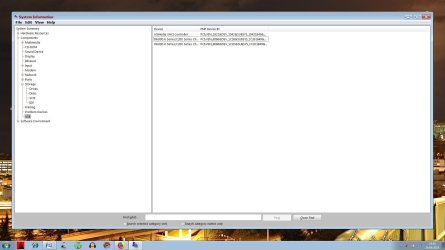
I scrolled down to 'USB' and found the following which I've loaded as an attachment: 2019-04-24_193108.jpg

You'll note there is duplication of Intel Services: that may be because I re-installed everything I suppose.

I just opened the 'Intel Driver & Support Assistant' just to see it, but did nothing.


Anyhow, would you believe it,John...I then tried the flash drive again in the USB3 slot and now it works after failing me umpteen times!


How the hell can that be since I've done absolutely nothing other than contact you??:rolleyes:


Do you have magical powers that scare USB3's into working?:-)

I'll make note, nevertheless of your suggestion for any future misdemeanors, John!

Many thanks again for your timely advice
 

My Computer My Computer

At a glance

Microsoft Windows 7 Home Premium 64-bit 7601 ...Intel(R) Core(TM) i7-2600 CPU @ 3.40GHz8.00 GBIntel(R) HD Graphics Family
Computer type
PC/Desktop
OS
Microsoft Windows 7 Home Premium 64-bit 7601 Multiprocessor Free Service Pack 1
CPU
Intel(R) Core(TM) i7-2600 CPU @ 3.40GHz
Motherboard
ASRock H61M/U3S3
Memory
8.00 GB
Graphics Card(s)
Intel(R) HD Graphics Family
Sound Card
(1) Realtek High Definition Audio (2) High Definition Audi
Screen Resolution
1920 x 1080 x 32 bits (4294967296 colors) @ 59 Hz
Hard Drives
(1) ST3500413AS ATA Device (2) ST3500413AS ATA Device (3) Generic- Card Reader USB Device
Back
Top