Hi, I have a 500GB HP Pocket Drive that I've been using for years as backup storage and portable movie player. I have numerous movie, picture, music and document files on it.
The other night I had it plugged in to the USB port on the front of my Blu-Ray player watching a movie when all of a sudden it stopped playing. I thought it was a fluke but it kept stopping at the same spot (in a movie that I had watched completely before and never had a problem). I brought it to my computer to see what might be the problem and when I plugged it in the USB port, it said it did not recognize the USB.
I did a little research online and found out that if I got a Universal Drive Adapter I may be able to retrieve my files. I bought one and disassembled the pocket drive. I plugged the adapter into my drive and it was recognized at that point but didn't show up under Removable Storage Devices in My Computer. It showed up under Devices but I wasn't able to access any of the files.
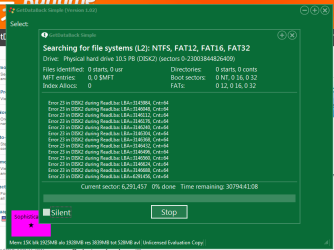
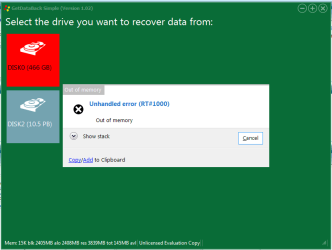
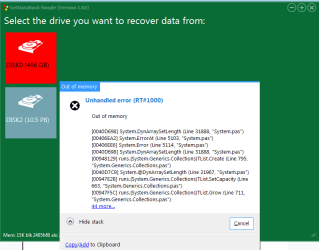
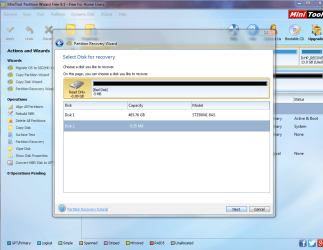
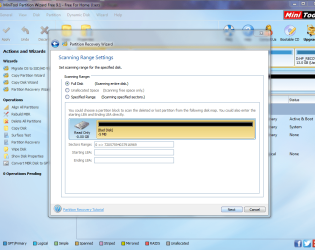
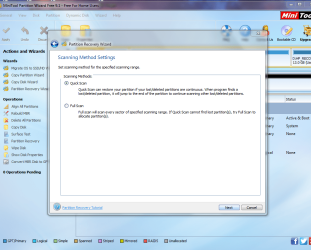
At that point, I figured it was a partition problem and found a thread on this website about someone who had a similar problem. Jumanji had put together a very nice step by step instructions for how to recover the data using a MiniTools Recovery Wizard. I went through that, but it did not help.
I'm a little stuck at this point. I really need the document files more than anything else, as they have ended up being my only copies. I have other backups of my music, movies and pictures so I'm not as concerned about them, although, if I could retrieve them as well, I'd take them.
I'm hopeful that there is a way to retrieve these things and I'm sure someone here can help me.
The other night I had it plugged in to the USB port on the front of my Blu-Ray player watching a movie when all of a sudden it stopped playing. I thought it was a fluke but it kept stopping at the same spot (in a movie that I had watched completely before and never had a problem). I brought it to my computer to see what might be the problem and when I plugged it in the USB port, it said it did not recognize the USB.
I did a little research online and found out that if I got a Universal Drive Adapter I may be able to retrieve my files. I bought one and disassembled the pocket drive. I plugged the adapter into my drive and it was recognized at that point but didn't show up under Removable Storage Devices in My Computer. It showed up under Devices but I wasn't able to access any of the files.
At that point, I figured it was a partition problem and found a thread on this website about someone who had a similar problem. Jumanji had put together a very nice step by step instructions for how to recover the data using a MiniTools Recovery Wizard. I went through that, but it did not help.
I'm a little stuck at this point. I really need the document files more than anything else, as they have ended up being my only copies. I have other backups of my music, movies and pictures so I'm not as concerned about them, although, if I could retrieve them as well, I'd take them.
I'm hopeful that there is a way to retrieve these things and I'm sure someone here can help me.
My Computer
- Computer type
- PC/Desktop
- Computer Manufacturer/Model Number
- HP Touchsmart
- OS
- Microsoft Windows 7 Home Premium 64-bit 7601 Multiprocessor Free Service Pack 1
- CPU
- AMD Athlon(tm) II X3 405e Processor
- Motherboard
- PEGATRON CORPORATION 2A8E
- Memory
- 4.00GB/ 3.75GB Usable
- Graphics Card(s)
- ATI Radeon HD 3200 Graphics
- Sound Card
- SoundMAX Integrated Digital HD Audio
- Keyboard
- Logitech
- Mouse
- Dell


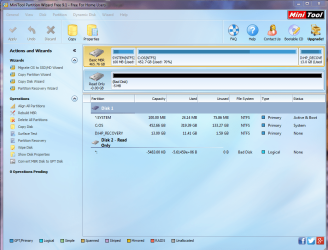
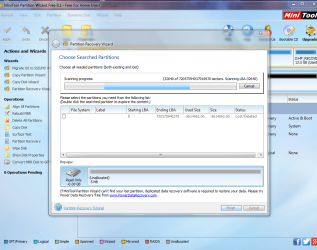
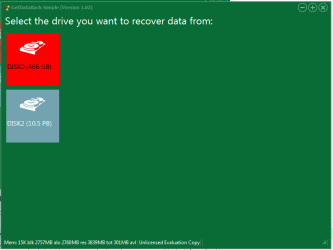

 not looking good so far, hit 'Ignore' and the same message kept popping up with errors in different sectors, finally hit 'Ignore All' and it started moving much faster...