Hi all,
I have a strange problem that I have not been able to figure out. I have an ASUS Ux21E Zenbook. I reformatted it a few months ago, and ever since I've had this problem.
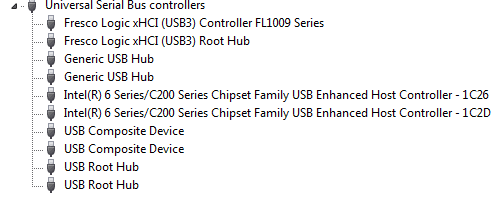
This laptop has 2 USB ports; one is USB3 and the other is USB2. When I plug anything into the USB2 (ie my mouse or flash drive(s)) they work fine, until I unplug them. Then the USB2 port stops working until I reboot the computer. The USB3 never stops working. At first I thought it had to do with hibernation, as my built in webcam would get disabled too. I have tried turning off all selective suspend options for my USB ports and no dice. I then confirmed that it stops working regardless of hibernation, and only when I unplug the device.
I have tried updating the drivers, removing potentially troublesome software, and had no luck. I'm finally fed up with this. Can anyone give me any suggestions?
Thanks, Jeff.
I have a strange problem that I have not been able to figure out. I have an ASUS Ux21E Zenbook. I reformatted it a few months ago, and ever since I've had this problem.
This laptop has 2 USB ports; one is USB3 and the other is USB2. When I plug anything into the USB2 (ie my mouse or flash drive(s)) they work fine, until I unplug them. Then the USB2 port stops working until I reboot the computer. The USB3 never stops working. At first I thought it had to do with hibernation, as my built in webcam would get disabled too. I have tried turning off all selective suspend options for my USB ports and no dice. I then confirmed that it stops working regardless of hibernation, and only when I unplug the device.
I have tried updating the drivers, removing potentially troublesome software, and had no luck. I'm finally fed up with this. Can anyone give me any suggestions?
Thanks, Jeff.
My Computer
- Computer type
- PC/Desktop
- OS
- Windows 7 x64