- Local time
- 12:48 PM
- Messages
- 892
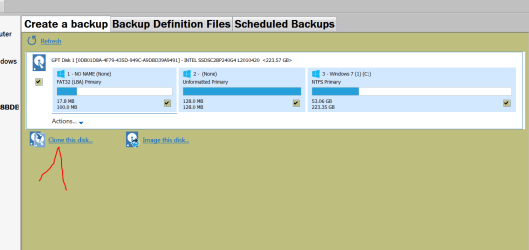
Just now I've seen a lot of questions here on using Macrium. I have tried that myself and I only wound up with a bunch of rescue disks and no ISO cd. While there seems to be a lot of enthusiasm for it here, any of the recent backup or clone progs have been confusing to me. Or worse-- a Linux prog like Clonezilla have eaten the source drive much less any target.
My question is still on a safe and workable backup strategy. Win 7 contains a system image option on the Recovery Environment Disk and gives an option for it from the program itself.
My usual backup is just to clone using Norton Ghost from the cd keeping in mind to run chkdsk first-- it seems to avoid a lot of problems. Maybe older is best but this process must have a simple answer that Sevenforums has discovered over the years.
--> To begin with, just say if the Win 7 Image option is any good and how does it differ from Macrium and all the other programs like Acronis and Paragon.
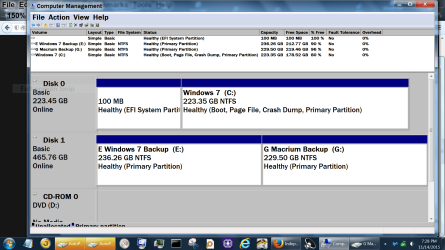
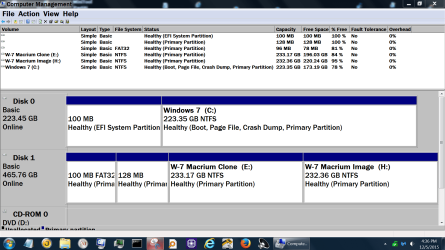
I now have enough disk space on one HD to create the image on the same drive just as a test.
There is only one partition. My understanding is that a folder is made to store the image but I know little more from reading the procedures.
My question is still on a safe and workable backup strategy. Win 7 contains a system image option on the Recovery Environment Disk and gives an option for it from the program itself.
My usual backup is just to clone using Norton Ghost from the cd keeping in mind to run chkdsk first-- it seems to avoid a lot of problems. Maybe older is best but this process must have a simple answer that Sevenforums has discovered over the years.
--> To begin with, just say if the Win 7 Image option is any good and how does it differ from Macrium and all the other programs like Acronis and Paragon.
I now have enough disk space on one HD to create the image on the same drive just as a test.
There is only one partition. My understanding is that a folder is made to store the image but I know little more from reading the procedures.
My Computer
At a glance
Windows 7 x64 UltimateAMD Athlon II x3 4502 GB
- Computer type
- PC/Desktop
- Computer Manufacturer/Model Number
- custom
- OS
- Windows 7 x64 Ultimate
- CPU
- AMD Athlon II x3 450
- Motherboard
- MSI 880GM
- Memory
- 2 GB
- Hard Drives
- various
- Browser
- Firefox, Opera