Arcturus314
New member
- Local time
- 10:21 AM
- Messages
- 7
Used "Clean" diskpart on backup HDD and external HDD with system image
Hi all,
Recently I tried to enable RAID on my laptop. I had previously made several data backups on an internal (non boot) HDD as well as making a full system image on an external HDD.
When I attempted to restore from my system image I got an error, that the drives were marked as active. When I ran the "Clean" command (not "clean all") I accidentally wiped my HDD with the system image. I currently don't have access to anything on my laptop.
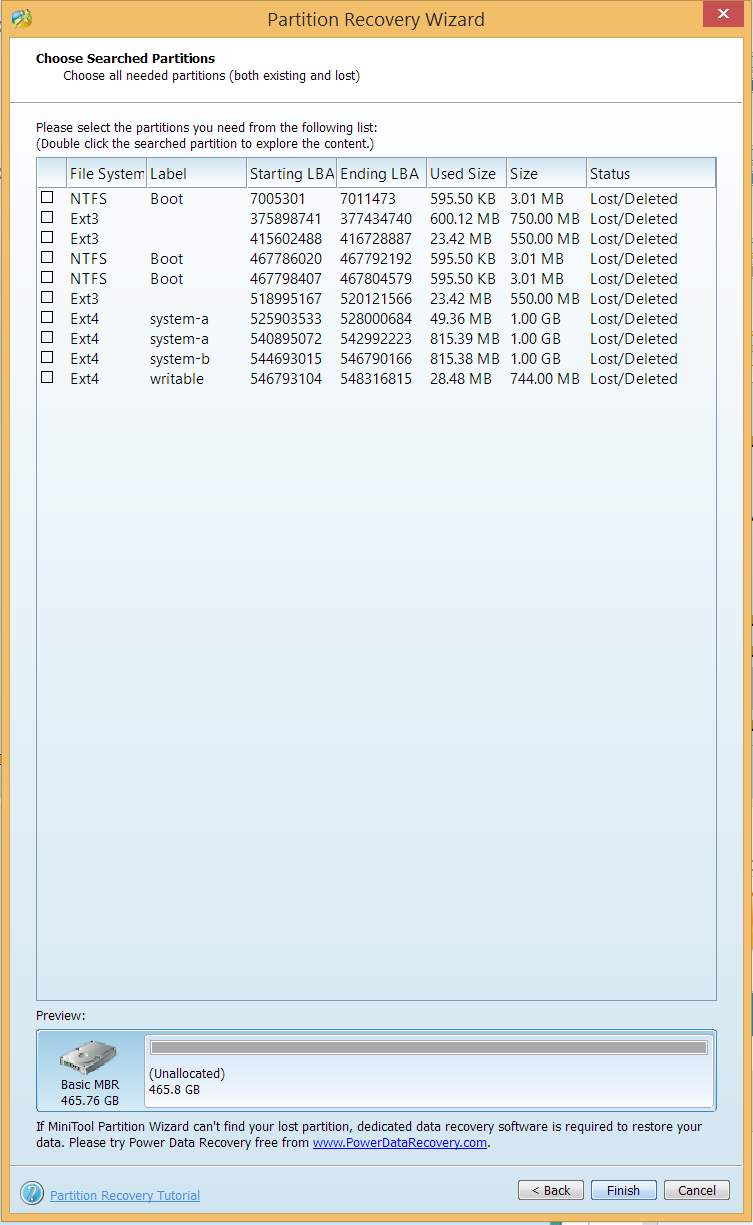
After I realized my mistake I shut down the laptop (running on a windows repair disk) and unplugged the HDD. I plugged it into my desktop and ran the MiniTool Partition Wizard Data Recovery full scan. I didn't find anything but partitions sub 1.2 GB. I'm not sure about the data structure created in a system image though.
Currently I'm running a testdisk quick scan of the drive. I'll post a screenshot when it completes.
Any ideas on how I can get my system image back? I have no other way to restore files to my laptop as I (being the bumbling idiot I am) deleted my backups in the process.
Thanks in advance,
Arcturus314
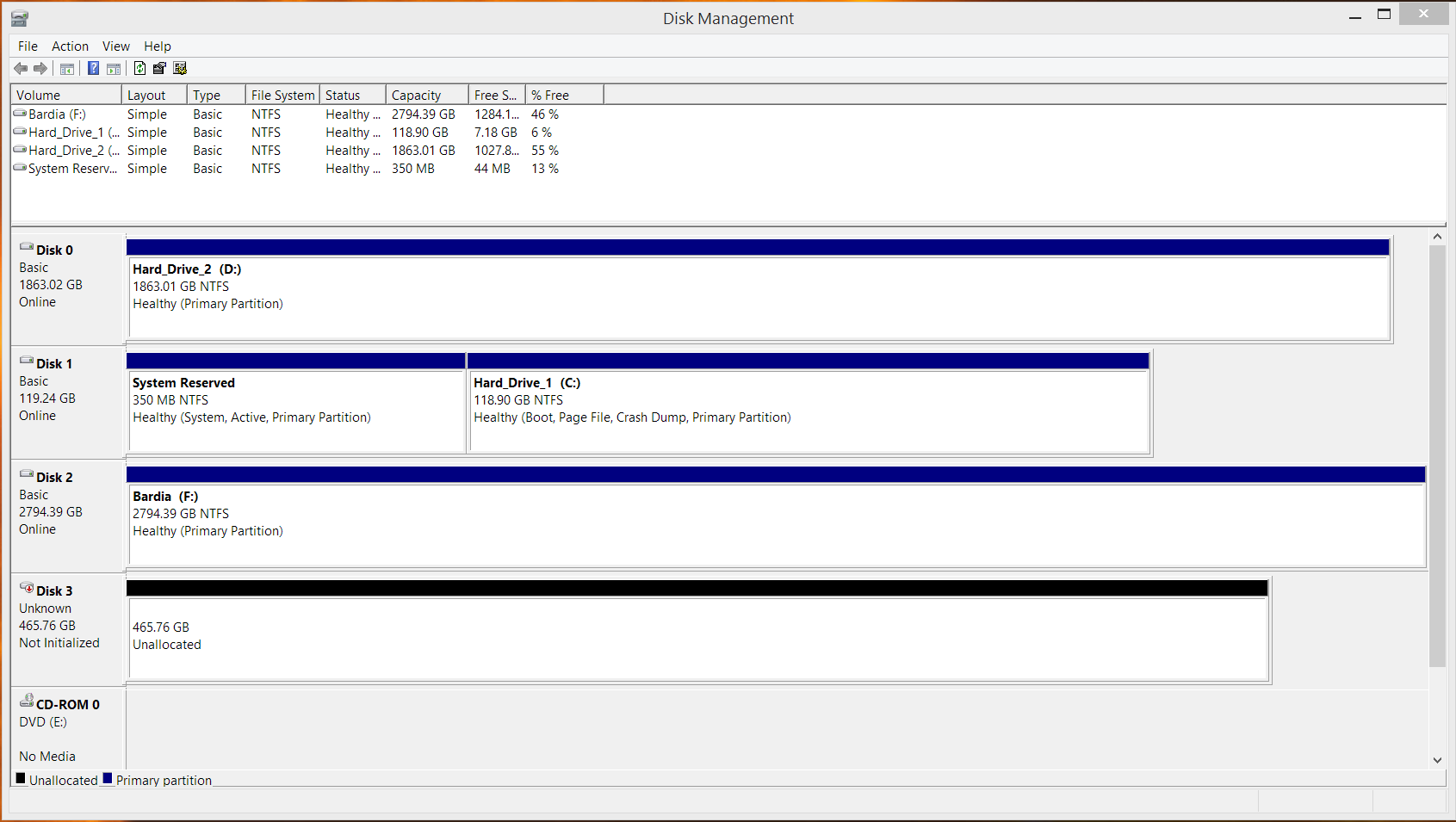
EDIT: Disk management says the disk is "not initialized".
Hi all,
Recently I tried to enable RAID on my laptop. I had previously made several data backups on an internal (non boot) HDD as well as making a full system image on an external HDD.
When I attempted to restore from my system image I got an error, that the drives were marked as active. When I ran the "Clean" command (not "clean all") I accidentally wiped my HDD with the system image. I currently don't have access to anything on my laptop.
After I realized my mistake I shut down the laptop (running on a windows repair disk) and unplugged the HDD. I plugged it into my desktop and ran the MiniTool Partition Wizard Data Recovery full scan. I didn't find anything but partitions sub 1.2 GB. I'm not sure about the data structure created in a system image though.
Currently I'm running a testdisk quick scan of the drive. I'll post a screenshot when it completes.
Any ideas on how I can get my system image back? I have no other way to restore files to my laptop as I (being the bumbling idiot I am) deleted my backups in the process.
Thanks in advance,
Arcturus314
EDIT: Disk management says the disk is "not initialized".
Last edited:
My Computer
At a glance
Windows 7 Professional 64 Biti7 4810MQ8 GB DDR3-1600AMD Firepro M6100
- Computer type
- Laptop
- Computer Manufacturer/Model Number
- Dell Precision M6800
- OS
- Windows 7 Professional 64 Bit
- CPU
- i7 4810MQ
- Motherboard
- Dell OEM
- Memory
- 8 GB DDR3-1600
- Graphics Card(s)
- AMD Firepro M6100
- Screen Resolution
- 1080p TN
- Hard Drives
- 2x 128GB SSD
1x 500GB 7200 RPM Hdd
- Browser
- Google Chrome


 . Thank you for all the answers.
 )
)