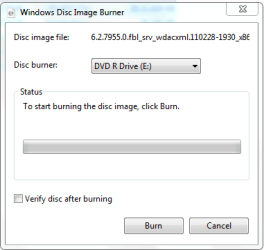
Hi,
I can't figure out how to turn on an option to verify a written cd/dvd with the "basic explorer burn" method (neither in mediaplayer when try to write audio cds).
Is it possible?
Another question:
is it possible to set up various gaps (I mean seconds) between audio tracks with mediaplayer (or mediacenter, whatever)? There I can found only one option:
"Burn CD without gaps"
Is that all?
Thanks
I can't figure out how to turn on an option to verify a written cd/dvd with the "basic explorer burn" method (neither in mediaplayer when try to write audio cds).
Is it possible?
Another question:
is it possible to set up various gaps (I mean seconds) between audio tracks with mediaplayer (or mediacenter, whatever)? There I can found only one option:
"Burn CD without gaps"
Is that all?
Thanks
My Computer
At a glance
Windows 7 Pro x64
- OS
- Windows 7 Pro x64