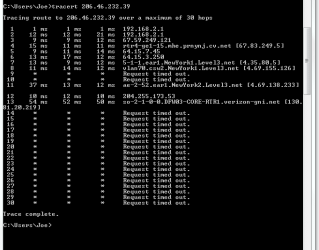
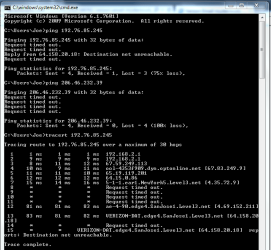
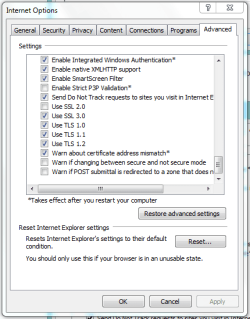
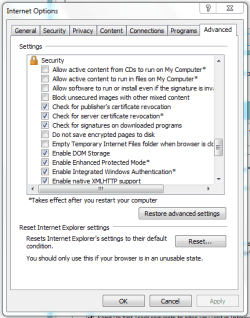
Thanks for all the help so far. I left work before I saw any of the updates so haven tried anything yet. Going to jump around in answering the new questions. In all honesty I haven't even tried a router reset yet. Was going to earlier today but other people using network and internet, so couldn't. Tomorrow will be easier to disconnect the network for a little bit.
Is Optimum your work ISP? Do you have an Optimum Business account?
And so I'm clear, Optimum is a branded offering from Cablevision - yes?
Yes its my Work ISP (and phone service) with a business account and is a service of Cablevision. I have Verizon Fios as my ISP at home and just use my home/personal email address (only one) that I got with Verizon and use it for work also.
Check the manuals it sounds like they could both go for an ipconfigflush and winsock reset. Something similar to the tutorial in
Mike's #7 post and
Bill's #16, but try to stay with the manufacturer's version of doing it, Mike, Bill, you can overrule me, but I'd believe he should also do the flush and reset to the four machines he has.
If a standard reset to factory defaults does not fix anything I will try this, but I may need assistance on how to do this for my router... Will let you know tomorrow.
Router model number: Linksys Wireless-G WRT54G
Will have to post back tomorrow with modem model number.
I'm curious though - this is a single site issue (Verizon) and specifically only secure pages.
So far the only site that has had this problem is Verizon. I haven't really browsed that many other sites but the few I have had no problems whatsoever.
Restricted sites lists do not get deleted when resetting ie,
I doubt you can single out one email address though,
Internet options/ Security/ Restricted sites Icon/ Sites button/ Is there any entries there I believe I asked already but if not please review the restricted sites list on all computers :/
Nothing listed in the restricted sites in IE
How many machines are at work? The one machine you were working on began to exhibit different behavior as we went through the exercise. First it could connect to the secure page, but after some changes could not - then after some additional changes, it could again. The secure parts of the page (login drop down) has not worked through all of this.
I ask because I want to make sure that the other machine(s) exhibit the 'can connect, but not display the secure parts' behavior. Just a sanity check for my part - you sort of answered that in your laptop test.
4 machines total at work. You are completely correct with your recap and understanding. All other machines "can connect, but no dropdown" symptoms.
Will bring laptop again tomorrow and also try connecting it directly to modem (if router reset doesn't work). Will keep you updated more tomorrow.
On a side note, as much as I do want to correct this problem, I'm going to feel stupid if it comes down to a simple router reset correcting the problem. That is actually one of the first things I thought of before I even started this post, but slipped my mind when we started looking into advanced methods.